




LaserJet M12a
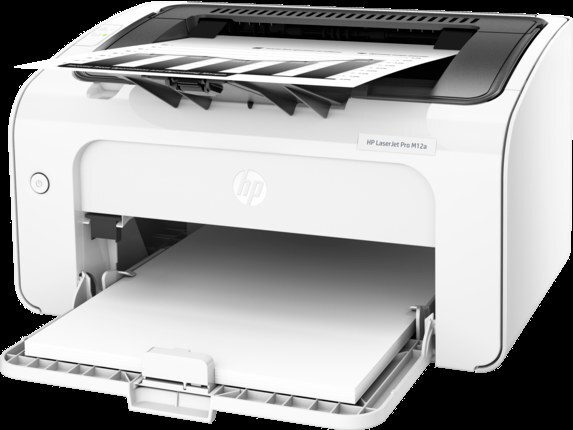
The LaserJet M12a is a 2017-era compact monochrome printer made for a personal desk — one person, one modest stream of documents, no network queue. It takes a single black cartridge, the HP 79A, code CF279A, and this page stocks it as a four-pack. For a desk printer, that pack math is the whole supply strategy: buy once, and the drawer holds years of ordinary printing.
A personal printer's reputation rests on consistency rather than features, and the M12a's owners tend to keep it for exactly that reason — it sits beside one desk and produces the same clean pages every day. Its toner needs match that temperament. There is no color to manage, no drum on a separate schedule, and no second capacity tier to deliberate over; the only supply decision this machine ever asks is whether the spare drawer is stocked. The four-pack below answers that question for a long stretch at a time, which suits a printer whose whole appeal is not having to think about it.
Toner Cartridges for LaserJet M12a
| Cartridge | Color | Page Yield |
|---|---|---|
| HP 79A (CF279A) Toner Cartridge 4 Black | Black | See product page |
That single listing is this page's complete stock for the model: a four-cartridge pack of the one code this printer uses.
Which cartridge should you buy?
There is only one cartridge to buy — the CF279A — so the real question is whether the four-pack suits a single-desk printer. For most owners it does, comfortably: a personal machine prints modest volume, cartridges keep well sealed, and four cartridges bought together cost less per unit than the same cartridges bought one emergency at a time. The pack also removes the one failure mode desk printers actually suffer — running dry the morning a document is due. If your M12a prints only occasionally, the pack is still the sensible buy; just store the spares properly and let them wait. Smaller pack sizes of this code are linked at the top of this page for anyone who truly wants a single spare.
Chip, toner and everyday use
Storage is the main skill this printer asks of its owner. Keep spare cartridges sealed in their original packaging, stored upright in a cool, dry spot away from sunlight, and do not break a seal until installation day. Toner powder keeps for a long time, but cartridges stored for years can develop problems — install spares within a couple of years where you can, and know that the printer may flag a very old cartridge. When a swap day comes, pull the used cartridge straight out, unpack the new one, remove its seal and clips, and slide it in until it clicks; close the door and run one test print. A gentle side-to-side rock of a fading cartridge redistributes toner and often restores clean pages for the last stretch of its life.
Frequently Asked Questions
Which toner cartridge works with the LaserJet M12a?
One code only: the CF279A, the HP 79A black cartridge. If the label on the cartridge you remove shows that code — and it will — the four-pack above is the correct replacement stock.
Where should I keep spare cartridges for a desk printer?
In the desk itself is fine, provided they stay sealed, upright, cool and out of sunlight. The enemies are heat, humidity and a broken seal, not time spent in a drawer.
Do these cartridges expire if the pack lasts me years?
Not quickly. Toner stays usable for a long time sealed; problems appear mainly with cartridges kept unsealed or in hot conditions for years. Rotate the pack — oldest cartridge in first — and each one will perform as expected.
Does the M12a need a separate drum or color cartridges?
Neither. It is a monochrome printer with a single black cartridge; when print quality fades at the end of that cartridge's life, the cartridge change itself is the whole remedy.
More printers that use the same cartridges
The same cartridge serves a small family of compact HP models:
LaserJet M12w, LaserJet M12w MFP, LaserJet M26a MFP, LaserJet M26nw, LaserJet M26w, LaserJet Pro M12a, LaserJet Pro MFP M26a