




LaserJet 4350
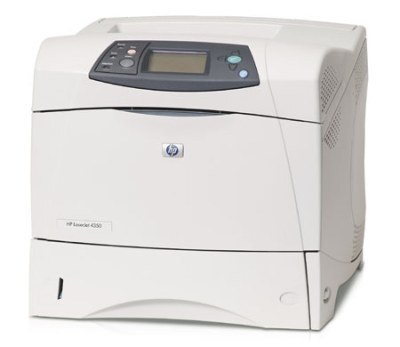
The LaserJet 4350, HP's 2005 range-topper, pushed the workgroup formula further with the fastest engine in the 42A family. Demanding offices got serious throughput from this A4 monochrome printer.
Cartridges: HP 42A (Q5942A) standard or HP 42X (Q5942X) high-yield. We stock compatible and genuine OEM toner for the 4350.
Toner Cartridges for LaserJet 4350
This printer works with the following toner cartridges:
- HP Q5942A
- HP Q5942X
More HP Printers
- LaserJet 4240
- LaserJet 4240N
- LaserJet 424N
- LaserJet 4250
- LaserJet 4250DN
- LaserJet 4250DTN
- LaserJet 4250DTNS
- LaserJet 4250DTNSI
- LaserJet 4250DTNSL
- LaserJet 4250N
- LaserJet 4250TN
- LaserJet 4350DTN
- LaserJet 4350DTNS
- LaserJet 4350DTNSI
- LaserJet 4350DTNSL
- LaserJet 4350N
- LaserJet 4350TN
Frequently Asked Questions
Which toner cartridge does the LaserJet 4350 use?
The LaserJet 4350 uses the Q5942A (standard yield) or the Q5942X (high-yield) toner cartridge. Confirm the code printed on your current cartridge matches before ordering a replacement.
How do I clear a ‘Toner Low’ message on the LaserJet 4350?
On the LaserJet 4350, the Toner Low message means the cartridge is nearly empty — you can keep printing for a while, but order a replacement now. Installing a fresh cartridge clears the warning on the LaserJet 4350 automatically.
What should I do if paper jams in the LaserJet 4350?
Turn off the LaserJet 4350, open the rear access door and the toner compartment, and pull the jammed sheet gently in the direction of the paper path. Remove any torn fragments from the LaserJet 4350, close everything, and resume printing.