




LaserJet 4240
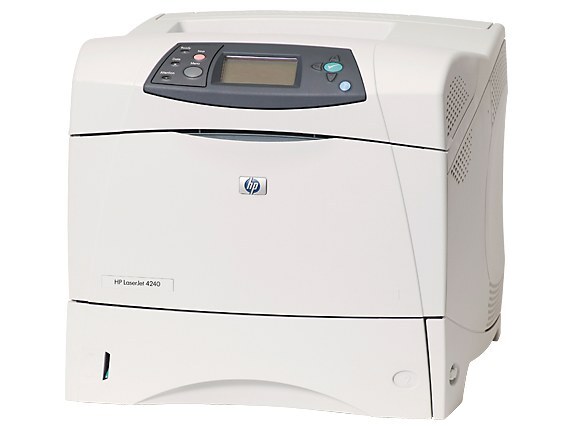
HP's LaserJet 4240, launched in 2004, modernized the workgroup printer with a cleaner design and smarter features than the 4200 series. This A4 monochrome machine balanced performance and manageability for the mid-2000s office.
It uses the HP 42A cartridge (Q5942A), with the high-yield HP 42X (Q5942X) for heavier volumes. Compatible and genuine OEM toner both available.
Toner Cartridges for LaserJet 4240
This printer works with the following toner cartridges:
- HP Q5942A
- HP Q5942X
More HP Printers
- LaserJet 4240N
- LaserJet 424N
- LaserJet 4250
- LaserJet 4250DN
- LaserJet 4250DTN
- LaserJet 4250DTNS
- LaserJet 4250DTNSI
- LaserJet 4250DTNSL
- LaserJet 4250N
- LaserJet 4250TN
- LaserJet 4350
- LaserJet 4350DTN
- LaserJet 4350DTNS
- LaserJet 4350DTNSI
- LaserJet 4350DTNSL
- LaserJet 4350N
- LaserJet 4350TN
Frequently Asked Questions
Which toner cartridge does the LaserJet 4240 use?
The LaserJet 4240 uses the Q5942A (standard yield) or the Q5942X (high-yield) toner cartridge. Confirm the code printed on your current cartridge matches before ordering a replacement.
How do I fix smudged toner on prints from the LaserJet 4240?
Smudges usually mean loose toner dust inside the LaserJet 4240 — printing a few blank pages flushes it through. If smudging continues, check that the cartridge is seated properly in the LaserJet 4240 and not leaking.
What should I do if paper jams in the LaserJet 4240?
Turn off the LaserJet 4240, open the rear access door and the toner compartment, and pull the jammed sheet gently in the direction of the paper path. Remove any torn fragments from the LaserJet 4240, close everything, and resume printing.