




LaserJet 4240N
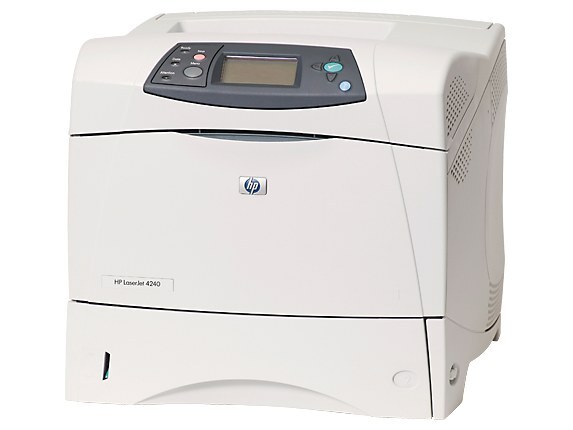
The LaserJet 4240N added Ethernet to HP's 2004 workgroup printer — the networked configuration small offices shared. Fast, compact, and easy to administer, it fit the mid-2000s office perfectly.
Cartridges are the HP 42A (Q5942A) and high-yield HP 42X (Q5942X). We stock compatible and genuine OEM toner for the 4240N. There is also a jumbo-yield compatible option beyond the 42X, sold as Q5942AJ, for offices that run the 4240N hardest.
Toner Cartridges for LaserJet 4240N
This printer works with the following toner cartridges:
- HP Q5942A
- HP Q5942X
More HP Printers
- LaserJet 4240
- LaserJet 424N
- LaserJet 4250
- LaserJet 4250DN
- LaserJet 4250DTN
- LaserJet 4250DTNS
- LaserJet 4250DTNSI
- LaserJet 4250DTNSL
- LaserJet 4250N
- LaserJet 4250TN
- LaserJet 4350
- LaserJet 4350DTN
- LaserJet 4350DTNS
- LaserJet 4350DTNSI
- LaserJet 4350DTNSL
- LaserJet 4350N
- LaserJet 4350TN
Frequently Asked Questions
Which toner cartridge does the LaserJet 4240N use?
The LaserJet 4240N uses the Q5942A (standard yield) or the Q5942X (high-yield) toner cartridge. Confirm the code printed on your current cartridge matches before ordering a replacement.
Can the LaserJet 4240N be shared on an office network?
Yes — the LaserJet 4240N has Ethernet connectivity, so plug it into your network and install the driver on each workstation. Every computer can then send jobs directly to the LaserJet 4240N.
How do I fix smudged toner on prints from the LaserJet 4240N?
Smudges usually mean loose toner dust inside the LaserJet 4240N — printing a few blank pages flushes it through. If smudging continues, check that the cartridge is seated properly in the LaserJet 4240N and not leaking.