




Color LaserJet Enterprise M855X+
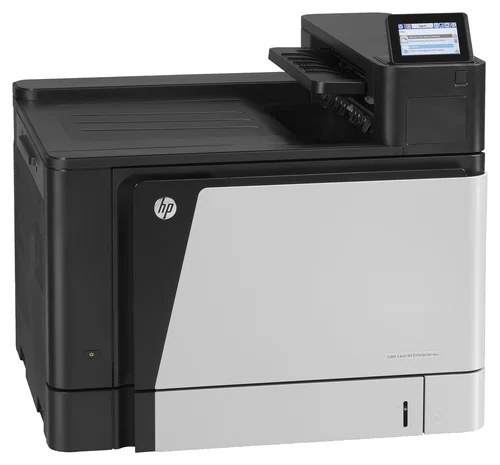
The Color LaserJet Enterprise M855X+ sits at the top of its printer family — the configuration departments buy when color output is a daily workload rather than an occasional job. Four cartridges run it: CF310A black, CF311A cyan, CF312A yellow and CF313A magenta. Together they form the HP 826A cartridge family, and every cartridge on this page is a compatible replacement built for that family.
What sets the X+ apart is volume. The black cartridge does the heavy lifting in most offices, so this page carries black in two, three and five packs alongside the single, while the colors are sold singly and in sets of three, four, five and eight. A department that prints reports in black and presentations in color can stock the black multi-packs deep and top up one color at a time.
Toner Cartridges for Color LaserJet Enterprise M855X+
| Cartridge | Color | Page Yield |
|---|---|---|
| CF310A Black | Black | See product page |
| CF311A Cyan | Cyan | See product page |
| CF312A Yellow | Yellow | See product page |
| CF313A Magenta | Magenta | See product page |
| M855X+ CF310A Black | Black | See product page |
| M855X+ CF311A Cyan | Cyan | See product page |
| M855X+ CF312A Yellow | Yellow | See product page |
| M855X+ CF313A Magenta | Magenta | See product page |
| 826A 4 Color Set (CF310A, CF311A, CF312A, CF313A) | Black / Cyan / Magenta / Yellow | See product page |
Black multi-packs and larger color sets for this printer:
- 826A Toner 2 Black Set (CF310A)
- 826A Toner 3 Black Set (CF310A)
- 826A Toner 5 Black Set (CF310A)
- 826A Toner 5 Color Set (CF310A, CF311A, CF313A, CF312A)
- 826A Toner 8 Color Set (CF310A, CF311A, CF313A, CF312A)
- 826A Toner 6 Color Set (CF311A, CF313A, CF312A)
- 826A Toner 3 Color Set (CF311A, CF313A, CF312A)
- M855x+ Toner 4 Color Set (CF310A, CF311A, CF313A, CF312A)
Which cartridge should you buy?
Start with how the printer is used. If black pages dominate, the two, three or five black packs cut the cost of the cartridge that empties fastest, and the color singles can be bought one at a time as they run out. A full refresh is simpler as a four, five or eight color set, and the three color set covers cyan, magenta and yellow together when black still has life in it. There is no separate high-yield tier in this family on this page — volume is handled through the multi-packs, so match the pack size to the print load rather than hunting for a bigger cartridge.
Chip, toner and everyday use
Each compatible cartridge carries its own chip, so the M855X+ reads it like the cartridge it replaces. If a new cartridge is not recognized, take it out, check that the protective seal is fully removed, and seat it again until it clicks. Keep spares in their sealed bags, upright and away from heat and direct light, and keep one spare black on the shelf — it is the cartridge that runs out first in most departments.
Frequently Asked Questions
Which toner cartridges does the Color LaserJet Enterprise M855X+ take?
The M855X+ takes the HP 826A family: CF310A black, CF311A cyan, CF312A yellow and CF313A magenta. Match these exact codes on the cartridge you are replacing.
Is there a high-yield version of the 826A cartridges?
No high-yield tier is stocked for this family on this page. Heavy black use is covered by the two, three and five black packs, and the larger color sets cover heavy color use the same way.
Can I replace just one color at a time?
Yes. The four cartridges sit in separate slots, so a single empty color can be swapped without touching the other three. Buy the single for that color, or take a three color set when cyan, magenta and yellow are all getting low together.
Do all four cartridges need to be installed for color printing?
Yes — accurate color output needs all four cartridges in place, even if one color is barely used. A missing cartridge stops color jobs, so replace the empty one before the next color print run.
More printers that use the same cartridges
The same cartridges serve a long line of HP machines. These models all use this family: Color LaserJet Enterprise M855DN, Color LaserJet Enterprise M855XH, HP 826A.