




Color LaserJet Enterprise CM4540
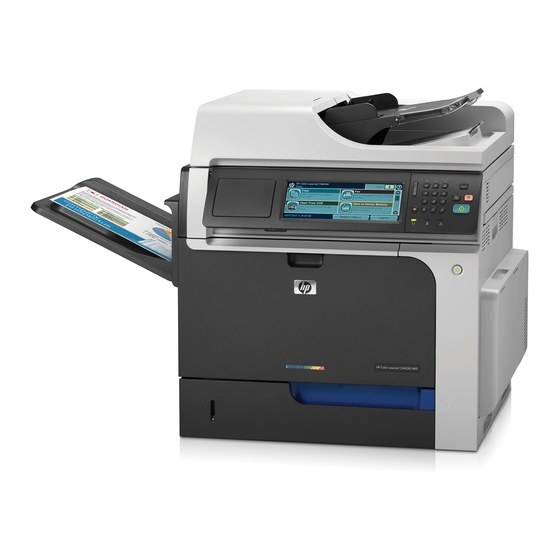
The Enterprise branding marked the HP Color LaserJet Enterprise CM4540 as fleet-ready, with the management and security features IT departments required. Wide-format MFP output for managed environments.
It uses HP 646X black CE264X (alternate 647A CE260A) with 646A color CF031A, CF032A and CF033A. Compatible and genuine OEM toner is available.
Toner Cartridges for Color LaserJet Enterprise CM4540
This printer works with the following toner cartridges:
- HP CE264X
- HP CF031A
- HP CF032A
- HP CF033A
- HP CE260A
More HP Printers
- Color LaserJet CM4540
- Color LaserJet CM4540F
- Color LaserJet CM4540F MFP
- Color LaserJet CM4540FSKM
- Color LaserJet CM4540FSKM MFP
- Color LaserJet CM4540MFP
- Color LaserJet CP6015
- Color LaserJet CP6015DE
- Color LaserJet CP6015dn
- Color LaserJet CP6015N
- Color LaserJet CP6015X
- Color LaserJet CP6015XH
- Color LaserJet Enterprise CM4540 MFP
- Color LaserJet Enterprise CM4540F
- Color LaserJet Enterprise CM4540F MFP
- Color LaserJet Enterprise CM4540FSKM
- Color LaserJet Enterprise CM4540FSKM MFP
Frequently Asked Questions
The cartridge list for the Color LaserJet Enterprise CM4540 has five codes — how does that work?
The Color LaserJet Enterprise CM4540 installs four cartridges at a time: pick one black (CE264X or CE260A) plus CF031A, CF032A and CF033A for color. Match the black code already in your printer so the replacement is the right one.
How do I make a copy on the Color LaserJet Enterprise CM4540 without a computer?
Place the original on the Color LaserJet Enterprise CM4540's scanner glass or in its document feeder, then press copy on the control panel. Set your copy count and start — the Color LaserJet Enterprise CM4540 works as a standalone copier with no computer needed.
Can I shake a toner cartridge to extend its life in the Color LaserJet Enterprise CM4540?
When the Color LaserJet Enterprise CM4540 flags a cartridge as low, removing it and rocking it gently side to side redistributes the remaining toner and can buy extra prints. Replace the cartridge promptly if the Color LaserJet Enterprise CM4540's print quality stays faded.