




Color LaserJet CM4540FSKM MFP
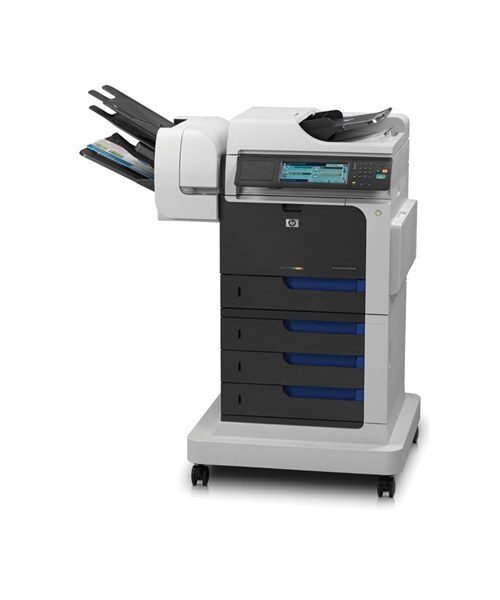
The MFP version of the HP Color LaserJet CM4540FSKM combined advanced wide-format features with full multifunction ability. It was the complete large-document solution.
It uses HP 646X CE264X black (647A CE260A alternate) plus 646A color CF031A/CF032A/CF033A. Compatible and genuine OEM toner for this model is available.
Toner Cartridges for Color LaserJet CM4540FSKM MFP
This printer works with the following toner cartridges:
- HP CE264X
- HP CF031A
- HP CF032A
- HP CF033A
- HP CE260A
More HP Printers
- Color LaserJet CM4540
- Color LaserJet CM4540F
- Color LaserJet CM4540F MFP
- Color LaserJet CM4540FSKM
- Color LaserJet CM4540MFP
- Color LaserJet CP6015
- Color LaserJet CP6015DE
- Color LaserJet CP6015dn
- Color LaserJet CP6015N
- Color LaserJet CP6015X
- Color LaserJet CP6015XH
- Color LaserJet Enterprise CM4540
- Color LaserJet Enterprise CM4540 MFP
- Color LaserJet Enterprise CM4540F
- Color LaserJet Enterprise CM4540F MFP
- Color LaserJet Enterprise CM4540FSKM
- Color LaserJet Enterprise CM4540FSKM MFP
Frequently Asked Questions
What toner does the Color LaserJet CM4540FSKM MFP take?
The Color LaserJet CM4540FSKM MFP needs all four of these cartridges installed: CE264X, CF031A, CF032A, CF033A, CE260A. Any cartridge set marketed as a replacement for these exact codes will work in the Color LaserJet CM4540FSKM MFP.
Can I still scan with the Color LaserJet CM4540FSKM MFP when a toner cartridge runs out?
Yes — scanning to a computer never uses toner, so the Color LaserJet CM4540FSKM MFP keeps scanning even with an empty cartridge. Copying does print the scan, so faded copies on the Color LaserJet CM4540FSKM MFP are the real sign one of the CE264X, CF031A, CF032A, CF033A, CE260A cartridges needs replacing.
Why is my Color LaserJet CM4540FSKM MFP printing faded or streaked pages?
If your Color LaserJet CM4540FSKM MFP prints faded or streaked pages, check the supplies menu to confirm none of the CE264X, CF031A, CF032A, CF033A, CE260A cartridges are low, then run a cleaning page from the device menus. If streaks persist, remove the suspect cartridge, rock it gently to redistribute toner, and reseat it in the Color LaserJet CM4540FSKM MFP.