




Color LaserJet Enterprise CM4540 MFP
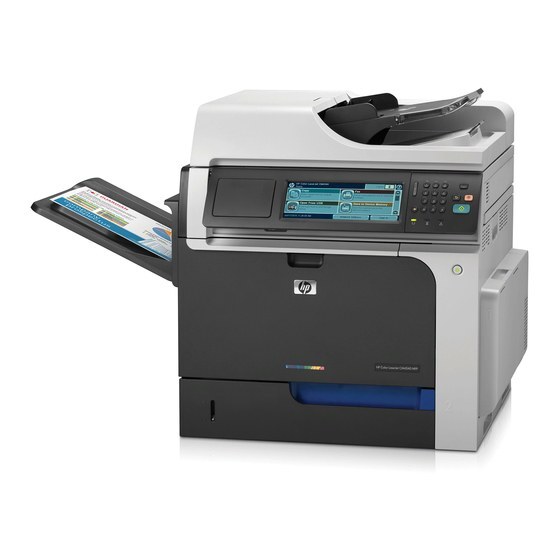
This Enterprise MFP configuration of the HP Color LaserJet CM4540 brought managed wide-format document handling to departments. Security, capacity and A3 color in one machine.
Toner is HP 646X CE264X black (647A CE260A alternate) plus 646A color CF031A/CF032A/CF033A. We stock compatible and genuine OEM cartridges for the Enterprise CM4540 MFP.
Toner Cartridges for Color LaserJet Enterprise CM4540 MFP
This printer works with the following toner cartridges:
- HP CE264X
- HP CF031A
- HP CF032A
- HP CF033A
- HP CE260A
More HP Printers
- Color LaserJet CM4540
- Color LaserJet CM4540F
- Color LaserJet CM4540F MFP
- Color LaserJet CM4540FSKM
- Color LaserJet CM4540FSKM MFP
- Color LaserJet CM4540MFP
- Color LaserJet CP6015
- Color LaserJet CP6015DE
- Color LaserJet CP6015dn
- Color LaserJet CP6015N
- Color LaserJet CP6015X
- Color LaserJet CP6015XH
- Color LaserJet Enterprise CM4540
- Color LaserJet Enterprise CM4540F
- Color LaserJet Enterprise CM4540F MFP
- Color LaserJet Enterprise CM4540FSKM
- Color LaserJet Enterprise CM4540FSKM MFP
Frequently Asked Questions
What toner does the Color LaserJet Enterprise CM4540 MFP take?
The Color LaserJet Enterprise CM4540 MFP needs all four of these cartridges installed: CE264X, CF031A, CF032A, CF033A, CE260A. Any cartridge set marketed as a replacement for these exact codes will work in the Color LaserJet Enterprise CM4540 MFP.
Can the Color LaserJet Enterprise CM4540 MFP print while a color cartridge is empty?
No — the Color LaserJet Enterprise CM4540 MFP needs all four cartridges of its CE264X, CF031A, CF032A, CF033A and CE260A set installed to print, even black-only jobs. Check the supplies menu to see which cartridge is empty and replace just that one.
How do I clear a paper jam in the Color LaserJet Enterprise CM4540 MFP?
Turn the Color LaserJet Enterprise CM4540 MFP off, open the covers, and gently pull the jammed sheet in the direction it feeds — never yank it sideways. Also check the cartridge area of the Color LaserJet Enterprise CM4540 MFP, since a sheet can lodge behind one of the toner cartridges.