




Color LaserJet CP4025
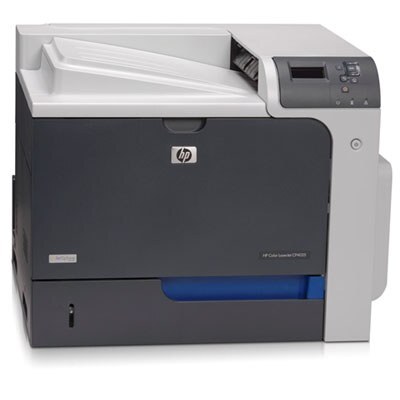
The HP Color LaserJet CP4025 delivered workgroup color printing with the polish offices expected in the late 2000s. Reports, proposals and presentations came out crisp and professional.
It runs HP 647A/648A toner — black CE260A (or high-yield CE260X) with color CE261A cyan, CE262A yellow and CE263A magenta. Compatible and genuine OEM cartridges for the CP4025 are available.
Toner Cartridges for Color LaserJet CP4025
This printer works with the following toner cartridges:
- HP CE260A
- HP CE260X
- HP CE261A
- HP CE262A
- HP CE263A
More HP Printers
- Color CP4000
- Color CP4025
- Color CP4025dn
- Color CP4025n
- Color CP4500
- Color CP4525
- Color CP4525dn
- Color CP4525n
- Color CP4525xh
- Color Enterprise CP4025
- Color Enterprise CP4025n
- Color Enterprise CP4525
- Color Enterprise CP4525dn
- Color Enterprise CP4525n
- Color Enterprise CP4525xh
- Color LaserJet CP4000
- Color LaserJet CP4025DN
- Color LaserJet CP4025N
- Color LaserJet CP4500
- Color LaserJet CP4525
- Color LaserJet CP4525DN
- Color LaserJet CP4525N
- Color LaserJet CP4525XH
- Color LaserJet Enterprise CP4025
- Color LaserJet Enterprise CP4025DN
- Color LaserJet Enterprise CP4025N
- Color LaserJet Enterprise CP4525
- Color LaserJet Enterprise CP4525DN
- Color LaserJet Enterprise CP4525N
- Color LaserJet Enterprise CP4525XH
Frequently Asked Questions
How many toner cartridges does the Color LaserJet CP4025 use?
Four — the Color LaserJet CP4025 runs one black (CE260A or CE260X) plus CE261A, CE262A and CE263A for color. You install one black cartridge at a time: pick CE260A for standard use or CE260X for heavier printing on the Color LaserJet CP4025.
Can the Color LaserJet CP4025 print without all four cartridges installed?
No — the Color LaserJet CP4025 needs all four slots filled to print, even for black-only pages. If a color cartridge runs dry, replace just that one; the printer won't run with an empty bay.
How do I install a toner cartridge in the Color LaserJet CP4025?
Open the front access door of the Color LaserJet CP4025, pull the empty cartridge straight out by its handle, and slide the new cartridge in until it clicks. Close the door and let the Color LaserJet CP4025 finish its calibration before printing.