




Color Enterprise CP4525dn
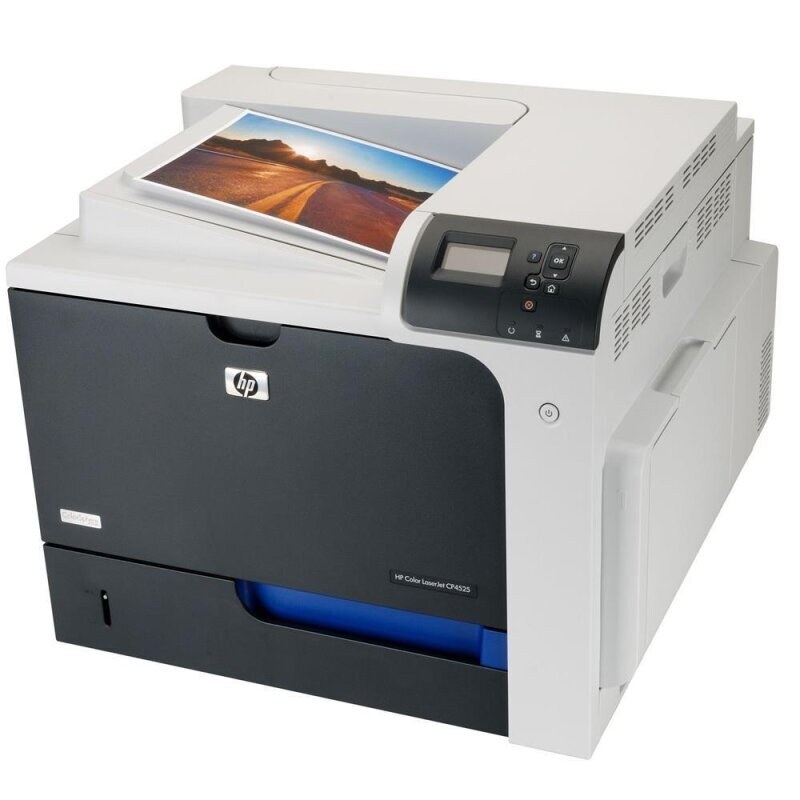
The managed-deployment standard of its line, the Color Enterprise CP4525dn combines automatic two-sided printing with network sharing under enterprise fleet control — shared color with IT oversight, not a private desktop box. Its supplies come from the HP 647A/648A family: black CE260A, or the high-yield CE260X when the black slot turns over quickly, plus CE261A, CE262A and CE263A for the colors. The listings on this page cover the black cartridge, in single and two-pack form; the high-yield black and the three colors are family members that are not stocked here.
A dn model earns its place by serving a whole team from one set of trays. Duplexing quietly halves the paper bill on long reports, the network port puts the printer in everyone's print dialog, and the only routine touch the machine ever asks for is a toner swap. Plan the supply side accordingly: a shared printer with no spare cartridge is a shared outage waiting for a busy morning.
Toner Cartridges for Color Enterprise CP4525dn
- CE260A black toner cartridge — Black — yield: See product page
One shelf-mate worth knowing about: a two-pack of the same CE260A black is also stocked here under a CP4025 listing name. The cartridge inside is the identical code this printer takes.
Which cartridge should you buy?
Duplex plus high-yield toner is the fleet formula for this model, and the black choice is where it plays out. The standard CE260A is fine for a lightly used machine, but a shared dn usually justifies the CE260X: more toner per cartridge means the team's printer asks for attention less often, and output quality is unchanged. Because this page stocks the standard black, many offices simply keep the two-pack as their standing spare and reorder when the second cartridge goes in. Colors stay simple — CE261A, CE262A and CE263A are single-size cartridges, replaced one at a time as each runs low. Compatible cartridges from Clever Supplies carry a one-year warranty and one-year returns.
Chip, toner and everyday use
Set two-sided printing as the driver default once, and the CP4525dn will duplex everything that does not explicitly ask for single-sided output. When a cartridge goes in, the chip should report a full level straight away; a cartridge that still shows empty after reseating is worth swapping for the spare rather than fighting mid-queue. Remember that rated yields assume about 5% coverage — a team printing full-color decks will see real life come in lower. Store spares sealed near the machine, not in a warm plant room, and shake a near-empty cartridge gently side to side to squeeze out its last even pages.
Frequently Asked Questions
Do I need to buy all four cartridges at once for the Color Enterprise CP4525dn?
No — replace only the color that is actually low. The black CE260A or CE260X usually runs out fastest on office documents, so the practical habit is one spare black on the shelf and color orders placed as each of CE261A, CE262A and CE263A individually approaches empty.
Why is the duplex option missing from my print dialog?
The option disappears when the driver does not know the duplex unit is fitted. Reinstall the full HP driver for this model, open the printer properties and confirm two-sided printing is enabled there; the duplex choice should then reappear in the print dialog for every application.
Why does the black cartridge run out long before the colors?
Office output is mostly black text with occasional color accents, so the black slot does nearly all the work while the three color cartridges sip. That imbalance is normal for this platform and is exactly why the black is the cartridge offered in a larger high-yield size.
More printers that use the same cartridges
Every machine below prints from this same cartridge family, whichever badge variant your office bought:
- HP 647A & 648A
- Color LaserJet Enterprise CP4525XH
- Color LaserJet Enterprise CP4525N
- Color LaserJet Enterprise CP4525DN
- Color LaserJet Enterprise CP4525
- Color LaserJet Enterprise CP4025N
- Color LaserJet Enterprise CP4025DN
- Color LaserJet Enterprise CP4025
- Color LaserJet CP4525XH
- Color LaserJet CP4525N
- Color LaserJet CP4525DN
- Color LaserJet CP4525
- Color LaserJet CP4500
- Color LaserJet CP4025N
- Color LaserJet CP4025DN
- Color LaserJet CP4025
- Color LaserJet CP4000
- Color Enterprise CP4525xh
- Color Enterprise CP4525n
- Color Enterprise CP4525
- Color Enterprise CP4025n
- Color Enterprise CP4025
- Color CP4525xh
- Color CP4525n
- Color CP4525dn
- Color CP4525
- Color CP4500
- Color CP4025n
- Color CP4025dn
- Color CP4025
- Color CP4000