




Color LaserJet CP3525DN
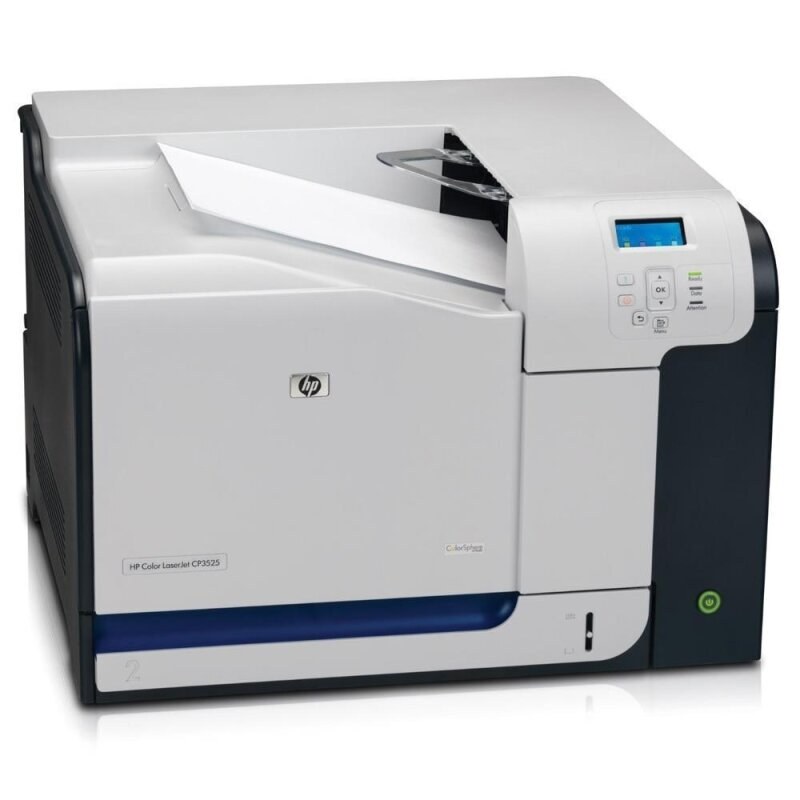
Automatic duplexing and networking made the Color LaserJet CP3525DN the configuration offices actually bought: two-sided color documents, shared by the whole team. Its toner shelf is the HP 504A family — black CE250A with a high-yield 504X (CE250X) option, plus cyan CE251A, yellow CE252A and magenta CE253A, one cartridge for each slot.
Duplex printing quietly changes running costs: the CP3525DN prints on both sides of the sheet, so paper spend drops while toner use follows the printed page count as normal. In practice the DN became the default fleet printer in many offices — the machine nearest the door that everyone prints to — and that popularity, not any single big job, is what consumes its cartridges. Sensible running cost here is about steady supply, not exotic savings.
Toner Cartridges for Color LaserJet CP3525DN
| Cartridge | Color | Page Yield |
|---|---|---|
| 4 Color Set | All four colors | See product page |
| 504A 4 Color Set | All four colors | See product page |
| CE253A | Magenta | See product page |
| CE252A | Yellow | See product page |
| CE251A | Cyan | See product page |
| CE250X | Black, high yield | See product page |
| CE250X | Black, high yield | See product page |
| CE250A | Black | See product page |
Further listings stocked for this model:
- Compatible HP 3800DN (CE250A CE251A CE252A CE253A) Toner Cartridge 4 Color Set
- Compatible HP CP3505N (CE250A CE251A CE252A CE253A) Toner Cartridge 4 Color Set
- Compatible HP CP3525dn (CE251A) Toner Cartridge Cyan
- Compatible HP CP3525dn (CE253A) Toner Cartridge Magenta
- Compatible HP CP3525dn (CE252A) Toner Cartridge Yellow
- CS Compatible Replacement for HP 504X Toner Black Cartridges (CE250X)/ High Yield/ Twin Pack
- CS Compatible Replacement for HP 504X LaserJet Toner Cartridge Black High Yield Twin Pack/ CE250X
- Compatible HP 5500 (CE250A CE251A CE252A CE253A) Toner Cartridge 2 Black
- Compatible HP CP3525dn (CE250A CE251A CE252A CE253A) Toner Cartridge 4 Color Set
- Compatible HP CP3525dn (CE250A) Toner Cartridge 2 Black
- Compatible HP 504A (CE250A CE251A CE252A CE253A) Toner Cartridge 4 Color Set
- Compatible HP 504A (CE250A CE251A CE252A CE253A) Toner Cartridge 4 Color Set
Also stocked here: listings that carry sibling model names from the same cartridge family, linked under their own names.
- Compatible HP CP3525n (CE250A) Toner Cartridge 2 Black
- Compatible HP CP3525n (CE250A) Toner Cartridge 3 Black
- Compatible HP CP3525n (CE250A) Toner Cartridge 5 Black
- Compatible HP CP3525n (CE250A CE251A CE252A CE253A) Toner Cartridge 5 Color Set
- Compatible HP CP3525n (CE250A CE251A CE252A CE253A) Toner Cartridge 8 Color Set
- Compatible HP CM3530 (CE250A) Toner Cartridge 3 Black
- Compatible HP CP3525x (CE250A) Toner Cartridge Black
- Compatible HP CM3530mfp (CE251A) Toner Cartridge Magenta
- Compatible HP CP3525n (CE251A CE252A CE253A) Toner Cartridge 3 Color Set
- Compatible HP CP3525n (CE251A CE252A CE253A) Toner Cartridge 6 Color Set
- Compatible HP CP3525n (CE251A) Toner Cartridge Cyan
- Compatible HP CP3525x (CE251A) Toner Cartridge Cyan
- Compatible HP CM3530mfp (CE251A CE252A CE253A) Toner Cartridge 3 Color Set
- Compatible HP CM3530mfp (CE252A) Toner Cartridge Yellow
- Compatible HP CP3525 (CE253A) Toner Cartridge Magenta
- Compatible HP CP3525 (CE252A) Toner Cartridge Yellow
- Compatible HP CP3525n (CE253A) Toner Cartridge Magenta
- Compatible HP CP3525n (CE252A) Toner Cartridge Yellow
- Compatible HP CP3525x (CE253A) Toner Cartridge Magenta
- Compatible HP CP3520 (CE250A CE251A CE252A CE253A) Toner Cartridge 4 Color Set
- Compatible HP CP3525 (CE250A CE251A CE252A CE253A) Toner Cartridge 4 Color Set
- Compatible HP CM3530mfp (CE250A CE251A CE252A CE253A) Toner Cartridge 5 Color Set
- Compatible HP CM3530mfp (CE250A) Toner Cartridge Black
- Compatible HP CM3530mfp (CE251A) Toner Cartridge Cyan
- Compatible HP CP3525 (CE250A) Toner Cartridge 2 Black
- Compatible HP CP3525 (CE250A CE251A CE252A CE253A) Toner Cartridge 5 Color Set
Which cartridge should you buy?
Two-sided printing does not change which black to buy, only how fast you use it: busy DN machines belong on the CE250X high-yield cartridge, while the standard CE250A is fine for a small team. Spares and twin packs of the CE250X keep the cupboard ahead of demand. Colors remain single purchases as they empty — CE251A, CE252A, CE253A — and a four-color set makes sense at install time or when a used machine joins the office. Compatible cartridges here include a 1-year warranty with 1-year returns.
Chip, toner and everyday use
Because a duplex machine flips every sheet, keep an eye on the black cartridge's chip reading before long two-sided runs; a job that stops halfway for toner wastes the paper already printed. Reseat any cartridge the printer fails to recognize — the chip contact is the first suspect, ahead of the cartridge itself. Gentle rocking can level out the toner in a cartridge that prints faintly on one side. Keep spares in a cool, dry place, out of sunlight, and still sealed until the day they are fitted.
Frequently Asked Questions
Does duplex printing change the toner the CP3525DN uses?
No. The DN prints on both sides of the page, but it takes the same 504A cartridges as every CP3525: CE250A or CE250X black, CE251A cyan, CE252A yellow and CE253A magenta.
Why does my CP3525DN go through black faster than the colors?
Most office pages are text. Duplexing doubles the text on each sheet without adding color, so the black cartridge does most of the work and empties first — normal behavior for this machine.
Should a fleet of CP3525DN printers standardize on one black cartridge?
It simplifies stocking, yes. Most fleets pick the CE250X high-yield black for every machine and keep the three colors as shared spares, since all CP3525 versions use the same colors.
The printer says a cartridge is not recognized. What now?
Remove it, check the chip is clean and undamaged, and refit it until it clicks. If the message survives a careful reseat, try the cartridge in the correct slot again — each slot reads only its own color's chip.
More printers that use the same cartridges
The 504A family is shared across the CP3525 range and the CM3530 multifunction models that follow.
Color LaserJet CM3530, Color LaserJet CM3530FS, Color LaserJet CM3530FS MFP, Color LaserJet CM3530MFP, Color LaserJet CP3520.
Color LaserJet CP3525, Color LaserJet CP3525N, Color LaserJet CP3525X, HP 504A.