






 See Compatible Printers
 Read more about our ink!
Hewlett Packard
Compatible HP CP3525n (CE252A) Toner Cartridge Yellow
- Page Yield:
- Color: 7000
- Availability:
- In Stock
- Shipping:
- Free Shipping

Amazon Price:

- Page Yield:
- Color: 7000
- Availability:
- In Stock
- Shipping:
- Free Shipping
- Compatible Printers
- Specifications
- SKU:
- CLS-HP-CP3525n-Y
- Printer Brand:
- Hewlett Packard
- OEM Number:
- CE252A
- Ink Color:
- Yellow
- Page Yield:
- Color: 7000
- Printer Type:
- Laser Cartridge
- Condition:
- New Compatible
- Description
- Reviews



The HP 504A Color LaserJet Series boasts a versatile lineup of printers tailored to meet the demands of professional color printing. Whether it's the CM3530, CP3525, or CP3520 series, each model offers exceptional quality and reliability. Notable models include the CM3530FS, CP3525DN, and CM3530FS MFP, renowned for their performance and functionality. Compatible with these printers are the HP 504A toner cartridges, including the CE250A Black, CE251A Cyan, CE253A Magenta, and CE252A Yellow. These cartridges ensure vibrant colors and crisp text for all your printing needs. With the HP 504A cartridges, users can achieve consistent results across documents, presentations, and marketing materials. For multifunction printers like the CM3530MFP, these cartridges maintain efficiency across printing, scanning, copying, and faxing tasks. With the CP3525N and CP3525X, users can enjoy enhanced connectivity options and expanded paper handling capacities, making them suitable for high-volume printing environments. In the realm of color laser printing, the HP 504A series stands out for its reliability and performance. With these printers and cartridges, users can produce professional-quality documents with ease. Whether it's business reports, brochures, or photographs, the HP 504A series delivers impressive results every time. Overall, the HP 504A Color LaserJet Series, coupled with the HP 504A toner cartridges, offers a comprehensive solution for businesses and individuals seeking high-quality color printing. With their advanced features, robust build, and consistent performance, these printers and cartridges are the ideal choice for all your printing needs.
Frequently Asked Questions
Our CP3525n serves the whole floor over the network. Why does yellow vanish unnoticed?
Because no single user owns the printer. Twenty people print color; nobody watches the yellow gauge; and yellow's fade is gradual — greens drift blue for weeks before anyone complains. On a shared Color LaserJet CP3525N, this CE252A yellow does its work invisibly and its absence is noticed just as late.
Which code should the office manager match when reordering?
The stamp on the cartridge in the yellow bay: CE252A, the HP 504A yellow. Networked printers collect well-meaning guesses from helpful staff — the code ends the guessing. If the unit coming out reads CE252A, the cartridge on this page is the one that goes back in.
Is there a sane stocking rule for a shared printer like this?
Keep one spare in the cupboard and reorder the day it is fitted. The cartridge is rated at 7,000 pages at standard coverage, which on a busy floor is months of color — but a run-out on presentation day costs more than the spare ever will. The fitted spare is your reorder signal.
Does the network software warn us in time?
The printer reports estimated levels to the print server and its own web page, and the warning comes early enough — yellow declines over hundreds of pages, not overnight. The failure is never the warning; it is everyone assuming someone else ordered the cartridge. Assign the spare to one named person.
What does $70.63 buy the office?
One sealed compatible yellow cartridge rated at 7,000 pages, with the drum integrated into the unit. Fitting is a front-door swap anyone on the floor can do, and the $70.63 is the whole cost — there is no drum unit or service part to add to the order.
What if the new cartridge prints streaky yellows?
It is covered by a 1-year warranty and 1-year free returns — details on our shipping and returns page. Stock ships from warehouses in Illinois, Pennsylvania, Georgia and California, and our team answers Monday through Friday, 9 AM to 5 PM CST.
How can the office prove it is yellow — and not another channel — that needs replacing?
Print the supplies status page from the printer itself. It lists every cartridge on its own line with its own level, so the CE252A's reading can be compared directly against cyan, magenta and black. That one page ends the guesswork on a shared machine, and it doubles as the record of where every color stood on the day of the change.
What should the first pages after a changeover be checked against?
Against a document the floor knows well — a standard report or chart whose colors everyone recognizes. Greens should read green again and warm tones should lose their cold cast. Print that familiar page before the next real job goes out; if the colors are still wrong with a fresh cartridge fitted, the fault sits elsewhere, and support can be told exactly what was tried.
Where does the spare belong when several printers share one floor?
In one place, in a box or bin labeled with the printer's name and the CE252A code. Shared floors breed mixed shelves, and a cartridge that fits a different model helps nobody at 4 PM on a deadline day. A labeled home for this printer's spare means the person who finds the gauge low can act without a search party.
How should empties be handled so they do not collect around a shared printer?
Give them one collection point — a marked box near the printer that empties into the building's recycling or take-back stream on a regular round. A used CE252A left loose on a shelf invites two mistakes: being refitted by someone who assumes it is the spare, and being thrown into general trash by someone tidying up.
About This HP 504A Yellow Cartridge
Shared printers need supplies that remove decisions, and this compatible HP 504A yellow does: CE252A on the stamp, 7,000 pages on the rating, $70.63 in the HP toner cartridges range at Clever Supplies — the standing spare for every CP3525n floor.
Related Items


Hewlett Packard
Compatible HP CP3525 (CE252A) Toner Cartridge Yellow



Hewlett Packard
Compatible HP CP3525dn (CE252A) Toner Cartridge Yellow


Hewlett Packard
Compatible HP CP3525n (CE251A CE252A CE253A) Toner Cartridge 6 Color Set

Hewlett Packard
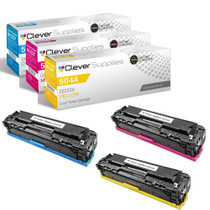
Compatible HP CP3525n (CE251A CE252A CE253A) Toner Cartridge 3 Color Set