




Color LaserJet CM3530
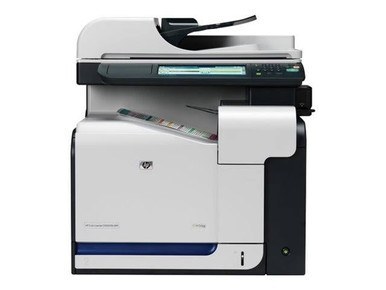
The HP Color LaserJet CM3530 merged color printing with full multifunction capability for workgroups around 2009. Copy, scan, fax and print lived in one sturdy machine built for daily office use.
It uses the HP 504A/504X family — black CE250A (or high-yield CE250X) with color CE251A cyan, CE252A yellow and CE253A magenta. Compatible and genuine OEM cartridges for the CM3530 are stocked here.
Toner Cartridges for Color LaserJet CM3530
This printer works with the following toner cartridges:
- HP CE250A
- HP CE250X
- HP CE251A
- HP CE252A
- HP CE253A
More HP Printers
- Color LaserJet CM3530FS
- Color LaserJet CM3530FS MFP
- Color LaserJet CM3530MFP
- Color LaserJet CP3520
- Color LaserJet CP3525
- Color LaserJet CP3525DN
- Color LaserJet CP3525N
- Color LaserJet CP3525X
Frequently Asked Questions
Are third-party toner cartridges safe to use in the Color LaserJet CM3530?
The correct cartridges for the Color LaserJet CM3530 are CE250A, CE250X, CE251A, CE252A, CE253A (HP 504A/504X). Whether you buy OEM or compatible, that number is what matters — anything outside HP 504A/504X will not seat properly in the Color LaserJet CM3530.
How do I set up the Color LaserJet CM3530 on a new computer?
Download the latest driver for the Color LaserJet CM3530 from HP's official support site, choosing your exact operating system. Install it with the printer connected or on the same network, then print a test page.
Can I replace just the empty cartridge in my Color LaserJet CM3530, or the whole set?
Just replace the empty one — each cartridge in the Color LaserJet CM3530 runs its own level, so the color cartridges can stay put while you swap the black.