




Laser 1815
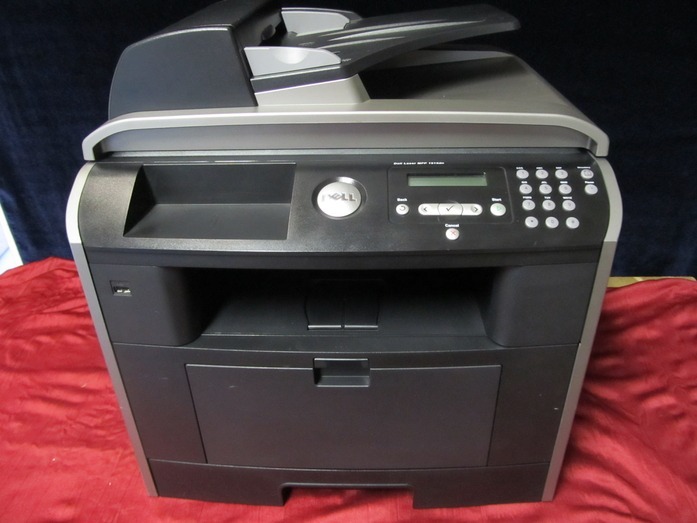
The Dell 1815 is the straightforward mono printer of Dell’s 1815 family — fast black-and-white output for offices that print mostly text documents. No frills, just reliable laser printing at a pace that keeps up with daily paperwork.
It shares the 1815 family’s black cartridge set (310-7945 and equivalents), with yield choices for light or heavy printing. Our compatible Dell 1815 toner cartridges deliver crisp, smudge-free text at a lower cost per page than OEM — ideal for high-volume document printing.
Toner Cartridges for Dell 1815
This printer works with the following toner cartridges:
- Dell 310-7945
- Dell 310-7943
- Dell PF658
- Dell PF656
- Dell RF223
- Dell NF485
Frequently Asked Questions
Which toner does the Dell 1815 multifunction use?
The 1815 uses the 310-7945 and 310-7943 and the PF658 and PF656 black toner cartridges in standard and high-capacity versions; RF223 and NF485 are alternate Dell numbers for the same family. Match the number on your current cartridge to get the right capacity.
Does faxing on the 1815 use toner?
Sending a fax uses no toner, and receiving uses none either unless the machine is set to print incoming faxes automatically. If junk faxes are printing around the clock, enable junk-fax blocking or fax-to-email so the 310-7945-series cartridge is not drained by spam.
The 1815's copies are darker on one side, what is wrong?
One-sided darkness on copies (but not computer prints) points to the scanner, not the toner: clean the scanner glass and the ADF feed strip. If computer prints show the same unevenness, then suspect the 310-794x cartridge: rock it gently to redistribute toner and replace it if the problem persists.