




Color Laser C2660DN
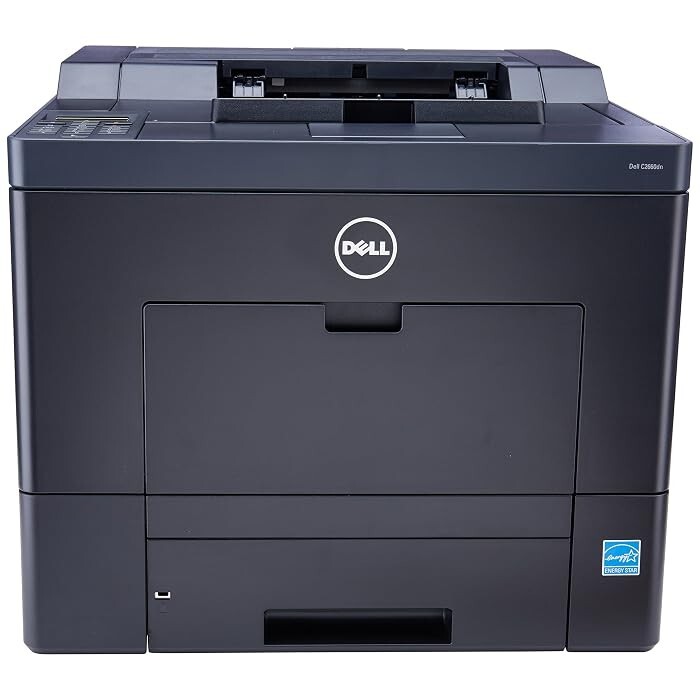
The Dell C2660DN pairs the C2660's 28 ppm color engine with Gigabit Ethernet and automatic duplexing for shared workgroup printing. IPsec and SSL protect data on the network, while ColorTrack 2.2 gives admins control over color usage — a genuinely business-ready feature set.
The C2660DN uses the 593-BBBU through 593-BBBR cartridge set, with high-yield versions that reward volume: 6,000-page black and 4,000-page color. Compatible and OEM cartridges below ship fast.
Toner Cartridges for Dell C2660DN
This printer works with the following toner cartridges:
- Dell 593-BBBU
- Dell 593-BBBT
- Dell 593-BBBS
- Dell 593-BBBR
Frequently Asked Questions
Which replacement toner is compatible with the Dell C2660DN?
The Dell C2660DN uses the Dell cartridge family that includes 593-BBBU, 593-BBBT, 593-BBBS, 593-BBBR. Match the part number on your old cartridge to be sure you get the right color.
How do I check toner levels on the Dell C2660DN?
To read C2660DN supply status, open the printer's web interface or driver utility if it's networked, or use the control panel's supplies screen. It lists each cartridge in the set (593-BBBU, 593-BBBT, 593-BBBS, 593-BBBR) so you can see exactly which color needs attention.
My C2660DN doesn't recognize the new cartridge. What do I do?
If the C2660DN reports an unsupported cartridge, confirm the part number matches the verified list (593-BBBU, 593-BBBT, 593-BBBS, 593-BBBR) — a wrong-number cartridge is the most common cause. Reseating and a power cycle clear the rest.