




Color Laser 3010CN
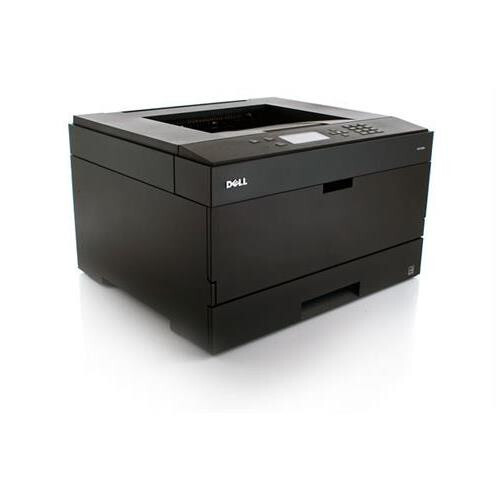
The Dell 3010CN was sold to offices that wanted color printing with the meter running: a 25-page-per-minute networked color laser with ColorTrack on board, Dell's tool for monitoring and controlling what color printing costs across a network. Its cartridges answer to two names each. Black is 341-3568 (JH565 / KH225), cyan is 341-3571 (TH204 / TH207), magenta is 341-3570 (XH005 / TH209) and yellow is 341-3569 (WH006 / TH208) — the long number is the Dell series number, and the short codes are the alternate Dell numbers listed for the very same cartridges.
That dual numbering is the one thing to understand about feeding this printer. The cartridge that comes out of the machine may be labeled with either system, and both point at the same replacement. Offices that meter color with ColorTrack tend to be deliberate about supplies too: they replace a single color when it runs out rather than refreshing the whole set, which is exactly the pattern this printer's four independent cartridges are designed for.
Toner Cartridges for Dell 3010CN
| Cartridge | Color | Page Yield |
|---|---|---|
| 341-3568 (JH565 / KH225) | Black | See product page |
| 341-3571 (TH204 / TH207) | Cyan | See product page |
| 341-3570 (XH005 / TH209) | Magenta | See product page |
| 341-3569 (WH006 / TH208) | Yellow | See product page |
| Dell 3010CN 4 Color Set | All four colors | See product page |
| Dell 3010CN Premium Quality 4 Color Set | All four colors | See product page |
| 341-3568 / 341-3571 / 341-3570 / 341-3569 4 Color Set | All four colors | See product page |
Which cartridge should you buy?
Decide by the slot, not by the set. If the printer is asking for one color, buy that color alone — the four cartridges live independent lives, and replacing a healthy cartridge early only spends money sooner. A full 4 color set is the right call when you are stocking a machine you have just taken over, or when several cartridges are near the end together and one combined order beats three separate ones. Whichever you choose, cross-check both numbers before checkout: matching either the 341-series number or its short alternate code confirms you have the right cartridge. Compatible cartridges for the 3010CN carry a 1-year warranty and 1-year returns.
Chip, toner and everyday use
Keep a note of both numbering systems with the printer — a label inside the supply cabinet door saves a return trip later. When a new cartridge goes in, seat it firmly so the printer reads it as fresh; if a just-installed cartridge still shows as low, take it out and reseat it before suspecting the cartridge itself. Toner that has settled in storage benefits from a gentle side-to-side rock before installation, which levels the powder and helps the first pages come out even. Store spares sealed, flat and at room temperature.
Frequently Asked Questions
Why does one 3010CN cartridge have two different numbers?
Dell lists these cartridges under both a series number and a short alternate code — black, for example, is 341-3568 and also JH565 or KH225. They are not different cartridges; they are two labels for the same replacement.
Which number should I match when reordering?
Either one. Read whatever is printed on the cartridge you are taking out — the 341-series number or the short code — and match it against the listings in the table above.
What are the four cartridge numbers for the Dell 3010CN?
Black 341-3568, cyan 341-3571, magenta 341-3570 and yellow 341-3569, with the short alternates shown in the table for each color.
Does ColorTrack change which cartridge I should buy?
No. ColorTrack lives in the printer and its software, tracking usage; it does not alter the cartridges themselves. Buy the correct number for the slot that is empty and the tracking carries on as before.
More printers that use the same cartridges
The 3010CN's closest relatives share this dual-numbered cartridge family: Color Laser 3010, Dell (341-3568, 341-3571, 341-3570, 341-3569).