






 See Compatible Printers
 Read more about our ink!
Xerox
Compatible Xerox C605 (106R03897) Toner Cartridge Magenta
- Page Yield:
- Color: 6000
- Availability:
- In Stock
- Shipping:
- Calculated at Checkout

Amazon Price:

- Page Yield:
- Color: 6000
- Availability:
- In Stock
- Shipping:
- Calculated at Checkout
- Compatible Printers
- Specifications
- SKU:
- CS-Xerox-C600-VERSALINK-C605-M
- Printer Brand:
- Xerox
- OEM Number:
- 106R03897
- Ink Color:
- Magenta
- Page Yield:
- Color: 6000
- Printer Type:
- Laser Cartridge
- Condition:
- New Compatible
- Description
- Reviews

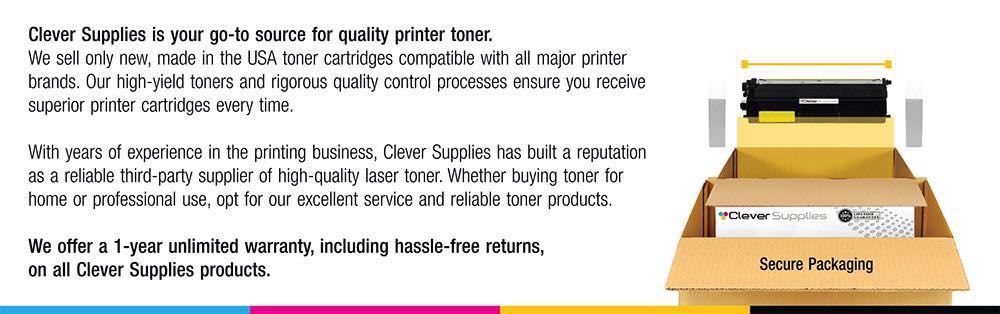
Produce sharp, high-definition prints with the Xerox C600 toner cartridge series, which includes 106R03899 Black, 106R03896 Cyan, 106R03897 Magenta, and 106R03898 Yellow. These genuine Xerox cartridges deliver rich black text and vibrant, true-to-life colors for all your printing projects. Crafted for consistent and reliable output, the Xerox C600 ink cartridge ensures every page meets the highest standards of quality. Whether you're printing everyday office reports or full-color presentations, these cartridges provide clarity and precision on every page. Compatible with VERSALINK C600 and VERSALINK C605 printers, these toner cartridges are designed for seamless integration and easy installation. Their advanced design helps minimize maintenance and supports uninterrupted productivity in demanding work environments. Count on the Xerox C600 toner cartridge to keep your documents looking professional and your workflows efficient. Ideal for high-volume printing, these cartridges offer the performance, durability, and exceptional color accuracy your business needs.
Frequently Asked Questions
Brochures copied on our C605 come out with orange reds, though the originals look fine. Is the scanner at fault?
Almost certainly not — the toner is. Scanning and copying part ways after the glass: the scanner only reads the page, but the copy you hold is rebuilt on paper by the same four toner cartridges that handle ordinary print jobs. There is a decisive test. Scan the same brochure to a file and open it on screen; if the reds are true there but orange on the copied sheet, the scanner did its job perfectly and the print engine is running short of magenta — the cartridge that supplies half of every red. On the C605, that cartridge is the 106R03897.
Why do our red sale signs and price stickers print tomato-orange instead of red?
Because an attention red has nowhere to hide a shortage. A full-strength retail red is mixed from nearly all the magenta the machine can lay down plus most of its yellow, so it is the most magenta-hungry color on any page you print. Fainter tints can mask a thinning supply for a while; a saturated banner red cannot. As the magenta cartridge fades, that red slides through tomato toward orange and quietly stops doing its job — a sale sign that no longer shouts. When the loudest color on the page is the first one to look wrong, read it as a magenta report.
The headshots we copy for staff badges look jaundiced. Same shortage?
The very same. A copied photograph is rebuilt with toner exactly like a printed one, and skin is mixed largely from magenta and yellow — magenta carries the pink that makes a face look healthy. Drain it away and yellow works alone: badge photos come out sallow, greenish around the edges, vaguely unwell. Faces get scrutinized more than any other image a workplace produces, which is why a magenta shortage that charts might hide for weeks gets reported the day the new badges are printed.
The cartridge seated in our machine is stamped 106R03897. Do I simply reorder that code?
Yes — the code is the complete instruction. It declares the color, the capacity class and the printer family at once, and it appears in this listing's title so the match takes seconds rather than a cross-reference session. One code also stocks a mixed fleet: the identical cartridge serves the Versalink C605 doing your copying and its sibling the Versalink C600, so the model badge on the machine never changes what you order. Read the stamp, order the listing that carries it, and the swap itself needs no tools.
How should a copy-heavy office plan around the 6,000-page rating?
Start by counting copies as prints, because the machine does. Every copied brochure spends toner just as a printed one does, and a full-color original can coat most of the sheet — a very different appetite from the roughly 5% coverage page the rating is measured on. At $48.46 the cartridge costs about 0.81 cents per rated page, and a site copying color handouts all day will finish it well inside the headline figure, while a site copying forms and letters may stretch beyond it. Budget from the rating, then adjust after your first cartridge's real lifespan on your own machine.
What protection do we have if the replacement fails to fix the color?
A full year of it. This cartridge is backed by a one-year warranty and free returns across that whole year, so a unit that arrives damaged, misbehaves, or simply does not restore your reds goes back without costing you anything. Orders are dispatched from our warehouses in IL, PA, GA and CA; the full policy is set out on our shipping and returns page. If you would rather describe what the copies look like before ordering, support is staffed Monday through Friday, 9 AM to 5 PM CST.
About This 106R03897 Magenta Toner Cartridge for the VersaLink C605
In the box: one Clever Supplies compatible magenta cartridge replacing the Xerox 106R03897, rated for 6,000 pages and priced at $48.46 — roughly 0.81 cents per rated page. On a multifunction machine the magenta cartridge works two jobs at once, feeding printed pages and every copy that comes off the glass, so when it runs dry the evidence appears in both streams together: reds on copies sliding orange, badge faces turning sallow, sale signage losing its shout. The fix stays deliberately plain — match the code stamped on the cartridge you removed to the code in this listing's title, seat the new unit, and the color comes home.
Related Items

Xerox
Compatible Xerox C600 (106R03897) Toner Cartridge Magenta
/>

Xerox
Compatible Xerox C600 (106R03897) Toner Cartridge Magenta
Xerox
Compatible Xerox C605 (106R03901) Toner Cartridge Magenta
/>

Xerox
Compatible Xerox C605 (106R03899, 106R03896, 106R03897, 106R03898) Toner Cartridge 4 Color Set