





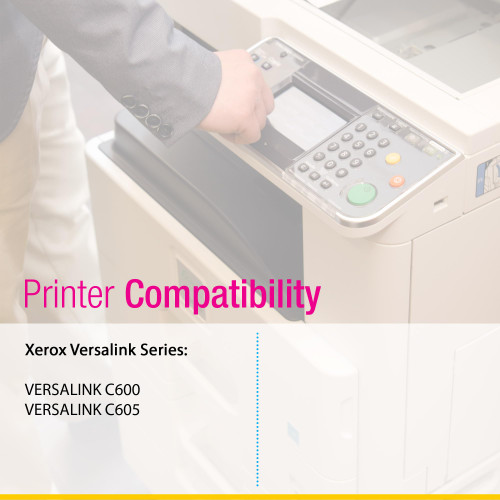


 See Compatible Printers
 Read more about our ink!
Xerox
Compatible Xerox C600 (106R03898) Toner Cartridge Yellow
- Page Yield:
- Color: 6000
- Availability:
- In Stock
- Shipping:
- Calculated at Checkout

Amazon Price:

- Page Yield:
- Color: 6000
- Availability:
- In Stock
- Shipping:
- Calculated at Checkout
- Compatible Printers
- Specifications
- SKU:
- CS-Xerox-C600-VERSALINK-C600-Y
- Printer Brand:
- Xerox
- OEM Number:
- 106R03898
- Ink Color:
- Yellow
- Page Yield:
- Color: 6000
- Printer Type:
- Laser Cartridge
- Condition:
- New Compatible
- Description
- Reviews


Produce sharp, high-definition prints with the Xerox C600 toner cartridge series, which includes 106R03899 Black, 106R03896 Cyan, 106R03897 Magenta, and 106R03898 Yellow. These compatible Xerox cartridges deliver rich black text and vibrant, true-to-life colors for all your printing projects. Crafted for consistent and reliable output, the Xerox C600 toner cartridge ensures every page meets the highest standards of quality. Whether you're printing everyday office reports or full-color presentations, these cartridges provide clarity and precision on every page. Compatible with VERSALINK C600 and VERSALINK C605 printers, these toner cartridges are designed for seamless integration and easy installation. Their advanced design helps minimize maintenance and supports uninterrupted productivity in demanding work environments. Count on the Xerox C600 toner cartridge to keep your documents looking professional and your workflows efficient. Ideal for high-volume printing, these cartridges offer the performance, durability, and exceptional color accuracy your business needs.
Frequently Asked Questions
Our greens have started printing blue. Can one fading cartridge honestly do that?
It can, and yellow is the cartridge to suspect. A laser printer has no green toner at all — every green on the page is mixed on the fly from cyan and yellow laid down together. While both supplies are healthy the blend reads as grass, leaf or lime. Let the yellow side run low and cyan keeps printing at full strength with nothing to warm it, so the same artwork comes out teal, turquoise or flat blue. When the greens are the colors that moved while blues and reds still look right, the mix is missing its yellow half.
Why did the yellow run out without anyone in the office noticing?
Because yellow fails in silence. It is by far the palest of the four toners, so a weakening yellow barely changes anything printed in yellow alone — a pale patch on white paper was never going to catch the eye. Black text, the bulk of most office printing, does not touch it at all, so the machine seems perfectly healthy right up until the mixture colors betray it. Yellow almost never announces itself directly; it is found by what it does to green and orange.
The yellow bar on the printer's status page looks pale. Is that the proof?
Not by itself — that bar is a trap. Fresh, full yellow prints pale too, because pure yellow on white paper is faint by nature, so a light-looking bar tells you nearly nothing. Run a real test instead: print a page carrying big blocks of green. Green borrows yellow heavily, so if those blocks land blue or teal while the blue blocks beside them stay true, the yellow supply is the one that has given out. Thirty seconds of the right test page beats a month of squinting at bars.
I pulled the old cartridge and it is stamped 106R03898. Is this the right replacement?
The stamp settles it completely. That one code locks in the color, the yield class and the machine family, and it is printed in this listing's title so you can match the two without opening a manual. The same cartridge serves the Versalink C600 and the Versalink C605, so a spent unit marked 106R03898 is replaced by exactly what is on this page — no shade guessing and no cross-reference charts.
What does 6,000 pages at $48.46 work out to in practice?
About 0.81 cents per rated page. The 6,000-page figure is measured at roughly 5% coverage — an ordinary letter with a logo — and yellow's real workload hides inside other colors: every green field, orange headline and warm photograph spends it. An office printing mostly text and spreadsheets asks little of yellow and can meet or pass the rating; one producing brochures and full-color decks will use it up sooner. The rating is the comparison yardstick; your coverage writes the actual forecast.
If the new cartridge goes in and the greens still print blue, what then?
Then the cartridge comes back to us at no cost. It is backed by a one-year warranty, and returns stay free for that entire year — a damaged unit or one that does not restore your color qualifies either way. Orders ship out of our warehouses in IL, PA, GA and CA, with the full policy set out on our shipping and returns page. Prefer to talk first? Support is on hand Monday through Friday, 9 AM to 5 PM CST.
What is involved in fitting the replacement yellow cartridge?
Very little: open the front cover, slide the spent unit out, push the 106R03898 in until it seats, and close the printer up. There are no tools, no settings to revisit and no calibration to run — the machine takes the cartridge as it finds it. The whole exchange takes a couple of minutes. Because yellow's failures show up inside other colors rather than its own, fit it as soon as the greens or oranges accuse it rather than waiting for yellow itself to look wrong.
One thing this listing cannot show you: this is the platform’s standard cartridge — Xerox declares its 6,000-page rating under ISO/IEC 19798, a declaration the copy never mentions while it frames the yield as 5% coverage — the black cartridge the machine ships with is rated 10,000 pages, higher than the standard black sold here, and every saving in the copy is figured at base prices rather than the prices checkout charges. Our Best Xerox 106R03899 Toner Cartridges guide rebuilds the arithmetic at sale prices and sets the standard tier against the high and extra-high cartridges that share the bay.
If yellow never warns us directly, is a shelf spare worth it for this color?
It is the color a spare suits best. Black announces itself on every page and cyan shows in every sky, but yellow empties in silence — the office discovers it through a failed green logo or a red-looking flyer, usually against a deadline. One sealed 106R03898 kept flat in a cool cupboard converts that discovery from an emergency order into a two-minute swap. Mark the purchase date on the box, and let the empty space it leaves behind prompt the next order.
How do I prove the new cartridge fixed things, given yellow is so hard to see?
Print a page built from yellow's partnerships: a solid green field and an orange headline are the strictest witnesses. With a healthy 106R03898 seated, the green should read as green — not teal, not blue — and the orange should warm back from red. A page of yellow alone proves almost nothing, since even strong yellow is faint on white paper. Judge the replacement by the mixture colors it was bought to repair, and compare against the same artwork printed before the swap.
What should happen to the empty yellow cartridge?
Keep it in the new cartridge's box for the first few days, while you confirm the greens and oranges have truly recovered — if they have not, the spent 106R03898 is part of the diagnosis and support will want to know what came out of the machine. After that short probation, it goes to recycling: toner cartridges are accepted by office-supply and community recycling programs, and the boxed empty travels cleanly. It deserves better than the general trash, and the shelf it frees is your reminder to restock.
About This 106R03898 Yellow Toner Cartridge
A single Clever Supplies compatible yellow cartridge that replaces the Xerox 106R03898 — 6,000 rated pages for $48.46, roughly 0.81 cents a page. Yellow is the quiet ingredient of the palette: half of every green, the warmth in every orange, and the toner whose absence is discovered last because it never fails in its own color. It fails inside the mixtures — greens sliding blue, oranges sliding red — and this listing is the one-step answer: match the code on the cartridge you removed to the code in the title, and the replacement drops in with no tools and no settings to revisit.
Related Items


Xerox
Compatible Xerox C600 (106R03898) Toner Cartridge Yellow
/>


Xerox
Compatible Xerox C605 (106R03898) Toner Cartridge Yellow

Xerox
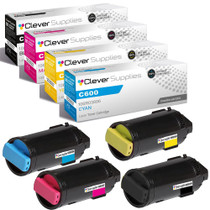
Compatible Xerox C600 (106R03899, 106R03896, 106R03897, 106R03898) Toner Cartridge 4 Color Set
/>


Xerox
Compatible Xerox C600 (106R03899, 106R03896, 106R03897, 106R03898) Toner Cartridge 4 Color Set