






 See Compatible Printers
 Read more about our ink!
Xerox
Compatible Xerox 6125N Toner Cartridges Cyan (106R01331)
- Page Yield:
- Color: 1000
- Availability:
- In Stock
- Shipping:
- Calculated at Checkout

Amazon Price:

- Page Yield:
- Color: 1000
- Availability:
- In Stock
- Shipping:
- Calculated at Checkout
- Compatible Printers
- Phaser 6125
- Phaser 6125Ni>
- Specifications
- SKU:
- CS-Xerox-6125N-C
- Printer Brand:
- Xerox
- OEM Number:
- 106R01331
- Ink Color:
- Cyan
- Page Yield:
- Color: 1000
- Printer Type:
- Laser Cartridge
- Condition:
- New Compatible
- Description
- Reviews

/> 

Clever Supplies brand products are made in the USA! Why pay more for cheaper product with a high defective rate? You will end up having to send it back to the manufacturer. Your time is valuable. Get a quality product that you KNOW will work. Purchase the Clever Supplies Compatible for Xerox 6125N (106R01331) Cyan Toner Cartridge and experience the difference! All Clever Supplies brand products are backed by '100% Quality Satisfaction' 1 year warranty against defects in materials and workmanship for all toner products. Free tech support for any problems for all Clever Supplies brand products. The use of Clever Supplies brand replacement laser toner cartridges and supplies does not void printer warranty. Premium Quality Replacement Toner Cartridge is made by ISO9001 Certified Factory to Meet or Exceed OEM Standards. These units are manufactured 100% brand new with all new parts including OPC drums, wiper blades, a smart chip and other internal parts, they are an economical alternative to expensive OEM 106R01331 Compatible Toner Cartridges. The Compatible Toner Cartridges will produce the same amount of page yield as an OEM cartridge would. This is a Compatible for Xerox 6125N Cyan Toner Cartridgeguaranteed to perform with Xerox Laser Printers. It replaces the original Xerox 6125N Cyan Toner Cartridge. The compatible replacement for 106R01331. The use of compatible replacement Cartridges and supplies does not void Printer Warranty. Our Xerox Compatible Cartridge is a replacement for OEM Xerox. We offer a 100% Quality Satisfaction Guarantee on our Compatible for 106R01331 Laser Toner Cartridges and supplies. For use in the following printers: Phaser 6125, Phaser 6125N
Frequently Asked Questions
Everyone at the shared printer suddenly sees faded color — how do I check the cyan level without walking over there?
That is the advantage of the N model: it reports on itself. From your desk, open the printer's embedded web status page or the supply view in its driver, and the cyan level reads out as a percentage. On a shared machine this matters more than usual, because no single user watches the output every day — six people print, everyone assumes someone else noticed the fade, and the 106R01331 runs from "low" to "gone" behind a crowd. A thirty-second check when the first person mentions pale prints settles whether you are ordering a cartridge or chasing a settings problem.
Why does a whole office's color go wrong at once when one cartridge empties?
Because cyan is not one color's supply — it is an ingredient in most of them. Blues, greens, teals and every photograph's sky are built partly from cyan, so when this unit empties, the failure does not appear as "one color missing"; it appears as everything looking vaguely warm and wrong at the same time, on every user's documents at once. Black text keeps printing crisply, which is why shared machines limp on for days with people blaming the paper. A single-color cause behind an office-wide symptom is the signature of an empty shared cartridge.
Does duplex printing change the 1,000-page rating?
No — the rating counts printed pages, and a page is one side of a sheet. A double-sided document spends one page of the rating for each face that carries print, so a 10-page report printed duplex consumes 10 pages of the cartridge's life on 5 sheets of paper. Duplex saves paper, not toner. Where it does help the budget: most duplex office documents are text with modest color, and modest color is exactly the load the 1,000-page figure assumes, so networked offices usually see the rating hold up well.
The title reads "Toner Cartridges" — is this a multipack for restocking the office?
It is not — one cartridge is what arrives. The plural in the name is catalog language rather than a count, and since this page serves offices that order for a shared Phaser 6125N, the distinction is worth making loudly: at $25.25 you are buying a single 106R01331 cyan unit. If your restock plan is "one in the machine, one in the cabinet," set the quantity to two; the shelf spare is the cheapest insurance a shared printer can have.
How fast will a small office actually go through this cartridge?
Faster than a single home user would, and less predictably. Shared printers collect everyone's color work — the report charts, the presentation handouts, the one colleague's photo pages — so a standard-yield 1,000-page unit in a busy small office can be a matter of weeks rather than months. The practical rhythm: treat the first low-toner message as the reorder trigger rather than a warning to watch, because the gap between "low" and "empty" is measured in other people's print jobs, not yours.
What warranty and returns cover comes with it?
Every cartridge carries a 1-year warranty, and returns are free for a full year if it proves wrong for your machine — the complete policy sits on our shipping and returns page. Stock ships from our Illinois, Pennsylvania, Georgia and California warehouses, and support is answered by real people Monday through Friday, 9 AM to 5 PM CST.
When the cyan needs swapping on the shared 6125N, how do I keep the interruption to seconds for everyone else?
Wait for a gap between jobs rather than pulling the cartridge mid-run, then do the whole swap in one visit: cover open, old 106R01331 out, seal off the new unit, slide it home, cover closed. It is a one-minute job, and doing it between print runs means nobody's document straddles two cartridges. Print one test page yourself before walking away — the next person to use the machine should meet a printer that is simply working, not a question.
How do I confirm from my desk that the new cyan actually registered?
Refresh the printer's embedded web status page and read the cyan level: it should show full. That remote check is the shared-machine habit that replaces walking over with a test printout in hand. If the level still reads low after a swap, the cartridge is most likely not seated fully — reseat it and refresh the page. Once the percentage reads full, everyone printing to the 6125N is back to full-strength blues and greens without anyone else needing to think about it.
Where should the office spare cyan live, and how do we stop it being used without anyone reordering?
In one labeled spot, close to the printer — a specific shelf or drawer that everyone on the workgroup knows. The failure mode of shared machines is not the empty cartridge, it is the silent spare: someone swaps in the last 106R01331, printing resumes, and nobody orders the next one. A simple rule fixes it — whoever installs the shelf spare leaves a note or sends the message that triggers the reorder that same day. The spare going in is the order signal, every time.
What should happen to the old cyan cartridge once the new one is in?
It goes back into the box the new one arrived in, and from there into whatever collection route your office uses — a recycling box by the printer, an office-supply program or a municipal scheme. Boxing it keeps the residual toner dust contained in a shared space where the empty might otherwise sit on a desk for a week. Keep it until the new cartridge has printed cleanly for a day or two; after that, out it goes with the office's other empties.
About This Xerox 106R01331 Cyan Cartridge for the Phaser 6125N
This is the network-model listing for the family's cyan supply: a single compatible 106R01331 cartridge at $25.25, rated at up to 1,000 pages, for the Phaser 6125N shared workgroup printer — and, since the platform is shared, for the base Phaser 6125 as well. On a machine that serves a whole room, this is the unit whose level is worth checking from your desk before the room discovers it from the output tray. The remaining colors and supplies for the family are listed on our Xerox page.
Related Items
Xerox
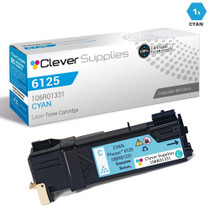
Compatible Xerox 106R01331 Laser Toner Cartridge Cyan
/>

Xerox
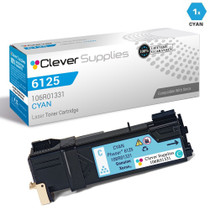
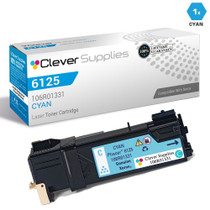
Compatible Xerox 6125 Toner Cartridges Cyan (106R01331)
/>
Xerox
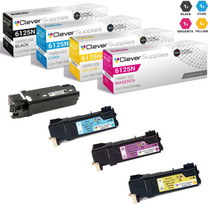
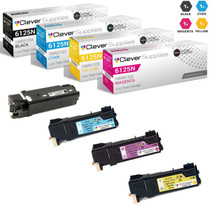
Compatible Xerox 6125N Toner Cartridges 4 Color Set (106R01334, 106R01331, 106R01332, 106R01333)
/>

Xerox
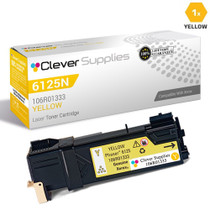
Compatible Xerox 6125N Toner Cartridges Yellow (106R01333)
/>