







 See Compatible Printers
 Read more about our ink!
Kyocera-mita
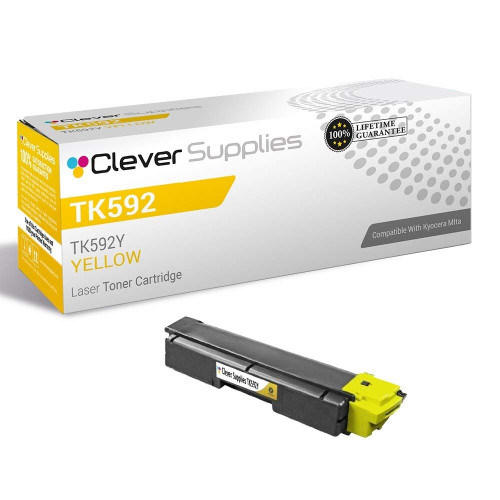
Compatible Kyocera-Mita TK592 (TK592Y) Toner Cartridge Yellow

Amazon Price:

- Page Yield:
- Color: 5000
- Availability:
- In Stock
- Shipping:
- Calculated at Checkout
- Compatible Printers
- Specifications
- SKU:
- CS-Kyocera-Mita-TK592-Yellow
- Printer Brand:
- Kyocera-Mita
- OEM Number:
- TK592Y
- Ink Color:
- Yellow
- Page Yield:
- Color: 5000
- Printer Type:
- Laser Cartridge
- Condition:
- New Compatible
- Description
- Reviews



Kyocera Mita offers the TK592 series toner cartridges, including TK592K black, TK592C cyan, TK592M magenta, and TK592Y yellow, designed for FS-C2026MFP, FS-C2126MFP, FS-C2526MFP, FS-C2626MFP, and FS-C5250DN printers. These cartridges ensure consistent and high-quality printing performance for various printing tasks. With their high yield and efficiency, the TK592 series cartridges provide cost-effective printing solutions for offices with moderate to high-volume printing needs. In addition to toner cartridges, toner cartridges play a vital role in maintaining print quality. The Kyocera Mita TK592 toner cartridge complements the printer's performance, delivering vibrant colors and sharp images. Whether it's colorful graphics or high-resolution photos, the TK592 toner cartridge ensures impressive prints, enhancing overall output quality. Kyocera Mita printers, such as the FS-C2026MFP, FS-C2126MFP, FS-C2526MFP, FS-C2626MFP, and FS-C5250DN models, are known for their durability and efficiency in office environments. With features like duplex printing and network connectivity, these printers offer convenience and reliability, ensuring smooth printing operations. In conclusion, Kyocera Mita printers paired with TK592 toner and toner cartridges provide reliable and high-quality printing solutions for offices. Whether it's black and white documents or colorful prints, the FS-C series ensures consistent and professional results, making it a trusted choice for users seeking dependable printing solutions.
Frequently Asked Questions
What does the Y at the end of TK592Y tell me?
The suffix is the color code: TK592Y is the yellow cartridge in the TK592 family. The letter is printed on the box and on the cartridge label, so a quick glance confirms you have the yellow unit in hand before you open the machine — this listing is for that one yellow cartridge only.
My greens look blue and my yellows have vanished — is it this cartridge?
Very likely. Yellow is the color whose absence is easiest to miss at first: blue skies survive, but greens shift toward blue and warm tones turn cold and flat. Print a color test page; if the yellow band is pale or missing while cyan and magenta look strong, the TK592Y is the cartridge to change.
Do I have to replace the other colors at the same time?
No. Each color in this printer family is a separate cartridge with its own life, and they rarely empty together. Replace only the yellow, leave the cyan, magenta and black where they are, and your cost for the fix is just this cartridge at $38.77.
What page count should I expect from it?
The TK592Y is rated at 5,000 pages. Color coverage varies far more than black text — a run of full-color flyers draws yellow down much faster than a month of mostly-text documents with a color logo — so treat the rating as the benchmark your own mix is measured against.
Which printers take this yellow cartridge?
It fits the FS-C2026MFP, along with the FS-C2126MFP, FS-C2526MFP, FS-C2626MFP and FS-C5250DN. Any of these machines calling for TK592Y on its supply screen takes this cartridge in its yellow slot.
What if the new cartridge arrives damaged or disappoints?
It carries a 1-year warranty and 1-year free returns, handled under our shipping & returns policy — reach out and we will replace or refund it. We ship from warehouses in IL, PA, GA and CA, and our support team answers Mon–Fri 9 AM–5 PM CST.
Why does the yellow seem to last longer than the other colors?
Because most office printing barely touches it. Letters, invoices and reports are mostly black text with a color logo here and there, so the TK592Y spends most of its life waiting while the black does the work. Yellow only gets used in earnest on full-color flyers, photos and graphics-heavy pages. That is why a cartridge rated at 5,000 pages can sit in the machine for months in a text-heavy office, then empty quickly when a color-heavy project arrives.
Should we keep a spare TK592Y on the shelf?
Yes, and yellow is the color where a spare earns its place most. Its absence hides until a color-critical job exposes it — greens sliding toward blue, warm tones turning cold — often the day a client-facing document is due. A single sealed spare on the shelf turns that moment into a two-minute swap instead of a stalled job and a rush order. Stored sealed and flat, away from heat and direct sunlight, the spare simply waits until it is needed.
The yellow band is still weak after fitting the new cartridge — what now?
First, take the cartridge out and rock it gently from side to side to spread the toner evenly, then seat it firmly and print another color test page. Also check the code on the unit you fitted: it should read TK592Y, confirming the yellow slot really got the yellow cartridge. If the band is still pale after a proper reseat, contact our support team Monday through Friday, 9 AM to 5 PM CST — the cartridge carries a 1-year warranty with 1-year free returns, so a genuinely faulty unit is replaced, not argued over.
How do I tell at a glance that the box in my hand is yellow?
Read the final letter of the code. TK592Y ends in Y for yellow, and that letter is printed on the box and on the cartridge label, so a quick glance confirms the color before you open the machine. Cyan, magenta and black carry different final letters in this family, which is exactly why the code check matters: the cartridges look alike in their cartons, and the letter is what tells them apart.
About This TK592Y Yellow Toner Cartridge
A color printer is really four printers sharing one paper path, and yellow is the quiet one of the four: it does its work inside greens, skin tones and warm backgrounds, and only announces itself when it is gone. This compatible TK592Y restores that missing quarter of the color mix for the FS-C printer family listed above.
Installation is a single-slot swap — open the cover, pull the old yellow unit straight out, seat the new one, close up, and run a test page to watch the yellow band come back at full strength. No tools, no settings to change, and no reason to disturb the three cartridges that still have life in them.
Supplied by Clever Supplies as a Kyocera-Mita compatible cartridge, it is filled to the full 5,000-page specification and checked for even, streak-free color output.
Related Items

Kyocera-mita
Compatible Kyocera-Mita TK592 Toner Cartridge Yellow (TK592Y)
/>


Kyocera-mita
Compatible Kyocera-Mita TK592 Toner Cartridge 4 Color Set (TK592K, TK592C, TK592M, TK592Y)
/>
Kyocera-mita
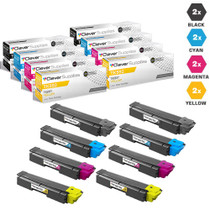
Compatible Kyocera-Mita TK592 Toner Cartridge 8 Color Set (TK592K, TK592C, TK592M, TK592Y)
/>

Kyocera-mita
Compatible Kyocera-Mita TK592 Toner Cartridge 6 Color Set (TK592C, TK592M, TK592Y)
/>