






 See Compatible Printers
 Read more about our ink!
Hewlett Packard
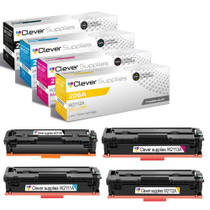
Compatible HP M255nw (W2110A, W2111A, W2113A, W2112A) Toner Cartridge 4 Color Set

Amazon Price:

- Page Yield:
- Black: 1250
- Availability:
- In Stock
- Shipping:
- Free Shipping
- Compatible Printers
- Specifications
- SKU:
- CS-HP-M255nw-4Set
- Printer Brand:
- Hewlett Packard
- OEM Number:
- W2110A, W2111A, W2113A, W2112A
- Ink Color:
- Black, Cyan, Magenta, Yellow
- Page Yield:
- Black: 1250
- Printer Type:
- Laser Cartridge
- Condition:
- New Compatible
- Description
- Reviews



Elevate your printing experience with the HP 206A, featuring the W2110A Black, W2111A Cyan, W2113A Magenta, and W2112A Yellow toner cartridges. These cartridges deliver sharp text, vibrant colors, and reliable performance, making them ideal for both home offices and professional workspaces. Crafted for reliability, the HP 206A toner cartridge and HP 206A toner cartridge are engineered to provide consistent, high-quality output from start to finish. Whether you're printing detailed graphics or important documents, these cartridges ensure every page looks polished and professional. Compatible with multiple HP printers, including the Color Pro MFP M283cdw, M282nw, M2255nw, and M283fdn, these cartridges are easy to install and designed to work seamlessly with your device. Expect smooth operation and outstanding results with every print job. Optimized for everyday performance, the W2110A Black, W2111A Cyan, W2113A Magenta, and W2112A Yellow cartridges are perfect for users who demand quality without compromise. Enjoy efficient, worry-free printing that keeps up with your workflow.
Cross-reference: HP W2110A, the 206A black toner cartridge (1,350 pages), is the same cartridge Canon sells as Canon Cartridge 054 (black 1,500 pages, colors 1,200 pages each) and Cartridge 054H high capacity (black 3,100 pages, colors 2,300 pages each) for the Canon Color imageCLASS MF641Cdw, MF642Cdw and MF644Cdw and the Color imageCLASS LBP622Cdw and LBP623Cdw printers (ISO/IEC standard yields).
Frequently Asked Questions
What is in this set for the M2255nw?
The complete 206A family: black W2110A (1,350 pages), cyan W2111A, magenta W2113A and yellow W2112A (1,250 pages each). The HP Color LaserJet Pro M2255nw takes exactly these four cartridges, so one box renews every channel the printer has, at $222.55 for the set.
When is a full set the right buy for this printer?
When the M2255nw's original cartridges are finishing together — the common pattern after a couple of years of mixed use — or when the printer is being handed to a new user and you want a known starting point. Fresh cartridges in all four slots end the drip of one-color-at-a-time replacements for a good while.
After the set, do I keep replacing all four together?
No. From this baseline each cartridge lives its own life: black will likely go first, colors as your palette dictates, each swapped individually by its code. The set simply synchronises the start; it does not commit you to synchronised replacements.
How long does fitting four cartridges take?
About five minutes. Work through the drawer slot by slot — old out, new in, color labels matching. The M2255nw recalibrates when you close up, the same routine as its platform relatives the Color LaserJet Pro M255dw and M283 MFPs. Keep the old set until a test page confirms clean color.
What cover does the set carry?
Every cartridge in the box is covered by a 1-year warranty and 1-year free returns, individually — one faulty unit is replaced without sending back the other three. Orders ship from Illinois, Pennsylvania, Georgia and California, and support runs Monday through Friday, 9 AM to 5 PM CST.
What if color is still off with four new cartridges fitted?
Then the printer itself needs attention, and a supplies status plus demo page will help support pinpoint it. Contact the team in support hours with those pages ready; the shipping and returns page covers returns if a cartridge does turn out to be at fault.
Can I fit only the channels that are empty and keep the rest of the set sealed?
Yes. A set does not have to be installed as a ceremony. If only the W2110A black and W2111A cyan have flagged, fit those two and leave the W2113A and W2112A sealed in the box, stored flat in a cool, dry place. They will be ready months later, and each remaining cartridge simply joins the printer on its own schedule.
How do I keep the four cartridges straight when fitting them?
Use the last digit of each code as the map: W2110A is black, W2111A cyan, W2112A yellow and W2113A magenta — 0, 1, 2, 3. The cartridges are also labeled and keyed to their slots, but reading the code before you open each bag is the habit that prevents a torn seal on the wrong color. Fit one slot at a time, oldest out, matching code in.
How should I verify all four new cartridges at once?
Print two things: the supplies status page, which should show all four channels back at full, and one familiar full-color page — a logo sheet or a photo you know well. The status page proves the printer has accepted each cartridge; the known page proves the colors are laying down correctly together. Keep the old set until both checks pass.
What should happen to the four old cartridges afterwards?
Box them together and keep the box until the verification prints have passed, so any problem can be compared against the units that came out. Once the new set is proven, dispose of the four empties as a group under your local guidance. Storing them apart from the sealed set matters — four old and four new cartridges are easy to confuse in a shared cupboard.
About This M2255nw Four-Cartridge Set
This four-cartridge 206A set is the full refresh for a Color LaserJet Pro M2255nw: every channel renewed at once — 1,350-page black, 1,250-page colors — for $222.55. Choose it when the printer's first cartridge generation is ending together, and give the machine a clean, synchronised baseline to work from.
Related Items

Hewlett Packard
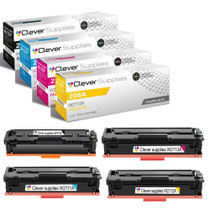
Compatible HP M255dw (W2110A, W2111A, W2113A, W2112A) Toner Cartridge 4 Color Set



Hewlett Packard
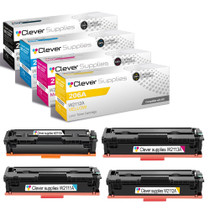
Compatible HP M282nw (W2110A, W2111A, W2113A, W2112A) Toner Cartridge 4 Color Set

Hewlett Packard
Compatible HP M283fdn (W2110A, W2111A, W2113A, W2112A) Toner Cartridge 4 Color Set

Hewlett Packard
Compatible HP M283fdw (W2110A, W2111A, W2113A, W2112A) Toner Cartridge 4 Color Set