






 See Compatible Printers
 Read more about our ink!
Hewlett Packard
Compatible HP CP1217 (CB540A) Toner Cartridge Black
- Page Yield:
- 2200
- Availability:
- In Stock
- Shipping:
- Calculated at Checkout

Amazon Price:

- Page Yield:
- 2200
- Availability:
- In Stock
- Shipping:
- Calculated at Checkout
- Compatible Printers
- Specifications
- SKU:
- CLS-HP-CP1217-BK
- Printer Brand:
- Hewlett Packard
- OEM Number:
- CB540A
- Ink Color:
- Black
- Page Yield:
- 2200
- Printer Type:
- Laser Cartridge
- Condition:
- New Compatible
- Description
- Reviews



Explore the dynamic world of color printing with the HP 125A Color LaserJet series, encompassing a variety of models such as the CM1312, CM1312 MFP, CM1312NFI, CM1300, CP1210, CP1215, CP1215N, CP1217, CP1510, CP1515, CP1515N, CP1515NI, CP1518, CP1518NI, CP1312, CP1312MFP, CP1512, and CP1512MFP. These printers are crafted to deliver exceptional color accuracy and vibrancy, catering to both professional and personal printing needs. With compatibility with the CB540A Black, CB541A Cyan, CB543A Magenta, and CB542A Yellow HP 125A toner cartridges, you can achieve stunning results with every print. Elevate your printing experience with the HP 125A toner cartridge, engineered to produce crisp, clear prints with vivid colors and precise details. Immerse yourself in the world of color with the HP 125A Color LaserJet CM1312 series. Whether you require the multifunctionality of the CM1312 MFP, the network connectivity of the CM1312NFI, or the compact design of the CM1300, these printers offer versatility and performance. The CP1210 and CP1215 series provide compact solutions for personal or small office use, while the CP1510 series delivers high-quality prints with enhanced features like network connectivity and duplex printing. Unleash your creativity with the HP 125A toner cartridge series, designed to deliver rich, true-to-life colors that make your prints stand out. From vibrant blues and greens to deep reds and yellows, these cartridges ensure stunning results for both graphics and text. Meanwhile, the HP 125A toner cartridge offers superior performance, producing sharp, smudge-free prints that resist fading over time. Whether you're printing brochures, photographs, or presentations, you can rely on HP's trusted quality to deliver exceptional results. Enhance your printing capabilities with the HP 125A Color LaserJet series and accompanying cartridges. With a diverse range of models to choose from and advanced printing technologies at your disposal, you can bring your ideas to life with confidence. Invest in the power of HP printing solutions and experience the difference for yourself.
Cross-reference: HP CB540A, the 125A black toner cartridge (2,200 pages), is the same cartridge Canon sells as Canon Cartridge 116 (black 1980B001AA, cyan 1979B001AA, yellow 1977B001AA, magenta 1978B001AA) for the Canon imageCLASS MF8050Cn and MF8080Cw and the Color imageCLASS LBP5050 printers. Canon rates Cartridge 116 black at 2,200 pages and each color at 1,500 pages (ISO/IEC standard).
Frequently Asked Questions
My CP1217 manual just says "125A" — which black cartridge do I order?
Order by the cartridge code, not the family name: the black unit for the CP1217 is CB540A. The 125A label groups the machine's whole supply line together, but only CB540A belongs in the black slot, and that is the code on the cartridge you will pull out.
Is the CP1217's black really the same cartridge other 125A printers use?
Yes. The CP1217 belongs to the same supply generation as the wider family — machines such as the Color LaserJet CM1312 MFP line take this identical black cartridge. The printer badge changed between models; the black supply did not.
What page count should I plan around?
Roughly 2,200 pages per cartridge at standard coverage. The CP1217 is a print-only machine doing mostly documents, so offices with a steady letter-and-report rhythm usually land close to that figure between changes.
Prints are streaking down one side. Is that the cartridge?
A repeating streak or a pale band down one side of the page usually means the toner is running low and distributing unevenly. Rock the cartridge gently to level what remains; if the band survives on the next few pages, replace it with this fresh unit.
Does fitting it involve any tools or settings?
None. The black cartridge slides out of its slot and this one slides in by hand. No menus, no drivers, no calibration pages are required before you go back to printing.
What guarantee comes with it?
A 1-year warranty and 1-year free returns — a full year of cover, which is generous protection for a cartridge at this price.
How should I store a spare CB540A before I need it?
Keep it sealed in its box, lying flat in the same room as the printer if you can. Heat, damp and direct sunlight are the enemies of a stored cartridge, so a shelf in the office beats a garage or a basement. A sealed CB540A waits patiently for months, and having one on hand means a fading Friday-afternoon report never has to wait for a delivery.
What does "standard coverage" mean for my real-world page count?
The roughly 2,200-page figure assumes light, even coverage — ordinary letters and reports with modest ink on the page. Dense work pulls the count down: full-page tables, bold headings on every sheet and heavy graphics all spend toner faster per page. A CP1217 doing mostly plain documents should land near the rating; a desk printing dense handouts all day should plan on changing sooner.
What do I do with the empty cartridge once this one is fitted?
Drop the spent unit back into the new cartridge's box so it stays clean and contained, then send it to a toner recycling route rather than the general trash — most office supply collection schemes and municipal programs accept them. Keeping the empty boxed also protects desks and carpets from stray toner dust while it waits to go out.
How do I know the replacement is seated properly?
The CB540A should slide home smoothly and sit level in its slot with no forcing. Close the printer up and print an ordinary document: clean, even text from the first pages onward confirms the fit. If output still shows the old pale band after a few pages, lift the cartridge out and set it back in firmly — a slightly crooked seat is the usual cause.
About This CP1217 Black Cartridge (CB540A)
Priced at $34.86, this single black cartridge is the straightforward replacement for a CP1217 whose text has started to gray. It is listed under the CP1217's own name so you can order with confidence, even though the cartridge itself is the shared CB540A black of the 125A generation.
Your order leaves whichever of our IL, PA, GA and CA warehouses is best placed to reach you; the shipping & returns page sets out delivery and returns. Questions are answered Monday through Friday, 9 AM–5 PM CST, and the full HP range is there for the machine's other supplies.
Related Items

Hewlett Packard
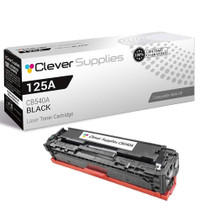
Compatible HP CM1312nfi (CB540A) Toner Cartridge Black


Hewlett Packard
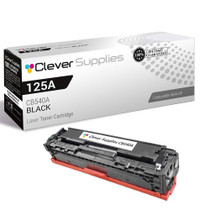
Compatible HP CP1215 (CB540A) Toner Cartridge Black
Hewlett Packard
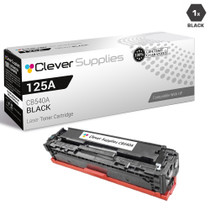
CS Compatible Replacement for HP CB540A Toner Cartridge Black/ HP 125A Toner
/>


Hewlett Packard
Compatible HP CP1217 (CB543A) Toner Cartridge Magenta