





 See Compatible Printers
 Read more about our ink!
Hewlett Packard
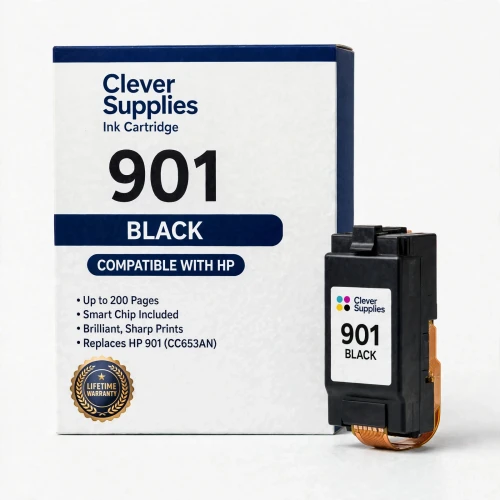
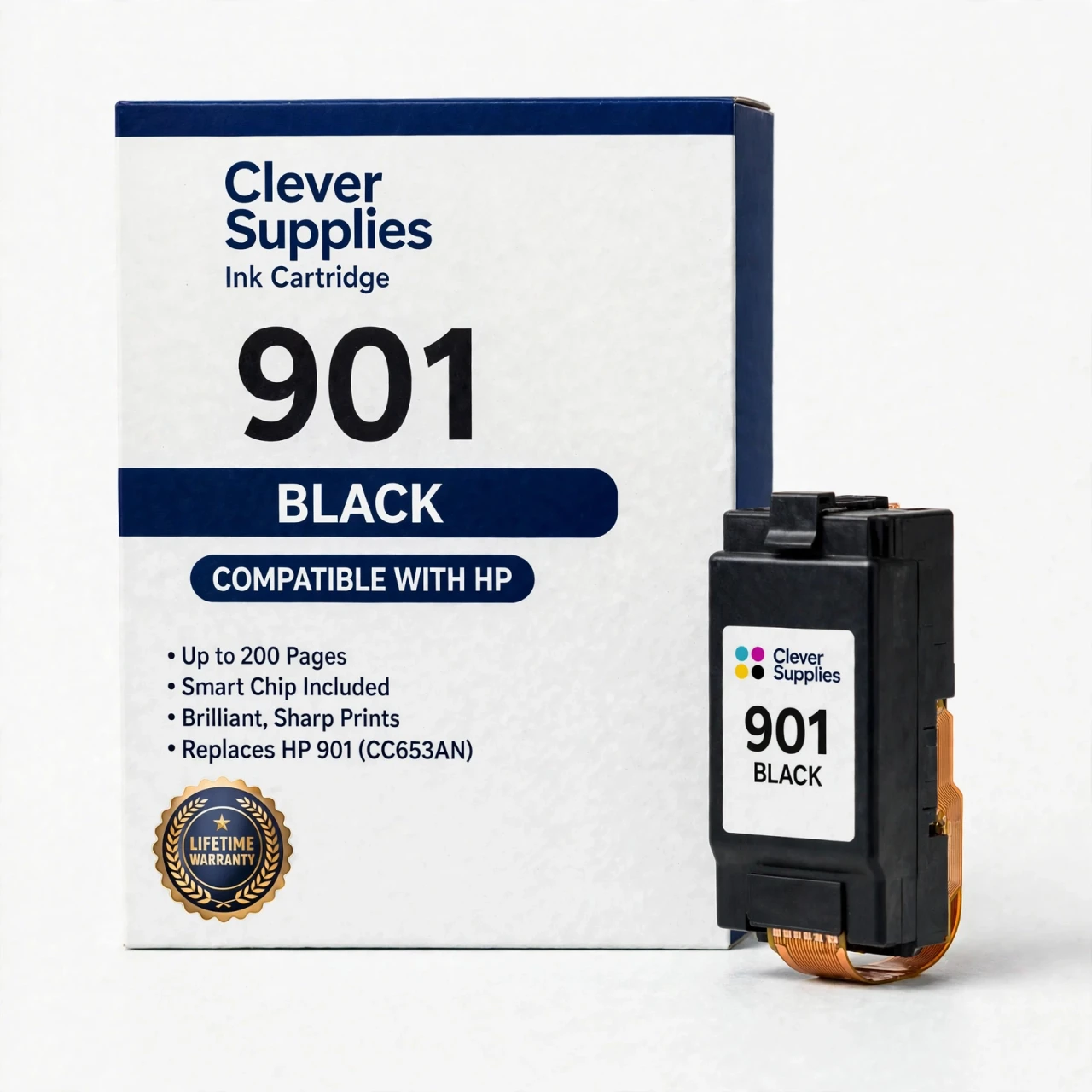
Compatible HP 901 CC653AN Black Ink Cartridge
- Page Yield:
- 200 pages
- Shipping:
- Calculated at Checkout

Amazon Price:

- Page Yield:
- 200 pages
- Shipping:
- Calculated at Checkout
- Compatible Printers
- OfficeJet 4500 G510g
- OfficeJet 4575
- OfficeJet J4524
- OfficeJet J4525
- OfficeJet J4535
- OfficeJet J4540
- OfficeJet J4550
- OfficeJet J4580
- OfficeJet J4585
- OfficeJet J4624
- OfficeJet J4640
- OfficeJet J4660
- OfficeJet J4680
- OfficeJet J4680c
- OfficeJet 4500 G510a
- OfficeJet 4500 G510b
- OfficeJet 4500 G510h
- OfficeJet 4500 Wireless G510n
- Specifications
- SKU:
- CS-HP-901-BK
- Condition:
- New (compatible)
- OEM Part #:
- CC653AN
- Color:
- Black
- Ink Type:
- Pigment
- Page Yield:
- 200 pages
- Chip:
- Yes — new compatible chip
- Warranty:
- Lifetime Warranty
- Returns:
- 1 Year
- Description
Will this cartridge fit my OfficeJet?
It drops into the OfficeJet 4500 G510g, OfficeJet 4575, OfficeJet J4524, OfficeJet J4525 and 14 more printers. You will find the full checked list in the Compatible Printers section further down this page — match your model against it before you order. Every configuration this family is sold in — for the OfficeJet 4500 and J-series printers: the sets of two and five and the three singles — is compared side by side in our Best HP 901 & 901XL (CC653AN, CC654AN, CC656AN) Ink Cartridges guide.
My pages are coming out streaky — can a cartridge swap fix that?
Quite possibly. On the 901 family the printhead sits inside the cartridge rather than in the printer, so every replacement also installs a fresh printhead. That is why a new cartridge frequently clears the streaks and dropped lines that repeated cleaning cycles on these machines could not.
What kind of ink does the CC653AN use?
Pigment ink, the same technology as the original HP cartridge. Pigment sits crisply on the page, so letters stay sharp, and the dried print shrugs off water and highlighter pens instead of smearing.
How many pages should I expect from it?
HP's figure for the CC653AN is roughly 200 pages, measured the ISO/IEC 24711 way on standard pages at about 5% coverage. Treat that as a benchmark rather than a promise: heavier coverage, different paper and richer settings all pull your real total down, and pages packed with graphics drink far more ink than plain text.
Will my printer still show ink levels with this cartridge?
Yes. It carries a new compatible chip that talks to the printer and passes the ink level along, so the usual low-ink warnings keep appearing. The chip is new — this is not an original shell that was refilled and had its chip reset.
A warning appeared on screen right after I installed it. What should I do?
Confirm the on-screen message, then lift the cartridge out and seat it again until you hear it click, and restart the printer. If the message comes back, clean the gold contacts on the chip using a dry, lint-free cloth, then refit the cartridge.
Why is this cartridge described as remanufactured?
Because that is honestly what the compatible supply is for this family: a professionally remanufactured unit that has been cleaned, refilled, rebuilt with fresh components wherever the old ones were worn, and print-tested before it leaves us.
Can I still buy a brand-new original 901 from HP?
No. HP has discontinued the 901 range and steers owners of its newer machines toward HP 60 instead. For the OfficeJet 4500 and J-series printers listed here, our remanufactured 901 is the continuing supply — and these models carry no dynamic-security firmware that could block it.
Standard yield or XL — which one suits me?
This is the standard cartridge at roughly 200 pages. If your printer works every week, the XL version of the same cartridge brings the cost per page down; if it only wakes up now and then, this size is the sensible buy because less ink sits idle in the machine.
Can it work alongside genuine HP color cartridges?
Yes. The printer reads each slot on its own, so a compatible black next to original colors — or the reverse arrangement — prints without any fuss.
Is this an original HP cartridge?
No — this is not an HP product. Clever Supplies builds this compatible cartridge to the CC653AN specification and backs it with our lifetime warranty. HP's name appears only because it identifies the printers the cartridge fits.
What protection do I have if it leaks or the printer rejects it?
Stop printing and contact us rather than pushing on with a faulty cartridge. Our lifetime warranty covers recognition failures, leaks and print-quality defects, and the remedy is a replacement cartridge or your money back.
- Reviews
The Clever Supplies compatible HP 901 CC653AN Black Ink Cartridge replaces the HP CC653AN and fits 18 verified printers — the OfficeJet 4500 G510g and the rest of the list under Compatible Printers below. HP rates the CC653AN at about 200 pages; our cartridge is filled to the same specification with pigment ink and carries a new compatible chip that reports ink levels to the printer.
On this family the printhead is built into the cartridge, so fitting this cartridge also renews the printhead — the part that actually puts ink on the page. That is why a fresh cartridge clears the streaks and missing lines that cleaning cycles leave behind on these printers.
Shop the HP 901 family: 901 Tri-color (CC656AN), 901XL Black (CC654AN), 901 Set of 2, 901 Set of 5.
Printer series: Browse printers — every model in the Compatible Printers list below takes this cartridge.
CLEVER SUPPLIES · HP 901 INK
Compatible HP 901 CC653AN Black Ink Cartridge
Replaces HP CC653AN
200 pages · Pigment ink · New compatible chip
Fits: OfficeJet 4500 G510g, OfficeJet 4575, OfficeJet J4524, OfficeJet J4525, OfficeJet J4535 and more
Covered by the Clever Supplies Lifetime Warranty
Frequently Asked Questions
Related Items

Hewlett Packard
Compatible HP 901 CC656AN Tri-color Ink Cartridge
The Clever Supplies compatible HP 901 CC656AN Tri-color Ink Cartridge replaces the HP CC656AN and fits 18 verified printers — the OfficeJet 4500 G510g and the rest of the list under Compatible...


Hewlett Packard
Compatible HP 901 Set of 2 Black and Tri-color Ink Cartridges
One box restocks every slot: this Clever Supplies compatible set replaces the HP 901 cartridges for the 18 printers listed below. In the box: CC654AN (700 pages),

Hewlett Packard
Compatible HP 901 Set of 5 3 Black 2 Tri-color Ink Cartridges
One box restocks every slot: this Clever Supplies compatible set replaces the HP 901 cartridges for the 18 printers listed below. In the box: CC654AN (700 pages),

Hewlett Packard
Compatible HP 972A F6T80AN Black Ink Cartridge
The Clever Supplies compatible HP 972A F6T80AN Black Ink Cartridge replaces the HP F6T80AN and fits 9 verified printers — the PageWide 352dw and the rest of the list under Compatible Printers below...