






 See Compatible Printers
 Read more about our ink!
Hewlett Packard
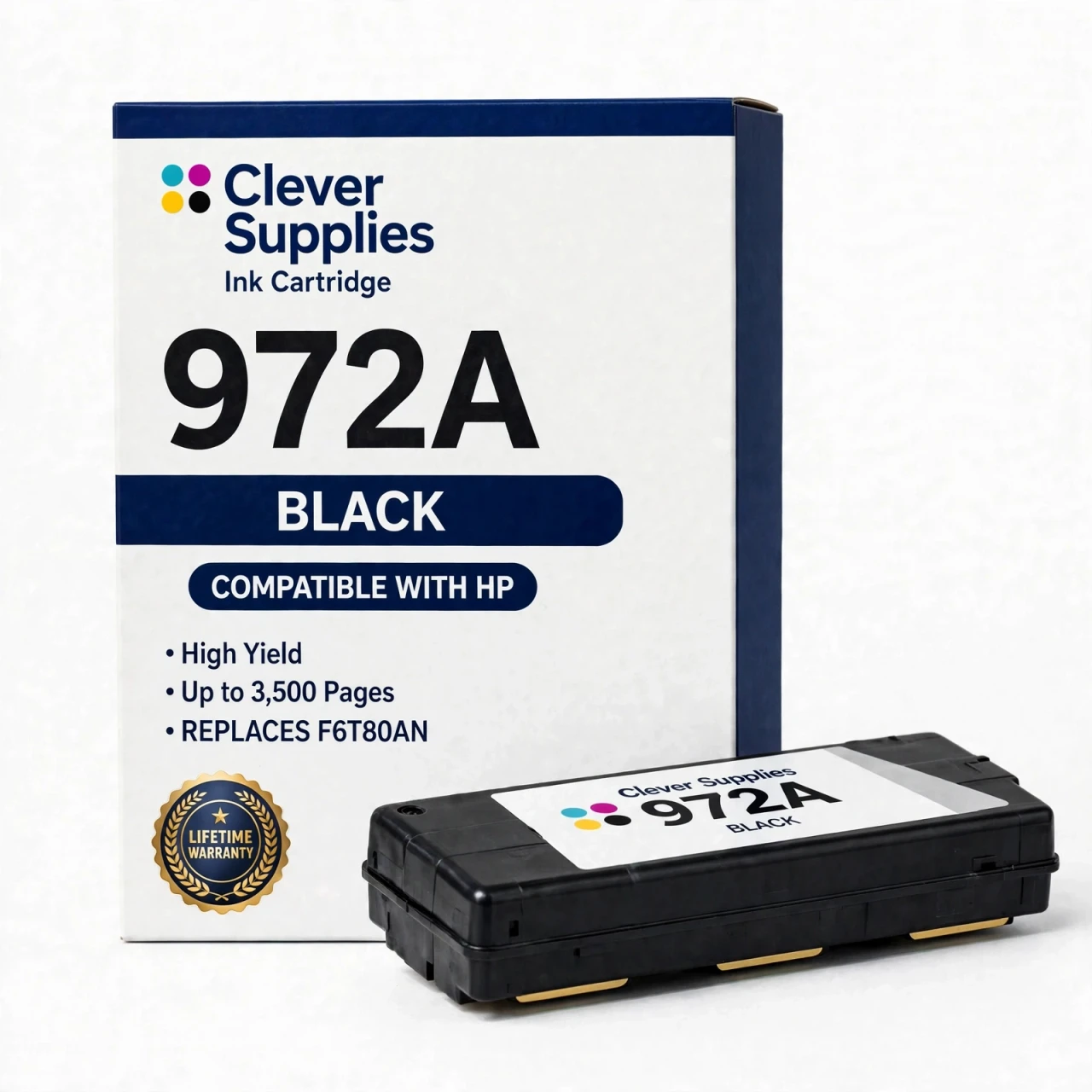
Compatible HP 972A F6T80AN Black Ink Cartridge
- Page Yield:
- 3,500 pages
- Shipping:
- Calculated at Checkout

Amazon Price:

- Page Yield:
- 3,500 pages
- Shipping:
- Calculated at Checkout
- Compatible Printers
- Specifications
- SKU:
- CS-HP-972-BKA
- Condition:
- New (compatible)
- OEM Part #:
- F6T80AN
- Color:
- Black
- Ink Type:
- Pigment
- Page Yield:
- 3,500 pages
- Chip:
- Yes — new compatible chip
- Warranty:
- Lifetime Warranty
- Returns:
- 1 Year
- Description
How long will one F6T80AN realistically last us?
HP publishes a rating of about 3,500 pages for the F6T80AN, measured under ISO/IEC 24711 conditions on standard pages at roughly 5% coverage. Treat that figure as a yardstick rather than a promise: coverage is the biggest variable, paper and print settings play their part too, and a dense color page drinks far more ink than a page of plain text. If your office prints a few hundred pages in a typical month, a single cartridge covers the better part of a year; a heavy month shortens that in proportion.
Which PageWide models is this black made for?
It is made for the PageWide 352dw, PageWide 377dw, PageWide Pro 452dn and PageWide Pro 452dw, plus five further models. The complete verified list sits in the Compatible Printers section of this page — worth a look before you order, just to be certain your machine is on it. Every configuration this family is sold in — for the PageWide and PageWide Pro printers: the standard and high-yield four-packs, the nine-cartridge high-yield box and the eight singles — is compared side by side in our Best HP 972A & 972X (F6T80–F6T84, L0R86–L0S04) Ink Cartridges guide.
My machine also takes 972X and 976Y blacks — how do the three tiers stack up?
All three drop into the same slots; the letter simply marks how much ink is inside. The A tier, which is what you are looking at here, is the standard fill. The X tier carries roughly three times as much, and the Y tier is the extra-high line HP sells for the PageWide Pro 500 series and the Managed P55250dw and P57750dw. Each tier's product page names the models that tier is rated for, so the tier and the printer have to be matched as a pair.
Why does text from it stay crisp and resist smudging?
Because the ink is pigment — the same ink family HP uses in the original cartridge. Pigment particles rest on the paper surface instead of soaking in, which keeps character edges sharp and makes the print shrug off both water and a highlighter dragged across it.
Will the printer still report how much ink is left in it?
Yes. A fresh compatible chip sits on the cartridge and talks to the printer, so ink levels display and the usual low-ink alerts keep arriving. Nothing about it is a refilled HP shell or a reset chip — the electronics are newly made for this cartridge.
The panel showed a warning right after I fitted it — how do I clear it?
Confirm the notice on the panel, then take the cartridge out and push it back in until you hear it click home, and restart the printer. Should the message come back, the chip contacts may be dirty: wipe the gold pads with a dry cloth that leaves no lint, then refit the cartridge.
The color slots still hold original HP cartridges — can they share the printer with this one?
Happily. The printer reads every slot on its own, so a compatible black alongside original HP colors — or an original black beside compatible colors — prints without complaint.
Am I stuck with 972A in every slot once I start with it?
You are not locked in. Slots do not care about one another's tiers, so a 976Y black can run beside 972A colors, and any other blend across the four positions works the same way.
Who actually makes this cartridge?
Clever Supplies does. It is a compatible cartridge manufactured to the F6T80AN specification and backed by our lifetime warranty; HP did not make it, and the HP name appears only to say which printers it fits.
If it leaks or the printer refuses to accept it, what happens?
Stop printing and get in touch with us rather than pushing on with a faulty unit. Our lifetime warranty takes care of recognition failures, leaks and print-quality defects — we will swap the cartridge or refund you.
Where can I find the matching colors for it?
They are all on this page: the matching set and the other single colors are linked in the family list, so pairing this black with its colors takes seconds.
How should a spare be kept until its turn comes?
Leave it in its sealed bag, standing upright the way it would sit inside the printer, at room temperature — and only unwrap it when the printer calls for that slot.
- Reviews
The Clever Supplies compatible HP 972A F6T80AN Black Ink Cartridge replaces the HP F6T80AN and fits 9 verified printers — the PageWide 352dw and the rest of the list under Compatible Printers below. HP rates the F6T80AN at about 3,500 pages; our cartridge is filled to the same specification with pigment ink and carries a new compatible chip that reports ink levels to the printer.
The cartridge carries a new compatible chip that reports ink levels to the printer. If a firmware update ever causes a recognition warning, reseating the cartridge and restarting the printer clears most false alarms; anything that still refuses to print is covered by the lifetime warranty.
Shop the HP 972/976 family: 972A Cyan (L0R86AN), 972A Magenta (L0R89AN), 972A Yellow (L0R92AN), 972A Set of 4, 972X Black (F6T84AN), 972X Cyan (L0R98AN), 972X Magenta (L0S01AN), 972X Yellow (L0S04AN), 972X Set of 4, 972X Set of 9, 976Y Black (L0R08A), 976Y Cyan (L0R05A), 976Y Magenta (L0R06A), 976Y Yellow (L0R07A), 976Y Set of 4.
Printer series: Browse printers — every model in the Compatible Printers list below takes this cartridge.
CLEVER SUPPLIES · HP 972/976 INK
Compatible HP 972A F6T80AN Black Ink Cartridge
Replaces HP F6T80AN
3,500 pages · Pigment ink · New compatible chip
Fits: PageWide 352dw, PageWide 377dw, PageWide Pro 452dn, PageWide Pro 452dw, PageWide Pro 477dn and more
Covered by the Clever Supplies Lifetime Warranty
Frequently Asked Questions
Related Items

Hewlett Packard
Compatible HP 972A L0R86AN Cyan Ink Cartridge
The Clever Supplies compatible HP 972A L0R86AN Cyan Ink Cartridge replaces the HP L0R86AN and fits 9 verified printers — the PageWide 352dw and the rest of the list under Compatible Printers below...


Hewlett Packard
Compatible HP 972A L0R92AN Yellow Ink Cartridge
The Clever Supplies compatible HP 972A L0R92AN Yellow Ink Cartridge replaces the HP L0R92AN and fits 9 verified printers — the PageWide 352dw and the rest of the list under Compatible Printers below...

Hewlett Packard
Compatible HP 972A L0R89AN Magenta Ink Cartridge
The Clever Supplies compatible HP 972A L0R89AN Magenta Ink Cartridge replaces the HP L0R89AN and fits 9 verified printers — the PageWide 352dw and the rest of the list under Compatible Printers below...

Hewlett Packard
Compatible HP 972A Set of 4 BCMY Ink Cartridges
One box restocks every slot: this Clever Supplies compatible set replaces the HP 972A cartridges for the 9 printers listed below. In the box: F6T80AN (3,500 pages),