






 See Compatible Printers
 Read more about our ink!
Hewlett Packard
Compatible HP 215A (W2312A) Toner Cartridge Yellow
- Page Yield:
- Color: 850
- Availability:
- In Stock
- Shipping:
- Free Shipping

Amazon Price:

- Page Yield:
- Color: 850
- Availability:
- In Stock
- Shipping:
- Free Shipping
- Compatible Printers
- Specifications
- SKU:
- CS-HP-215A-Y
- Printer Brand:
- Hewlett Packard
- OEM Number:
- W2312A
- Ink Color:
- Yellow
- Page Yield:
- Color: 850
- Printer Type:
- Laser Cartridge
- Condition:
- New Compatible
- Description
- Reviews



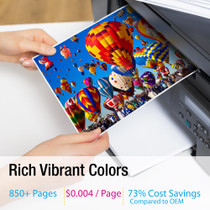
Deliver sharp, vivid prints every time with the HP 215A toner cartridge series, including HP 215A W2310A Black, W2311A Cyan, W2313A Magenta, and W2312A Yellow. Each cartridge is designed to produce crisp black text and rich, vibrant colors for all your everyday printing needs. Optimized for consistent quality, the HP 215A toner cartridge ensures smooth performance and outstanding results from the first page to the last. Whether youre printing business documents or colorful graphics, these cartridges provide dependable clarity and detail. Compatible with COLOR LASERJET M155NW, COLOR LASERJET M182N, COLOR LASERJET M182NW, and COLOR LASERJET M183FW, the HP 215A cartridge series offers seamless integration and reliable operation across all supported printer models. Count on the trusted performance of HP 215A toner cartridge technology to keep your workflow running smoothly. These cartridges are built for easy installation, efficient output, and high-quality results that meet your everyday printing demands.
Frequently Asked Questions
Our product decals and vehicle proofs keep printing the brand yellow wrong — how do we check the cartridge?
Hold a printed swatch against the brand reference. If the yellow reads pale or green-shifted while other colors match, print the supplies page: a bottomed-out yellow gauge beside healthy channels convicts the W2312A, not the artwork. For fleet work the stakes are simple: a van leaving with the wrong yellow is a reprint on wheels, so the swatch check belongs before the run, not after the fitting. Date each reference swatch and retire it when a fresh one is printed, so the standard beside the printer is never itself a faded memory of the brand.
Which code identifies the yellow cartridge?
W2312A — the HP 215A yellow, printed on the label of the cartridge occupying the yellow slot. Order by that number for an exact channel match.
How long does a fresh yellow last in proofing work?
The rating is 850 pages, but full-bleed proofs spend yellow at several times the document rate. Treat the gauge as the schedule and the rating as background.
For color-critical work, when should the cartridge be swapped?
On evidence, not on exhaustion: the moment proofs drift from the reference swatch, even if the printer has not warned yet. A cartridge can be too weak for brand work while still fine for drafts.
What protection does it carry?
A 1-year warranty covers the cartridge, and 1-year free returns apply if one is faulty. Shipments leave Illinois, Pennsylvania, Georgia and California, and support runs Monday through Friday, 9 AM to 5 PM CST.
Does the swap require recalibration afterwards?
No owner steps are needed — the exchange is mechanical and tool-free, and the printer resumes with its existing color settings. Print the reference swatch first to verify.
How should a spare yellow cartridge be stored between proofing jobs?
Keep the W2312A sealed in its box, lying flat, away from direct sunlight and heat sources. The seal is what protects the toner until the day you fit it, so open the box only when the printer is ready for the swap. Stored that way, a spare yellow waits on the shelf without losing the consistency your brand proofs depend on.
What should I check on the box before ordering a replacement yellow?
Read the last digit of the code. In the 215A family the channels differ by one digit: W2310A is black, W2311A is cyan, W2312A is yellow and W2313A is magenta. A single misread digit ships the wrong channel, so match the full W2312A code on your empty cartridge's label against the listing before you order, especially when reordering from a phone in a hurry.
Why keep a spare W2312A on hand instead of ordering when the gauge drops?
Because yellow drift is usually discovered mid-run, with a vehicle proof or a decal sheet already on the table. A sealed spare turns that discovery into a one-minute swap instead of a paused job waiting on a delivery. For a shop whose brand color is yellow, the spare is not stock — it is insurance against sending a van out wearing the wrong shade.
What do I do with the empty yellow cartridge once the new one is proven?
Keep the empty beside the printer until the fresh W2312A has printed a reference swatch that matches the brand standard — that way a suspect new cartridge can be compared against a known one. Once the proof passes, put the empty back in the new cartridge's box so it stays clean and contained, and pass it to your local toner recycling or office-supply take-back route.
About This W2312A Yellow Toner Cartridge
A compatible HP 215A yellow cartridge priced at $67.13, for color printers such as the Color LaserJet M155nw. It is aimed at small brands and sign shops, where yellow is often the brand color itself and close enough is not close enough.
Keep a reference swatch by the printer and judge this cartridge against it. When the proof drifts, the W2312A is the one-minute correction that brings brand yellow home.
Whichever machine on the platform you run, the fit is the same: Color LaserJet M182n, Color LaserJet M182nw, Color LaserJet M183nw and Color LaserJet M155nw take this cartridge. The rest of the family stands beside it: W2310A black cartridge, W2311A cyan cartridge and W2313A magenta cartridge, with the 215A four-color set covering a full refresh.
Related Items


Hewlett Packard
Compatible HP 215A (W2312A) Toner Cartridge Yellow


Hewlett Packard
Compatible HP 215A (W2312A) Toner Cartridge Yellow


Hewlett Packard
Compatible HP 215A (W2312A) Toner Cartridge Yellow


Hewlett Packard
Compatible HP 215A (W2312A) Toner Cartridge Yellow