






 See Compatible Printers
 Read more about our ink!
Hewlett Packard
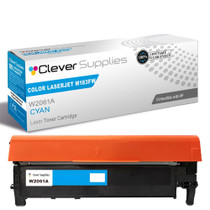
Compatible HP 215A (W2311A) Toner Cartridge Cyan
- Page Yield:
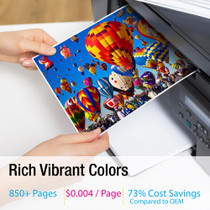
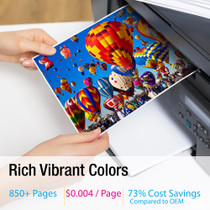
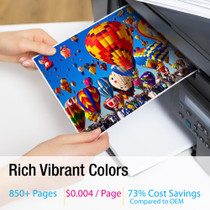
- Color: 850
- Availability:
- In Stock
- Shipping:
- Free Shipping

Amazon Price:

- Page Yield:
- Color: 850
- Availability:
- In Stock
- Shipping:
- Free Shipping
- Compatible Printers
- Specifications
- SKU:
- CS-HP-215A-C
- Printer Brand:
- Hewlett Packard
- OEM Number:
- W2311A
- Ink Color:
- Cyan
- Page Yield:
- Color: 850
- Printer Type:
- Laser Cartridge
- Condition:
- New Compatible
- Description
- Reviews



Deliver sharp, vivid prints every time with the HP 215A toner cartridge series, including HP 215A W2310A Black, W2311A Cyan, W2313A Magenta, and W2312A Yellow. Each cartridge is designed to produce crisp black text and rich, vibrant colors for all your everyday printing needs. Optimized for consistent quality, the HP 215A toner cartridge ensures smooth performance and outstanding results from the first page to the last. Whether youre printing business documents or colorful graphics, these cartridges provide dependable clarity and detail. Compatible with COLOR LASERJET M155NW, COLOR LASERJET M182N, COLOR LASERJET M182NW, and COLOR LASERJET M183FW, the HP 215A cartridge series offers seamless integration and reliable operation across all supported printer models. Count on the trusted performance of HP 215A toner cartridge technology to keep your workflow running smoothly. These cartridges are built for easy installation, efficient output, and high-quality results that meet your everyday printing demands. Every configuration this family is sold in — for the Color LaserJet Pro M155 and MFP M182/M183 series printers: the four-color set, all four singles and the two-black pack — is compared side by side in our Best HP 215A (W2310–W2313) Toner Cartridges guide.
Frequently Asked Questions
Our blues have gone dull and the greens look wrong — is cyan the culprit?
Very likely. Cyan does the heavy lifting in skies, water and most greens, and when the W2311A runs low those are the first colors to collapse. Print the supplies status page: if cyan is the emptiest bar, this cartridge is the fix. Photographs betray it even sooner than documents — a page of faces with gray skies above them is practically a signed confession from the cyan channel.
Which code identifies the cyan for this printer?
W2311A — the HP 215A cyan. It is printed on the label of the cartridge in the cyan slot; match that code and the color will be right.
How many pages does the cyan cartridge cover?
It is rated at 850 pages. Photo-heavy printing spends cyan faster than documents do, so treat the rating as a document benchmark rather than a photo promise.
Do I need to change the other colors at the same time?
No. Each channel is independent — replace the cyan that is empty and leave healthy cartridges earning their keep. The printer asks for each color only when its own supply runs out.
What cover comes with this cartridge?
A 1-year warranty covers it, and 1-year free returns apply if a unit is faulty. Parcels ship from Illinois, Pennsylvania, Georgia and California, and support is available Monday through Friday, 9 AM to 5 PM CST.
Is the swap within a home user's ability?
Entirely — a one-minute, tool-free exchange. Lift the old cyan out by its handle, seat the new one in the same slot, and print a test page to watch the blues come back.
How should a spare cyan be kept at home until it is needed?
Sealed in its box, lying flat, somewhere cool and out of direct sun — a desk drawer or a shelf away from radiators is ideal. Toner is a dry powder and does not dry out the way ink does, so a W2311A bought ahead simply waits at full strength. The only real enemies are heat and a torn seal; avoid both and the spare is ready whenever the blues give out.
After fitting the new cyan, how do I confirm it is behaving?
Print the supplies status page a week after the swap and compare it with the one you printed before ordering. The fresh W2311A should show a full bar that has barely moved under normal document printing, while the other channels continue their own decline. A cyan bar that falls at the same speed as the others is healthy; one that collapses in days is worth a call to support.
The new cyan is in, but prints still look a little dull — what now?
Do not blame the new cartridge first. Print the supplies page again: dullness that survives a fresh cyan usually means another channel is also near the bottom, because balanced color needs all four supplies alive. Check the magenta and yellow bars, print a color test page, and judge which channel is actually short. The channels are independent, so the fix stays a one-cartridge decision either way.
When can the old cyan be thrown out?
After the test page shows the blues and greens back at full strength. Slip the spent W2311A into the box the fresh cartridge arrived in and send it out with the recycling rather than the household trash. There is no value in keeping it longer — the supplies pages you printed before and after the swap are the record, and they take up a drawer corner instead of a shelf.
About This W2311A Cyan Toner Cartridge
A single compatible 215A cyan cartridge, priced at $67.13, for color printers such as the Color LaserJet M155nw. It is the answer to a specific complaint: prints that have quietly lost their blue, in a machine whose other colors are still healthy.
Check the supplies page, match the W2311A code, and swap one cartridge. Keep the printed supplies page for a week afterwards; if the cyan bar on the new report holds steady while the others fall, the channel is behaving exactly as a healthy one should. That is the whole repair — the sky in the next print will confirm it.
Nothing on the platform is left out: Color LaserJet M183nw, Color LaserJet M155nw, Color LaserJet M182n and Color LaserJet M182nw take this cartridge. The rest of the family stands beside it: W2310A black cartridge, W2313A magenta cartridge and W2312A yellow cartridge, with the 215A four-color set covering a full refresh.
Related Items

Hewlett Packard
Compatible HP 215A (W2311A) Toner Cartridge Cyan


Hewlett Packard
Compatible HP 215A (W2311A) Toner Cartridge Cyan

Hewlett Packard
Compatible HP 215A (W2311A) Toner Cartridge Cyan

Hewlett Packard
Compatible HP 215A (W2311A) Toner Cartridge Cyan