






 See Compatible Printers
 Read more about our ink!
Hewlett Packard
Compatible HP 215A (W2312A) Toner Cartridge Yellow
- Page Yield:
- Color: 850
- Availability:
- In Stock
- Shipping:
- Free Shipping

Amazon Price:

- Page Yield:
- Color: 850
- Availability:
- In Stock
- Shipping:
- Free Shipping
- Compatible Printers
- Specifications
- SKU:
- CS-HP-215A-CLJ-M182NW-Y
- Printer Brand:
- Hewlett Packard
- OEM Number:
- W2312A
- Ink Color:
- Yellow
- Page Yield:
- Color: 850
- Printer Type:
- Laser Cartridge
- Condition:
- New Compatible
- Description
- Reviews



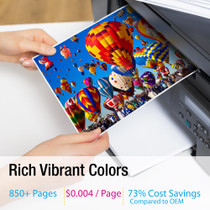
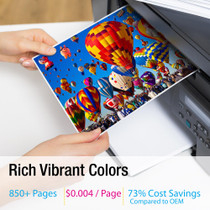
Deliver sharp, vivid prints every time with the HP 215A toner cartridge series, including HP 215A W2310A Black, W2311A Cyan, W2313A Magenta, and W2312A Yellow. Each cartridge is designed to produce crisp black text and rich, vibrant colors for all your everyday printing needs. Optimized for consistent quality, the HP 215A toner cartridge ensures smooth performance and outstanding results from the first page to the last. Whether youre printing business documents or colorful graphics, these cartridges provide dependable clarity and detail. Compatible with COLOR LASERJET M155NW, COLOR LASERJET M182N, COLOR LASERJET M182NW, and COLOR LASERJET M183FW, the HP 215A cartridge series offers seamless integration and reliable operation across all supported printer models. Count on the trusted performance of HP 215A toner cartridge technology to keep your workflow running smoothly. These cartridges are built for easy installation, efficient output, and high-quality results that meet your everyday printing demands.
Frequently Asked Questions
Our menu boards look appetising in the file but dull and greenish on paper — what changed?
The yellow ran out. Warm food photography is built on yellow; without the W2312A, golden tones go muddy and fresh colors turn swampy, while text stays perfectly black. If the prints cooled but did not fade, yellow is the first suspect. Photographs of anything golden — fries, bread, roasted vegetables — are the canary here: they lose their appetite appeal a full stage before text or graphics show any problem at all. Boards printed for a sunny window deserve one extra look in daylight before they go up, because shop lighting flatters color that daylight would judge more honestly.
Which cartridge number brings the warmth back?
W2312A — the HP 215A yellow, printed on the label of the unit in the yellow slot. Match that code exactly when ordering.
How many pages does a yellow cartridge cover?
It is rated at 850 pages. Full-color menu and poster work consumes yellow far faster per sheet than office documents, so a food business should expect a shorter run and watch the gauge.
Should we replace yellow before reprinting the whole menu run?
Yes — that sequencing is the money-saver. A one-minute swap first means every reprinted board is right; printing first and swapping later doubles the paper bill.
What cover applies to the cartridge?
A 1-year warranty covers it, and 1-year free returns apply to a faulty unit. Orders are dispatched from Illinois, Pennsylvania, Georgia and California, with support staffed Monday through Friday, 9 AM to 5 PM CST.
Can kitchen or counter staff perform the change?
Yes. It is a tool-free, one-minute exchange — old cartridge out, new one seated, one test board printed to check the color before the full run.
When in our menu routine should the yellow be checked?
At menu-planning time, not at printing time. Every menu change is already a decision about photographs, prices and layout; adding the supplies gauge to that same moment costs nothing and catches a low W2312A while there is still time to order calmly. Golden dishes are the first casualty of an empty yellow, and they are usually the dishes the new menu is built around. A gauge check written into the reprint checklist protects the launch instead of rescuing it.
What does the yellow in a menu board cost per sheet?
The W2312A is $67.13 against an 850-page rating — roughly eight cents a page when the printing is light. A board covered edge to edge with food photography spends considerably more of the cartridge per sheet, so a café that prints a dozen photo boards should not expect the rating's full count. Even at the heavier rate, the yellow in a board costs cents while the board itself sells dishes all week; the expensive board is the dull one nobody reads.
How should a spent yellow be handled in a food business?
Straight back into the box the new cartridge came out of, on the day of the swap. A spent unit does not belong on a prep surface or beside ingredients, so the routine is simple: new W2312A in, old one boxed, box onto the deliveries shelf with the date written on it. From there it leaves with the café's other spent supplies on the next clear-out, and the counter never accumulates loose cartridges among the menus and napkins.
Why does a text-only menu spare the yellow while a photo menu drains it?
Black text asks nothing of the yellow channel at all. A page of type can run on the black cartridge alone, while a photograph of anything golden — fries, bread, roasted vegetables — is built substantially from W2312A toner on every square inch. That is why two cafés with identical printers report wildly different yellow life: the one printing photographic menus is spending the cartridge as a design material, the one printing typed lists barely touches it.
About This W2312A Yellow Toner Cartridge
A compatible HP 215A yellow cartridge at $67.13, for color machines such as the Color LaserJet M155nw. It is written for cafés and takeaways whose printed menus do quiet selling all day — and stop selling when the food in the photos stops looking like food.
Warm color is yellow's whole job. When the boards go cold, fit the W2312A, print one proof, and only then commit to the run.
The same unit serves Color LaserJet M182n, Color LaserJet M182nw, Color LaserJet M183nw and Color LaserJet M155nw — the complete set of machines on this platform. The rest of the family stands beside it: W2310A black cartridge, W2311A cyan cartridge and W2313A magenta cartridge, with the 215A four-color set covering a full refresh.
Related Items

Hewlett Packard
Compatible HP 215A (W2312A) Toner Cartridge Yellow



Hewlett Packard
Compatible HP 215A (W2312A) Toner Cartridge Yellow


Hewlett Packard
Compatible HP 215A (W2312A) Toner Cartridge Yellow

Hewlett Packard
Compatible HP 215A (W2312A) Toner Cartridge Yellow