





 See Compatible Printers
 Read more about our ink!
Epson
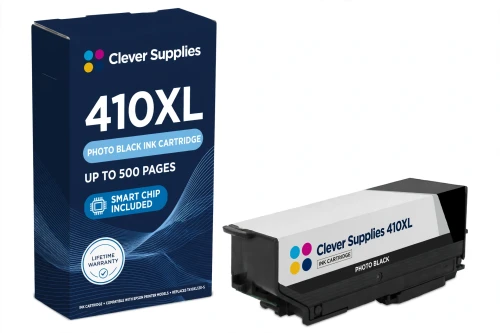
Compatible Epson 410XL T410XL120 Photo Black Ink Cartridge
- Page Yield:
- Up to 500 pages (ISO/IEC 24711)
- Shipping:
- Calculated at Checkout

Amazon Price:

- Page Yield:
- Up to 500 pages (ISO/IEC 24711)
- Shipping:
- Calculated at Checkout
- Compatible Printers
- Specifications
- SKU:
- CS-EP-410-PBKXL
- Condition:
- New Compatible
- OEM Part #:
- T410XL120-S
- Color:
- Photo Black
- Ink Type:
- Dye
- Page Yield:
- Up to 500 pages (ISO/IEC 24711)
- Chip:
- New compatible chip
- Warranty:
- Lifetime Warranty
- Returns:
- 1-Year Free Returns
- Description
- Reviews
Photo printing has its own black in the Epson 410 system, and this is it: the compatible T410XL120-S, a dye photo black rated up to 500 pages (ISO/IEC 24711). It works alongside cyan, magenta and yellow on photographs, where deep, smooth blacks matter — a different job from the pigment T410XL020-S document black, which cannot take its place and cannot be replaced by it.


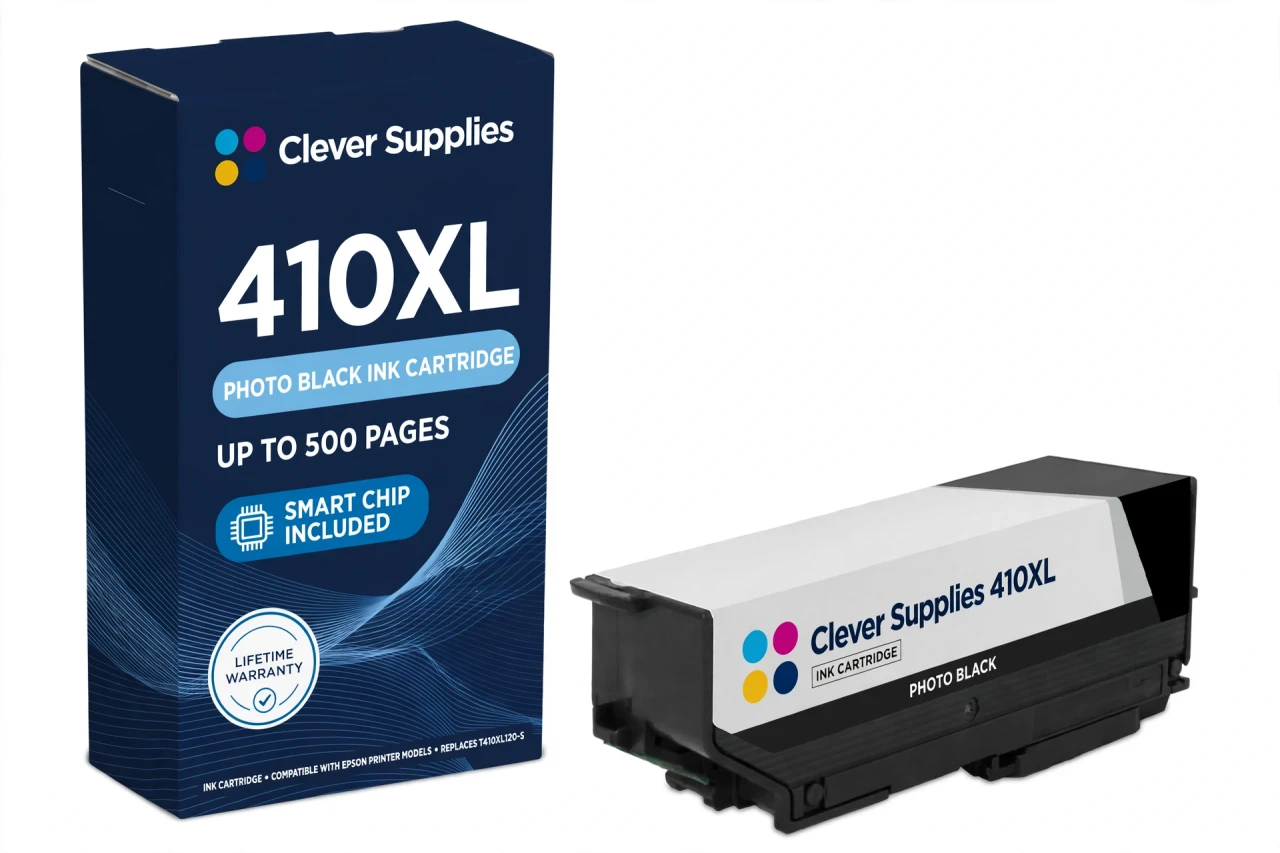
One number deserves plain speech: some resellers rate this XL photo black at 650 pages. Epson's own published figure is 500 pages, and 500 is what we print. The cartridge carries a new compatible chip. This cartridge carries a new compatible chip. If your printer's firmware has been updated, recognition issues can occasionally occur — reseat and restart first if a warning ever appears.
The cartridge fits the five verified 410 models — XP-530, XP-630, XP-635, XP-640 and XP-830. Its siblings are T410XL020-S black, T410XL220-S cyan, T410XL320-S magenta and T410XL420-S yellow. Every cartridge is covered by our lifetime warranty, with free returns for the first year.
Shop the Epson 410 family: T410XL020 Black Ink Cartridge · T410XL220 Cyan Ink Cartridge · T410XL320 Magenta Ink Cartridge · T410XL420 Yellow Ink Cartridge · Set of 5 BK PBK CMY Ink Cartridge · Set of 11 2 Black 3 Photo Black 2 Cyan 2 Magenta 2 Yellow Ink Cartridge
Browse by series: Expression
Frequently Asked Questions
Some sites rate this cartridge at 650 pages. Why do you say 500?
Because 500 pages is Epson's own published rating for the T410XL120-S. The 650 figure is a reseller claim for the photo black position; we use the manufacturer's number.
Photo Black or Black — which slot am I filling?
Read the code on the cartridge you remove. T410XL120-S is Photo Black (dye, for photographs); T410XL020-S is the pigment document Black. The printer has both slots and they are not interchangeable.
How many pages does it print?
Up to 500 pages on the ISO/IEC 24711 pattern — the same rating as the XL document black, and double-checked against Epson's data sheet for this code.
Which printers use it?
XP-530, XP-630, XP-635, XP-640 and XP-830 — the five verified US 410 models. Not the 302-family XP-6000/XP-6100.
Is photo black dye or pigment?
Dye. In the Claria Premium system only the document Black is pigment; Photo Black, Cyan, Magenta and Yellow are dye colours.
Does it have a chip?
Yes, a new compatible chip for ink-level reporting. If your printer's firmware has been updated, recognition issues can occasionally occur — reseat the cartridge and restart the printer before judging it.
My photos look flat after a cartridge change. Is it this cartridge?
First check which black ran low: flat photos usually mean the photo black slot is empty or the printer is leaning on document black. Run the printer's nozzle check; if a new cartridge prints poorly from the start, the lifetime warranty covers it.
Can I skip Photo Black and print photos with the regular black?
The printer is built around five separate slots and expects the photo black position filled for photo work. We recommend keeping the T410XL120-S in its slot rather than working around it.
Is a standard-capacity version sold here?
No. The compatible ladder for this family is XL-only — Epson sells a standard T410120-S, but no compatible standard version is offered on this shelf, and we do not dress a standard cartridge up as XL.
Is it a genuine Epson cartridge?
No — a Clever Supplies compatible built to the T410XL120-S specification, labelled compatible on the box and this page.
How should I store a spare?
Sealed, upright, at room temperature and out of direct sunlight until the slot runs low.
What if it fails?
Free returns within the first year, and a cartridge that fails to perform is replaced under the lifetime warranty.
Related Items
Epson
Compatible Epson 410XL T410XL020 Black Ink Cartridge
This is the document black of the Epson 410 system: the compatible T410XL020-S, a pigment black rated up to 500 pages (ISO/IEC 24711). In the Claria Premium layout this cartridge does the text work —...


Epson
Compatible Epson 410XL T410XL220 Cyan Ink Cartridge
Cyan runs on its own schedule in a five-cartridge printer, and this single exists for the day the cyan light comes on: the compatible T410XL220-S, a dye cyan rated up to 650 pages (ISO/IEC 24711)...

Epson
Compatible Epson 410XL T410XL320 Magenta Ink Cartridge
Magenta is the colour whose absence shows first in skin tones and reds, and this is its XL refill: the compatible T410XL320-S, a dye magenta rated up to 650 pages (ISO/IEC 24711), against 300 pages...

Epson
Compatible Epson 410XL T410XL420 Yellow Ink Cartridge
Yellow is easy to forget until greens go blue and highlights wash out — this is the cartridge that prevents it: the compatible T410XL420-S, a dye yellow rated up to 650 pages (ISO/IEC 24711), more...