





 See Compatible Printers
 Read more about our ink!
Canon
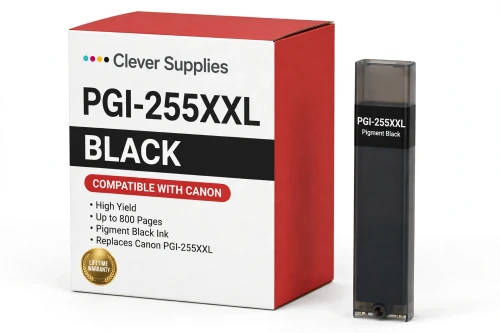
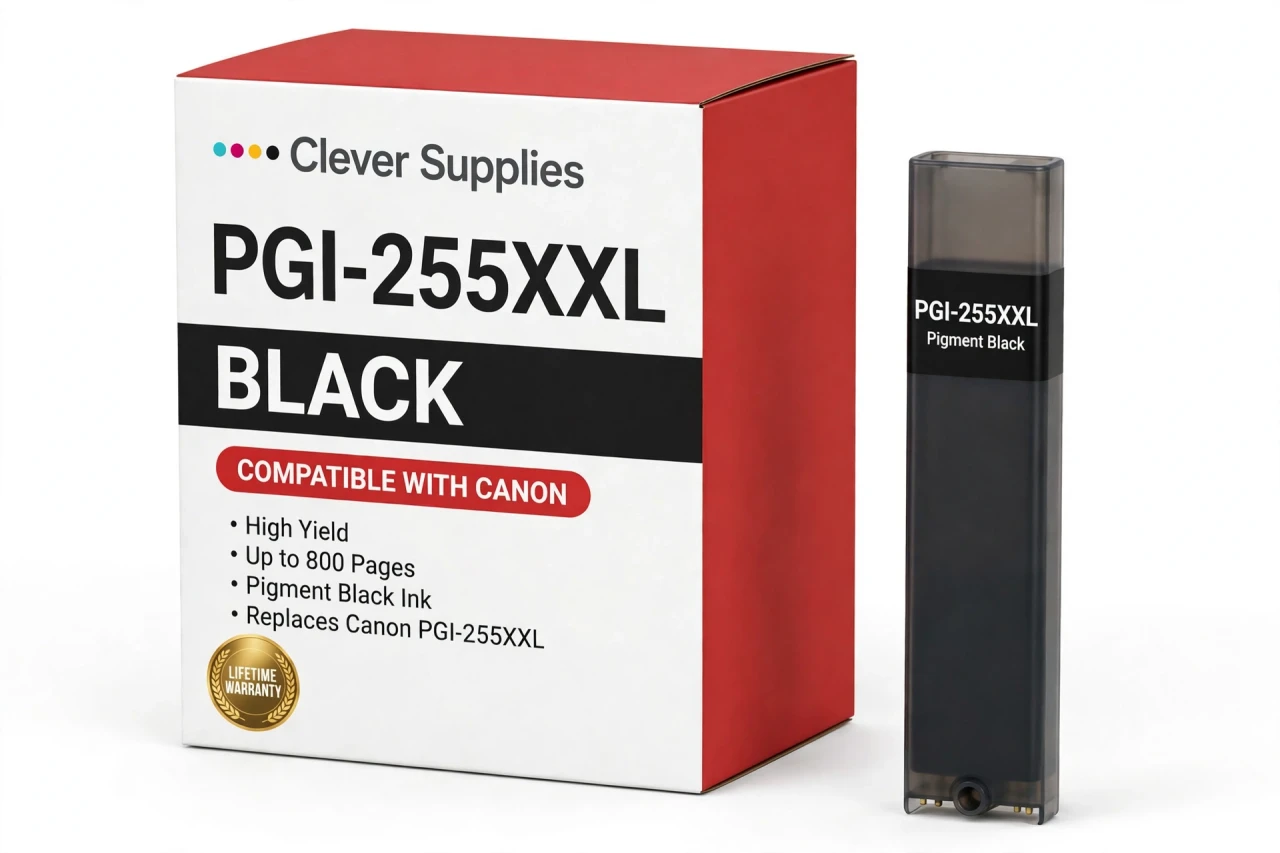
Compatible Canon PGI-255XXL Pigment Black Ink Cartridge
- Page Yield:
- Up to 800 pages
- Shipping:
- Calculated at Checkout

Amazon Price:

- Page Yield:
- Up to 800 pages
- Shipping:
- Calculated at Checkout
- Compatible Printers
- Specifications
- SKU:
- CS-CN-255-BKXXL
- Condition:
- New Compatible
- OEM Part #:
- PGI-255XXL
- Color:
- Pigment Black
- Ink Type:
- Pigment
- Page Yield:
- Up to 800 pages
- Chip:
- New compatible chip
- Warranty:
- Lifetime Warranty
- Returns:
- 1-Year Free Returns
- Description
How many pages does the PGI-255XXL print?
It is rated at up to 800 pages — Canon's own published figure for the XL tier. Page counts are measured on standard test pages at around 5% coverage, so your own yield moves with what you print: dense photos use far more ink than text.
Which printers take the PGI-255XXL?
It fits Canon PIXMA iX6820, Canon PIXMA MX922, Canon PIXMA MX722. The complete verified list is in the Compatible Printers section on this page — check your model there before ordering.
What is the difference between the two blacks in this family?
The pigment black is the document tank: it prints sharp, water-resistant text and is the black your letters and reports come from. Both tanks sit in the printer at the same time and each is replaced on its own schedule.
Can I use the PGI-255XXL in any PGI-250 / CLI-251 printer?
No — the extra-long PGI-255XXL fits only the Canon PIXMA iX6820, Canon PIXMA MX922, Canon PIXMA MX722. Every other printer in this family takes the PGI-250XL Pigment Black Ink Cartridge instead.
Is this the standard or the high-yield version?
This is the XL (high-yield) fill — the singles we list for this family are all XL. Canon also sold a standard fill under the same family numbers; the XL tanks hold more ink and cost less per page.
Does this cartridge have a chip?
Yes — a new compatible chip that reports ink levels to the printer, so the low-ink warnings keep working. It is not a refilled original shell with a reset chip.
Can I mix this cartridge with genuine Canon cartridges?
Yes. Each slot is read independently, so a compatible tank beside genuine Canon tanks (or the other way round) prints normally — you can switch one color at a time.
My printer shows a message after installing — what do I do?
Acknowledge the on-screen message, reseat the cartridge until it clicks, and restart the printer. If the message persists, wipe the gold chip contacts with a dry lint-free cloth and reinstall.
Is this a genuine Canon PGI-255XXL?
No. It is a Clever Supplies compatible cartridge built to the PGI-255XXL specification and covered by our lifetime warranty. It is not manufactured by Canon; the Canon name appears only to identify the printers it fits.
How do I judge a newly fitted PGI-255XXL fairly?
Give the tank a short run of real work before you judge it. This is the extra-long pigment black that only the iX6820, MX922 and MX722 take, and it feeds the letters and reports those machines exist for. Print several ordinary document pages and look at the third or fourth one rather than the first: by then the new ink is flowing steadily, and text should be sharp, dark and even from the top of the page to the bottom, with no patchiness in headings or bold blocks. Start with the cartridge seated firmly until it clicks, since an extra-long body that is not fully home can mimic a quality problem. Keep the removed tank until the judgment is made — its stamp is your proof of the exact PGI-255XXL code. Once a full document prints cleanly end to end, the swap is proven and the empty can be recycled.
- Reviews
The Clever Supplies compatible Canon PGI-255XXL Pigment Black ink cartridge replaces the Canon PGI-255XXL and fits 3 verified printers — Canon PIXMA iX6820, Canon PIXMA MX922, Canon PIXMA MX722 are in the full list under Compatible Printers below. It is rated at up to 800 pages (Canon's own published figure for the XL tier) and carries a new compatible chip that reports ink levels to the printer.
This cartridge belongs to the PGI-250 / CLI-251 family — the XL-tier tank family for the MG, MX and iX lines: pigment PGI-250XL black, dye CLI-251XL colors, a Gray tank on the six-tank photo models, and the extra-long PGI-255XXL black for the MX722, MX922 and iX6820. Every single cartridge we list for this family is the XL fill; the yields quoted are Canon's published XL figures. Covered by our lifetime warranty with free returns for the first year.


Shop the Canon PGI-250 / CLI-251 family: PGI-250XL Pigment Black Ink Cartridge — $8.24 · CLI-251XL Black Ink Cartridge — $8.24 · CLI-251XL Cyan Ink Cartridge — $8.24 · CLI-251XL Gray Ink Cartridge — $8.24 · CLI-251XL Magenta Ink Cartridge — $8.24 · CLI-251XL Yellow Ink Cartridge — $8.24 · PGI-255XXL Pigment Black Ink Cartridge — $8.24 · PGI-250 / CLI-251 Set of 11 BCMY Ink Cartridges — $65.84 · PGI-250 / CLI-251 Set of 13 BCMY + Gray Ink Cartridges — $74.88 · PGI-250 / CLI-251 Set of 5 BCMY Ink Cartridges — $29.93 · PGI-250 / CLI-251 Set of 6 BCMY + Gray Ink Cartridges — $35.91 · PGI-255 / CLI-251 Set of 11 BCMY Ink Cartridges — $65.84
Frequently Asked Questions
Related Items
Canon
Compatible Canon PGI-270XL Pigment Black Ink Cartridge
The Clever Supplies compatible Canon PGI-270XL Pigment Black ink cartridge replaces the Canon PGI-270XL and fits 11 verified printers — Canon PIXMA MG5720,


Canon
Compatible Canon PGI-5BK Pigment Black Ink Cartridge
The Clever Supplies compatible Canon PGI-5BK Pigment Black ink cartridge replaces the Canon PGI-5BK and fits 24 verified printers — Canon PIXMA iP3300,
Canon
Compatible Canon PGI-250XL Pigment Black Ink Cartridge
The Clever Supplies compatible Canon PGI-250XL Pigment Black ink cartridge replaces the Canon PGI-250XL and fits 13 verified printers — Canon PIXMA iP7220,

Canon
Compatible Canon PGI-280XXL Pigment Black Ink Cartridge
The Clever Supplies compatible Canon PGI-280XXL Pigment Black ink cartridge replaces the Canon PGI-280XXL and fits 16 verified printers — Canon PIXMA TR7520,