





 See Compatible Printers
 Read more about our ink!
Canon
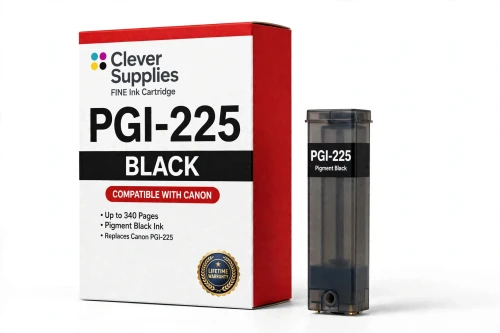
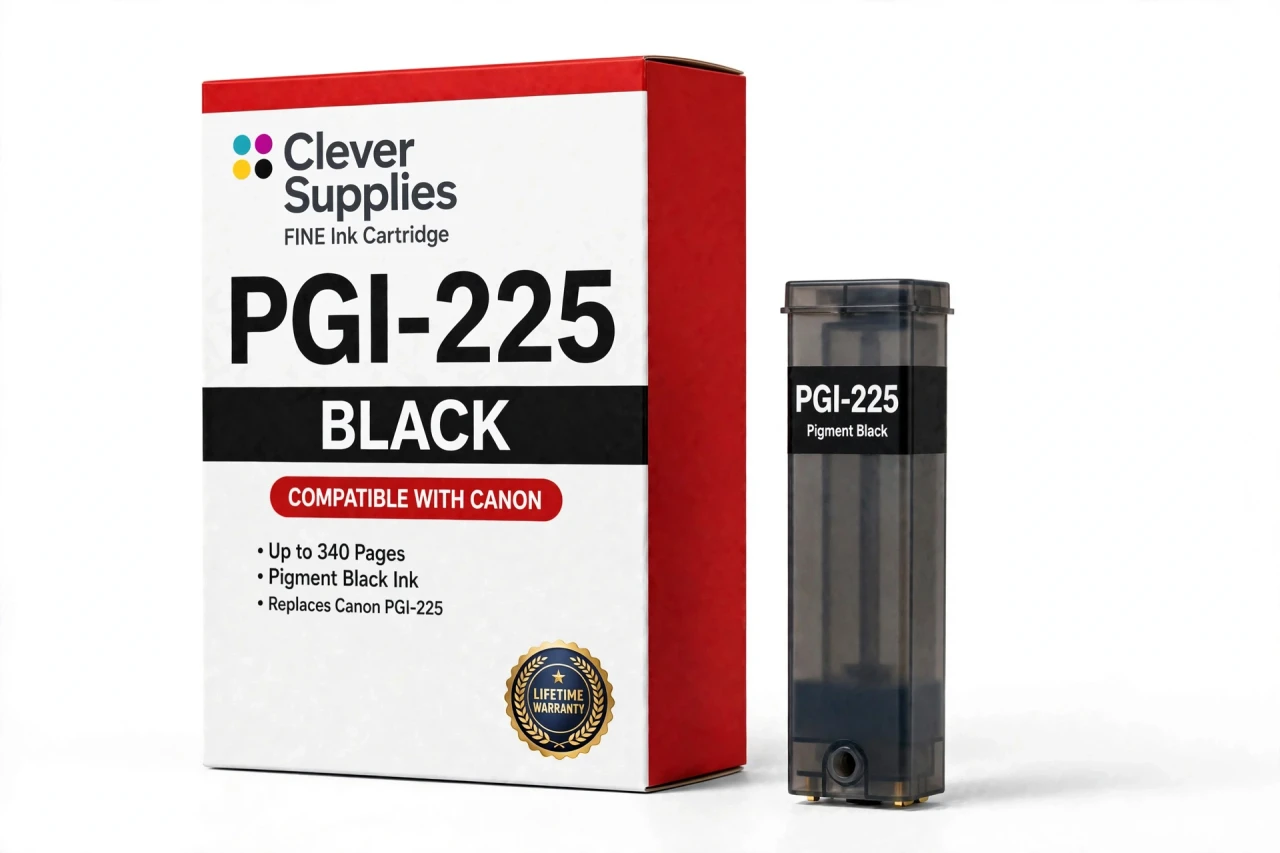
Compatible Canon PGI-225PGBK Pigment Black Ink Cartridge
- Page Yield:
- Up to 340 pages
- Shipping:
- Calculated at Checkout

Amazon Price:

- Page Yield:
- Up to 340 pages
- Shipping:
- Calculated at Checkout
- Compatible Printers
- Specifications
- SKU:
- CS-CN-225-BK
- Condition:
- New Compatible
- OEM Part #:
- PGI-225PGBK
- Color:
- Pigment Black
- Ink Type:
- Pigment
- Page Yield:
- Up to 340 pages
- Chip:
- New compatible chip
- Warranty:
- Lifetime Warranty
- Returns:
- 1-Year Free Returns
- Description
How many pages does the PGI-225PGBK print?
It is rated at up to 340 pages — the cartridge supplier's rating — Canon published no official yield table for this family. Page counts are measured on standard test pages at around 5% coverage, so your own yield moves with what you print: dense photos use far more ink than text.
Which printers take the PGI-225PGBK?
It fits Canon PIXMA iP4820, Canon PIXMA iP4920, Canon PIXMA iX6520, Canon PIXMA MG5120 and 10 more. The complete verified list is in the Compatible Printers section on this page — check your model there before ordering.
What is the difference between the two blacks in this family?
The pigment black is the document tank: it prints sharp, water-resistant text and is the black your letters and reports come from. Both tanks sit in the printer at the same time and each is replaced on its own schedule.
Does this cartridge have a chip?
Yes — a new compatible chip that reports ink levels to the printer, so the low-ink warnings keep working. It is not a refilled original shell with a reset chip.
Can I mix this cartridge with genuine Canon cartridges?
Yes. Each slot is read independently, so a compatible tank beside genuine Canon tanks (or the other way round) prints normally — you can switch one color at a time.
My printer shows a message after installing — what do I do?
Acknowledge the on-screen message, reseat the cartridge until it clicks, and restart the printer. If the message persists, wipe the gold chip contacts with a dry lint-free cloth and reinstall.
Is this a genuine Canon PGI-225PGBK?
No. It is a Clever Supplies compatible cartridge built to the PGI-225PGBK specification and covered by our lifetime warranty. It is not manufactured by Canon; the Canon name appears only to identify the printers it fits.
What if the cartridge leaks, is not recognized or prints badly?
Stop and contact us — do not keep printing on a faulty cartridge. The lifetime warranty covers recognition failures, leaks and print-quality defects: we replace the cartridge or refund you, and returns are free for the first year.
Why does the water resistance of this tank matter in practice?
Because documents get handled, marked up and occasionally splashed. The PGI-225PGBK is the pigment document tank, and pigment text sits on the paper rather than soaking into it, which is why it stays sharp and readable when a page is highlighted, carried in a folder, or caught by a few drops of water that would smear dye-based print. For contracts, forms, school paperwork and anything you file and revisit, that durability is the working difference between the two blacks in this family — the photograph tank is built for rich dark tones on photo paper, this one is built for text that has to survive real life.
Will my page count come closer to the rating than a photo printer's would?
Very likely, yes. The PGI-225PGBK's rating of up to 340 pages is measured on standard test pages at around 5% coverage — and ordinary documents live close to that figure, since a typical letter or report covers roughly that share of the page in text. Dense photographs are what pull real-world yields far below the rating, and photographs are the other black's job. A household or office printing mainly letters, forms and reports from this tank should see a count in the rating's neighborhood, dipping mainly in months full of bold headings, logos and shaded form boxes that raise coverage above the test standard.
- Reviews
The Clever Supplies compatible Canon PGI-225PGBK Pigment Black ink cartridge replaces the Canon PGI-225PGBK and fits 14 verified printers — Canon PIXMA iP4820, Canon PIXMA iP4920, Canon PIXMA iX6520 and 11 more are in the full list under Compatible Printers below. It is rated at up to 340 pages (the cartridge supplier's rating — Canon published no official yield table for this family) and carries a new compatible chip that reports ink levels to the printer.
This cartridge belongs to the PGI-225 / CLI-226 family — a five-tank system — pigment PGI-225 black beside dye CLI-226 colors — with a sixth Gray tank on the MG6120, MG6220, MG8120, MG8120B and MG8220 photo models. Canon never published an official page-yield table for this family, so the ratings printed here are the cartridge supplier's figures, quoted exactly as supplied. Covered by our lifetime warranty with free returns for the first year.


Shop the Canon PGI-225 / CLI-226 family: PGI-225PGBK Pigment Black Ink Cartridge — $8.24 · CLI-226BK Black Ink Cartridge — $8.24 · CLI-226C Cyan Ink Cartridge — $8.24 · CLI-226GY Gray Ink Cartridge — $8.24 · CLI-226M Magenta Ink Cartridge — $8.24 · CLI-226Y Yellow Ink Cartridge — $8.24 · PGI-225 / CLI-226 Set of 10 BCMY Ink Cartridges — $71.82 · PGI-225 / CLI-226 Set of 14 BCMY + Gray Ink Cartridges — $83.79 · PGI-225 / CLI-226 Set of 5 BCMY Ink Cartridges — $35.55 · PGI-225 / CLI-226 Set of 6 BCMY + Gray Ink Cartridges — $42.66
Frequently Asked Questions
Related Items
Canon
Compatible Canon PGI-270XL Pigment Black Ink Cartridge
The Clever Supplies compatible Canon PGI-270XL Pigment Black ink cartridge replaces the Canon PGI-270XL and fits 11 verified printers — Canon PIXMA MG5720,


Canon
Compatible Canon PGI-5BK Pigment Black Ink Cartridge
The Clever Supplies compatible Canon PGI-5BK Pigment Black ink cartridge replaces the Canon PGI-5BK and fits 24 verified printers — Canon PIXMA iP3300,
Canon
Compatible Canon PGI-255XXL Pigment Black Ink Cartridge
The Clever Supplies compatible Canon PGI-255XXL Pigment Black ink cartridge replaces the Canon PGI-255XXL and fits 3 verified printers — Canon PIXMA iX6820,

Canon
Compatible Canon PGI-280XXL Pigment Black Ink Cartridge
The Clever Supplies compatible Canon PGI-280XXL Pigment Black ink cartridge replaces the Canon PGI-280XXL and fits 16 verified printers — Canon PIXMA TR7520,