





 See Compatible Printers
 Read more about our ink!
Canon
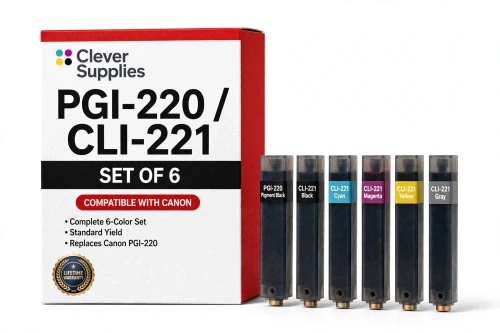
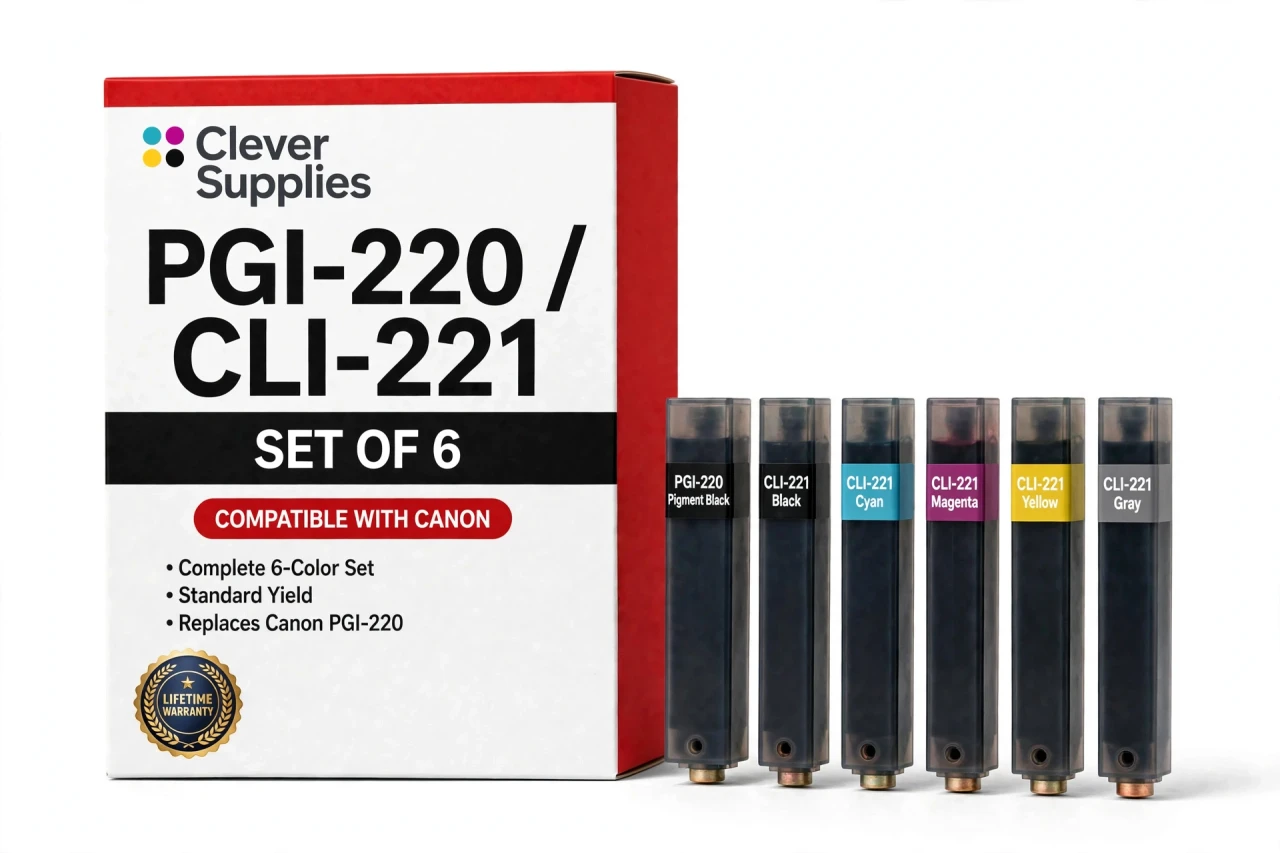
Compatible Canon PGI-220 / CLI-221 Set of 6 BCMY + Gray Ink Cartridges
- Page Yield:
- Per-cartridge yields listed in the set contents
- Shipping:
- Calculated at Checkout

Amazon Price:

- Page Yield:
- Per-cartridge yields listed in the set contents
- Shipping:
- Calculated at Checkout
- Compatible Printers
- Specifications
- SKU:
- CS-CN-220-SET6
- Condition:
- New Compatible
- OEM Part #:
- PGI-220 / CLI-221
- Color:
- BCMY + Gray
- Ink Type:
- Pigment black, dye colors
- Page Yield:
- Per-cartridge yields listed in the set contents
- Chip:
- New compatible chip
- Warranty:
- Lifetime Warranty
- Returns:
- 1-Year Free Returns
- Description
- Reviews
The Clever Supplies compatible Canon PGI-220 / CLI-221 Set of 6 brings together 1 × PGI-220 Black; 1 × CLI-221 Black; 1 × CLI-221 Cyan; 1 × CLI-221 Magenta; 1 × CLI-221 Yellow; 1 × CLI-221 Gray — every cartridge individually sealed and chipped. It fits 2 verified printers: Canon PIXMA MP980, Canon PIXMA MP990 are in the full list under Compatible Printers below.
This set belongs to the PGI-220 / CLI-221 family — a five-tank system — pigment PGI-220 black for documents beside dye CLI-221 black, cyan, magenta and yellow — with a sixth Gray tank on the MP980 and MP990 for black-and-white photo printing. Canon never published an official page-yield table for this family, so the ratings printed here are the cartridge supplier's figures, quoted exactly as supplied. Covered by our lifetime warranty with free returns for the first year.


Shop the Canon PGI-220 / CLI-221 family: PGI-220PGBK Pigment Black Ink Cartridge — $8.24 · CLI-221BK Black Ink Cartridge — $8.24 · CLI-221C Cyan Ink Cartridge — $8.24 · CLI-221GY Gray Ink Cartridge — $8.24 · CLI-221M Magenta Ink Cartridge — $8.24 · CLI-221Y Yellow Ink Cartridge — $8.24 · PGI-220 / CLI-221 Set of 12 BCMY Ink Cartridges — $62.82 · PGI-220 / CLI-221 Set of 14 BCMY + Gray Ink Cartridges — $73.29 · PGI-220 / CLI-221 Set of 5 BCMY Ink Cartridges — $26.18 · PGI-220 / CLI-221 Set of 6 BCMY + Gray Ink Cartridges — $31.41
Frequently Asked Questions
What comes packed in this set?
The set contains 1 × PGI-220 Black (up to 350 pages); 1 × CLI-221 Black (up to 342 pages); 1 × CLI-221 Cyan (up to 500 pages); 1 × CLI-221 Magenta (up to 500 pages); 1 × CLI-221 Yellow (up to 500 pages); 1 × CLI-221 Gray (up to 500 pages). A single full row for a six-tank printer.
Which printers use all six tanks?
Just two machines: the Canon PIXMA MP980 and the Canon PIXMA MP990. They are the only models in this generation with a gray slot alongside the five standard tanks. If your printer lacks the gray position, this set is not yours — the five-piece version covers the rest of the family.
What does the gray tank actually do?
It prints the middle of the picture. In monochrome and subtle color work, gray ink lays smooth tonal steps that would otherwise be faked by mixing colors — a trick that often leaves prints with a faint green or magenta cast. A dedicated gray keeps B&W prints honestly neutral and softens gradients in color portraits too.
How far does one row of tanks go?
Added together, the six ratings come to the set's combined rated yield, and $31.41 works out at a very low cost per page. The colors and gray carry the highest individual ratings at 500 pages each, which suits these photo-first machines: the row is sized for image volume, with the pigment black handling documents along the way.
Why does a photo printer need a pigment black at all?
Because even a photo printer prints letters. The PGI-220 pigment black gives documents their sharp, water-resistant text, while the dye black and colors serve images. Remove the pigment tank from the design and every invoice would come out in softer, pricier photo ink.
Do the six tanks need changing together?
Only in the situation this set is bought for — a full refresh. In ordinary use each tank is independent: the printer watches levels by chip and names the slot that is low, and you change that one tank. The set simply guarantees that when you do want a whole new row, every position is covered.
How are the tanks fitted?
Power on, cover open, and work along the row: release each spent tank, seat its replacement until it clicks, and keep the order straight — six similar-looking tanks reward a methodical minute. Do not touch the chip contacts, and let the printer recognize the row before the first print.
Is this set a Canon product?
No, it is a Clever Supplies compatible set, produced to the PGI-220 and CLI-221 specification including the gray tank. It matches the originals in fit and rated capacity; the brand and the price are its own.
My black-and-white prints look tinted. Is gray the fix?
It is the most direct one available on this platform. Tints appear when grays are mixed from color inks, especially as those tanks age unevenly. A fresh gray tank restores a true neutral channel — fit the row, run a nozzle check and an alignment, and judge a test print before anything else.
What protection comes with the set?
The Lifetime Warranty covers each of the six tanks individually, so a problem unit is replaced or refunded without disturbing the rest. Returns are open for 1 year from purchase as well — reasonable cover for a full-row change.
Related Items
Canon
Compatible Canon PGI-220 / CLI-221 Set of 14 BCMY + Gray Ink Cartridges
The Clever Supplies compatible Canon PGI-220 / CLI-221 Set of 14 brings together 4 × PGI-220 Black; 2 × CLI-221 Black; 2 × CLI-221 Cyan; 2 × CLI-221 Magenta; 2 × CLI-221 Yellow; 2 × CLI-221 Gray —...

Canon
Compatible Canon PGI-220 / CLI-221 Set of 12 BCMY Ink Cartridges
The Clever Supplies compatible Canon PGI-220 / CLI-221 Set of 12 brings together 4 × PGI-220 Black; 2 × CLI-221 Black; 2 × CLI-221 Cyan; 2 × CLI-221 Magenta; 2 × CLI-221 Yellow — every cartridge...
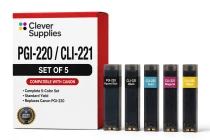
Canon
Compatible Canon PGI-220 / CLI-221 Set of 5 BCMY Ink Cartridges
The Clever Supplies compatible Canon PGI-220 / CLI-221 Set of 5 brings together 1 × PGI-220 Black; 1 × CLI-221 Black; 1 × CLI-221 Cyan; 1 × CLI-221 Magenta; 1 × CLI-221 Yellow — every cartridge...
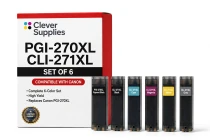
Canon
Compatible Canon PGI-270 / CLI-271 Set of 6 BCMY + Gray Ink Cartridges
The Clever Supplies compatible Canon PGI-270 / CLI-271 Set of 6 brings together 1 × PGI-270XL Black; 1 ×