





 See Compatible Printers
 Read more about our ink!
Canon
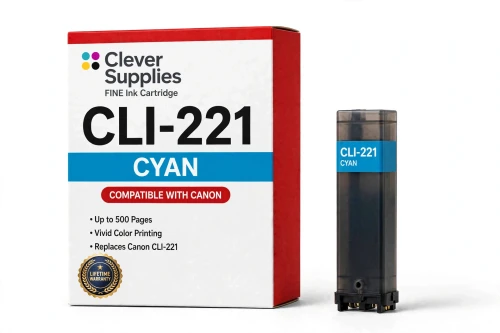
Compatible Canon CLI-221C Cyan Ink Cartridge
- Page Yield:
- Up to 500 pages
- Shipping:
- Calculated at Checkout

Amazon Price:

- Page Yield:
- Up to 500 pages
- Shipping:
- Calculated at Checkout
- Compatible Printers
- Specifications
- SKU:
- CS-CN-221-C
- Condition:
- New Compatible
- OEM Part #:
- CLI-221C
- Color:
- Cyan
- Ink Type:
- Dye
- Page Yield:
- Up to 500 pages
- Chip:
- New compatible chip
- Warranty:
- Lifetime Warranty
- Returns:
- 1-Year Free Returns
- Description
What part does the cyan ink play in my prints?
Cyan is one of the three process colors this family builds every image from. Blended with magenta and yellow it produces the full spectrum, and on its own it is responsible for the blues and greens you see in skies, water and foliage, in photographs and color documents alike.
Can I run this cyan next to genuine Canon tanks?
Yes — the printer evaluates each position separately, so a compatible cyan prints normally beside original Canon cartridges, and the reverse holds equally true. Replace whichever single color happens to run out; there is no requirement to change them as a complete set.
How many pages should I expect from a single tank?
Up to 500 pages under the supplier's rating. Canon issued no official yield table for this family, so the number comes from the cartridge supplier and reflects standard test pages at about 5% coverage. In real use the figure moves with your pages: photo-dense printing consumes considerably more ink than ordinary text.
Which printer models is the CLI-221C made for?
It fits the Canon PIXMA iP3600, Canon PIXMA iP4600, Canon PIXMA iP4700, Canon PIXMA MP560 plus six more models. You will find the complete verified list in the Compatible Printers section on this page, and it is worth confirming your model there before you order.
Does it carry a chip, and what does that chip do?
A new compatible chip is fitted to the cartridge, and it passes ink-level data to the printer so low-ink notifications keep appearing as they should. The unit is newly manufactured — not an original Canon casing that has been refilled and paired with a reset chip.
The printer is showing a message since I fitted it. How do I clear that?
Accept the on-screen message, reseat the tank firmly until it clicks into place, and restart the machine. If the message comes back, take the tank out, wipe the gold contacts on its chip with a dry lint-free cloth, and put it back in.
Is this cartridge made by Canon?
No. It is a Clever Supplies compatible built to the CLI-221C specification and protected by our lifetime warranty. Canon is not the manufacturer; the Canon name appears here only so you can identify the printers this cartridge fits.
What happens if it leaks or the printer won't accept it?
Stop printing and contact us — carrying on with a faulty tank will not help. Recognition failures, leaks and print-quality defects all fall under the lifetime warranty: we will replace the cartridge or refund you, and returns are free throughout the first year.
How can I tell the cyan is the color running low?
Watch the blues and greens. Cyan is the ink behind the skies, water and foliage in your prints, so a tank that is running dry announces itself there first: skies wash toward white, greens lose their depth and turn yellowish, and overall color starts to look thin even while text stays crisp. Print a page with a good block of blue in it and judge that — if the blue is pale or uneven while other colors hold up, the CLI-221C is the tank to replace.
Should I keep a spare cyan on hand?
For a printer that sees regular photo work, yes. A sealed CLI-221C stores flat in its packaging in a cool, dry place and waits without any attention, and having it on the shelf means a color that fades halfway through a print run is a quick swap rather than an interrupted job and a wait for delivery. Because each position in this family is replaced on its own, you only need to stock the colors you actually burn through — and cyan, as one of the three process colors in every image, earns its spare.
- Reviews
The Clever Supplies compatible Canon CLI-221C Cyan ink cartridge replaces the Canon CLI-221C and fits 10 verified printers — Canon PIXMA iP3600, Canon PIXMA iP4600, Canon PIXMA iP4700 and 7 more are in the full list under Compatible Printers below. It is rated at up to 500 pages (the cartridge supplier's rating — Canon published no official yield table for this family) and carries a new compatible chip that reports ink levels to the printer.
This cartridge belongs to the PGI-220 / CLI-221 family — a five-tank system — pigment PGI-220 black for documents beside dye CLI-221 black, cyan, magenta and yellow — with a sixth Gray tank on the MP980 and MP990 for black-and-white photo printing. Canon never published an official page-yield table for this family, so the ratings printed here are the cartridge supplier's figures, quoted exactly as supplied. Covered by our lifetime warranty with free returns for the first year.


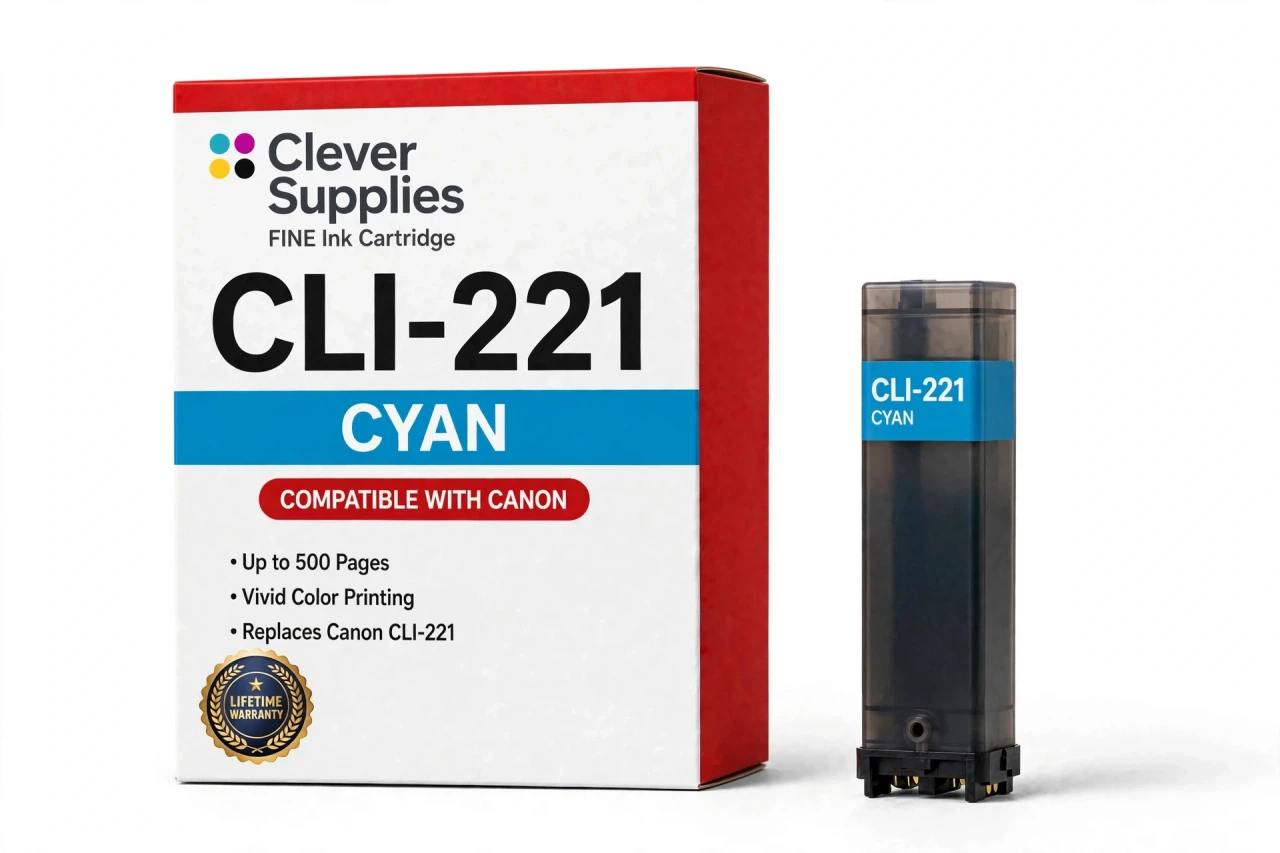
Shop the Canon PGI-220 / CLI-221 family: PGI-220PGBK Pigment Black Ink Cartridge — $8.24 · CLI-221BK Black Ink Cartridge — $8.24 · CLI-221C Cyan Ink Cartridge — $8.24 · CLI-221GY Gray Ink Cartridge — $8.24 · CLI-221M Magenta Ink Cartridge — $8.24 · CLI-221Y Yellow Ink Cartridge — $8.24 · PGI-220 / CLI-221 Set of 12 BCMY Ink Cartridges — $62.82 · PGI-220 / CLI-221 Set of 14 BCMY + Gray Ink Cartridges — $73.29 · PGI-220 / CLI-221 Set of 5 BCMY Ink Cartridges — $26.18 · PGI-220 / CLI-221 Set of 6 BCMY + Gray Ink Cartridges — $31.41
Frequently Asked Questions
Related Items

Canon
Compatible Canon CLI-65 Cyan Ink Cartridge
The Clever Supplies compatible Canon CLI-65 Cyan ink cartridge replaces the Canon CLI-65 and fits 2 verified printers — the PIXMA PRO-200 and the rest of the list under Compatible Printers below. Our...


Canon
Compatible Canon CLI-8C Cyan Ink Cartridge
The Clever Supplies compatible Canon CLI-8C Cyan ink cartridge replaces the Canon CLI-8C and fits 26 verified printers — Canon PIXMA Pro9000,
Canon
Compatible Canon CLI-251XL Cyan Ink Cartridge
The Clever Supplies compatible Canon CLI-251XL Cyan ink cartridge replaces the Canon CLI-251XL and fits 13 verified printers — Canon PIXMA iP7220,
Canon
Compatible Canon CLI-226C Cyan Ink Cartridge
The Clever Supplies compatible Canon CLI-226C Cyan ink cartridge replaces the Canon CLI-226C and fits 14 verified printers — Canon PIXMA iP4820,