





 See Compatible Printers
 Read more about our ink!
Canon
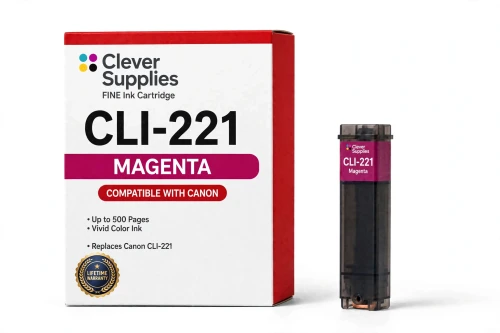
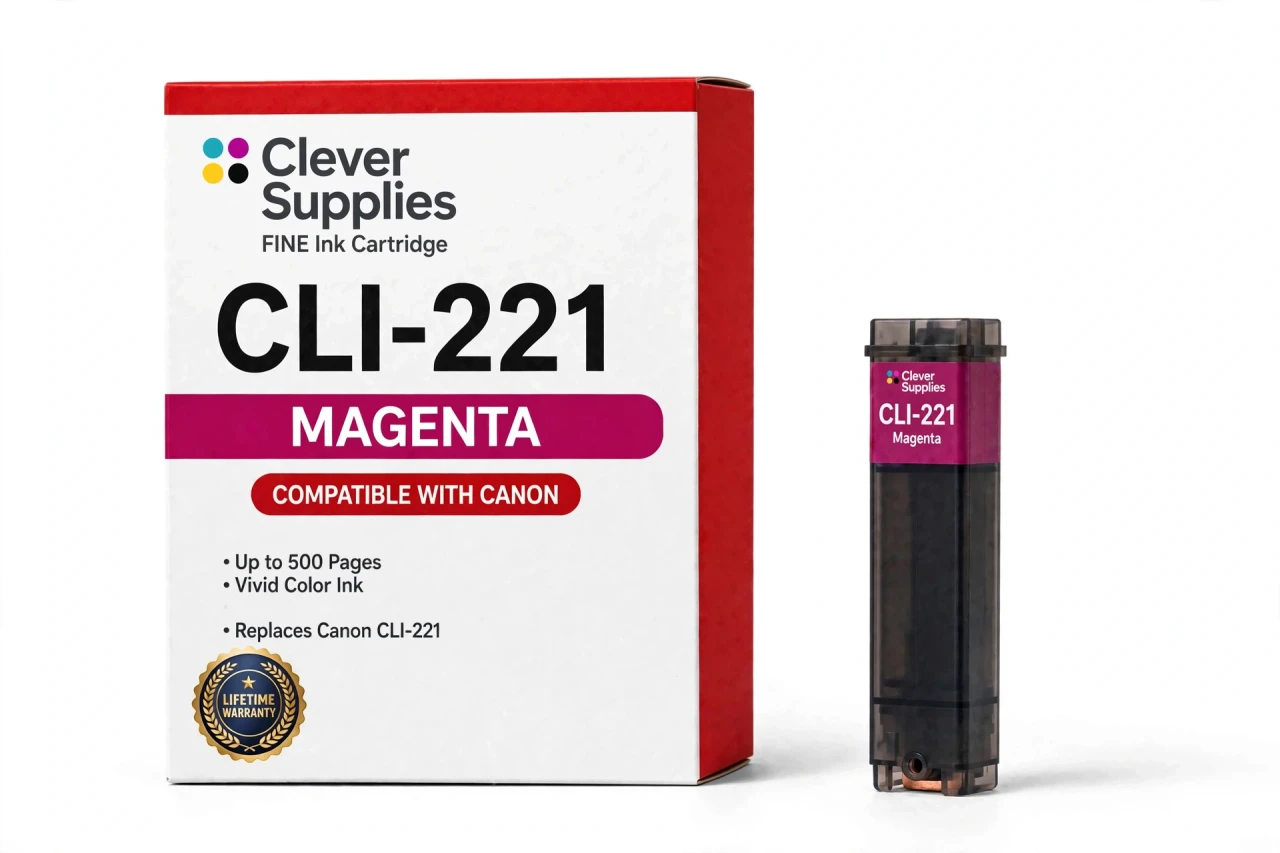
Compatible Canon CLI-221M Magenta Ink Cartridge
- Page Yield:
- Up to 500 pages
- Shipping:
- Calculated at Checkout

Amazon Price:

- Page Yield:
- Up to 500 pages
- Shipping:
- Calculated at Checkout
- Compatible Printers
- Specifications
- SKU:
- CS-CN-221-M
- Condition:
- New Compatible
- OEM Part #:
- CLI-221M
- Color:
- Magenta
- Ink Type:
- Dye
- Page Yield:
- Up to 500 pages
- Chip:
- New compatible chip
- Warranty:
- Lifetime Warranty
- Returns:
- 1-Year Free Returns
- Description
I just installed this magenta and the printer is showing a message. What should I do?
Start by confirming the prompt on the display. Then take the tank out, seat it again until it clicks, and switch the printer off and back on. If the warning is still there, remove the cartridge once more, wipe the gold contacts on its chip with a dry, lint-free cloth, and reinstall it.
What does magenta contribute to a finished print?
Magenta is one of the three process colors; together with cyan and yellow it generates the entire color range a printer can produce. It supplies the reds and pinks in an image and provides much of the warmth you see in skin tones.
Which models take the CLI-221M?
The Canon PIXMA iP3600, Canon PIXMA iP4600, Canon PIXMA iP4700, Canon PIXMA MP560 and six further models. The complete verified list appears in the Compatible Printers section on this page, so verify your model there before ordering.
What yield is quoted for this cartridge?
Up to 500 pages, according to the cartridge supplier's rating — Canon never published an official yield table for this family. The rating assumes standard test pages at roughly 5% coverage, so the count you actually achieve shifts with your printing: photo-heavy pages consume far more ink than text.
Can I use it alongside genuine Canon tanks?
Yes. Slots are read one by one, independently, so a compatible magenta sitting next to genuine Canon cartridges — or genuine beside compatible — prints without issue, and you can change a single color at a time.
Tell me about the chip fitted to it.
The cartridge carries a new compatible chip that communicates ink levels to the printer, which keeps the low-ink warnings working. It is newly built — not a refilled original shell equipped with a reset chip.
Is this an original Canon cartridge?
No. Ours is a Clever Supplies compatible made to the CLI-221M specification, covered by our lifetime warranty, and not manufactured by Canon; the Canon name appears only to identify the printers it fits.
How am I covered if this tank turns out to be faulty?
Stop printing and reach out to us — pushing on with a bad cartridge risks worse output. Under the lifetime warranty, recognition failures, leaks and print-quality defects are all covered: we replace the cartridge or refund you, and returns are free for the first year.
How do I know it is the magenta that is running out?
Look at the reds and the faces. Magenta supplies the reds and pinks in an image and much of the warmth in skin tones, so a fading tank shows up as prints that turn cool and greenish, reds that slide toward orange-brown, and faces that lose their healthy color while blues still look right. Print a photo with strong reds in it and judge that page: if the red areas are weak or uneven while the rest of the palette holds, the CLI-221M is the tank running dry, and replacing it alone restores the balance.
Is it worth having a spare magenta before a big photo session?
Yes — magenta is heavily drawn on by exactly the work a photo session produces. Skin tones, sunsets and anything red or pink in the frame all pull on this tank, and a cartridge that looked adequate on the level gauge can fade partway through a long run of prints, leaving the later pages visibly cooler than the first. A sealed CLI-221M on the shelf means the swap takes a moment and the set stays consistent. Check the gauge before you start, and if it is already low, fit the fresh tank first and keep the part-used one as the emergency spare.
- Reviews
The Clever Supplies compatible Canon CLI-221M Magenta ink cartridge replaces the Canon CLI-221M and fits 10 verified printers — Canon PIXMA iP3600, Canon PIXMA iP4600, Canon PIXMA iP4700 and 7 more are in the full list under Compatible Printers below. It is rated at up to 500 pages (the cartridge supplier's rating — Canon published no official yield table for this family) and carries a new compatible chip that reports ink levels to the printer.
This cartridge belongs to the PGI-220 / CLI-221 family — a five-tank system — pigment PGI-220 black for documents beside dye CLI-221 black, cyan, magenta and yellow — with a sixth Gray tank on the MP980 and MP990 for black-and-white photo printing. Canon never published an official page-yield table for this family, so the ratings printed here are the cartridge supplier's figures, quoted exactly as supplied. Covered by our lifetime warranty with free returns for the first year.


Shop the Canon PGI-220 / CLI-221 family: PGI-220PGBK Pigment Black Ink Cartridge — $8.24 · CLI-221BK Black Ink Cartridge — $8.24 · CLI-221C Cyan Ink Cartridge — $8.24 · CLI-221GY Gray Ink Cartridge — $8.24 · CLI-221M Magenta Ink Cartridge — $8.24 · CLI-221Y Yellow Ink Cartridge — $8.24 · PGI-220 / CLI-221 Set of 12 BCMY Ink Cartridges — $62.82 · PGI-220 / CLI-221 Set of 14 BCMY + Gray Ink Cartridges — $73.29 · PGI-220 / CLI-221 Set of 5 BCMY Ink Cartridges — $26.18 · PGI-220 / CLI-221 Set of 6 BCMY + Gray Ink Cartridges — $31.41
Frequently Asked Questions
Related Items
Canon
Compatible Canon CLI-226M Magenta Ink Cartridge
The Clever Supplies compatible Canon CLI-226M Magenta ink cartridge replaces the Canon CLI-226M and fits 14 verified printers — Canon PIXMA iP4820,


Canon
Compatible Canon CLI-42 Magenta Ink Cartridge
The Clever Supplies compatible Canon CLI-42 Magenta ink cartridge replaces the Canon CLI-42 and fits the PIXMA PRO-100 — the only printer in this family. It is rated at about 416 pages; our cartridge...

Canon
Compatible Canon CLI-65 Magenta Ink Cartridge
The Clever Supplies compatible Canon CLI-65 Magenta ink cartridge replaces the Canon CLI-65 and fits 2 verified printers — the PIXMA PRO-200 and the rest of the list under Compatible Printers below...
Canon
Compatible Canon CLI-231M Magenta Ink Cartridge
The Clever Supplies compatible Canon CLI-231M Magenta ink cartridge replaces the Canon CLI-231M and fits 1 verified printer — Canon PIXMA TS8820 are in the full list under Compatible Printers below...