






 See Compatible Printers
 Read more about our ink!
Canon
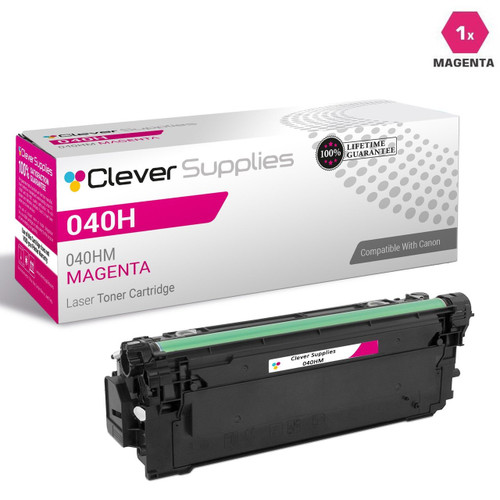
Compatible Canon 040H Toner Cartridges Magenta (040HM)
- Page Yield:
- Color: 10000
- Availability:
- In Stock
- Shipping:
- Free Shipping

Amazon Price:

- Page Yield:
- Color: 10000
- Availability:
- In Stock
- Shipping:
- Free Shipping
- Compatible Printers
- ImageClass LBP712Cdni>
- imageCLASS LBP712cdn
- Specifications
- SKU:
- CS-CNN-040H-M
- Printer Brand:
- Canon
- OEM Number:
- 040HM
- Ink Color:
- Magenta
- Page Yield:
- Color: 10000
- Printer Type:
- Laser Cartridge
- Description
- Reviews

/> 

Clever Supplies brand products are made in the USA! Why pay more for cheaper product with a high defective rate? You will end up having to send it back to the manufacturer. Get a quality product that you KNOW will work. Purchase the Clever Supplies Products Compatible for Canon 040H (040HM) Magenta and experience the difference! All Clever Supplies brand products are backed by '100% Quality Satisfaction' 1 year warranty against defects in materials and workmanship for all toner products. Free tech support for a Clever Supplies problems for all Clever Supplies brand products. The use of Clever Supplies brand replacement laser toner cartridges and supplies does not void printer warranty. Premium Quality Replacement Toner Cartridge is made by ISO9001 Certified Factory to Meet or Exceed OEM Standards. These units are manufactured 100% brand new with all new parts including OPC drums, wiper blades, a smart chip and other internal parts, they are an economical alternative to expensive OEM 040HM, Compatible Toner Cartridges. This is a Compatible for Canon 040H Toner Cartridges Magenta guaranteed to perform with Canon Laser Printers. It replaces the original Canon 040H Toner Cartridge Magenta. The compatible replacement for 040HM. We offer a 100% Quality Satisfaction Guarantee on our Compatible for 040HM Laser Toner Cartridges and supplies. For use in the following printers: imageCLASS LBP712cdn
Frequently Asked Questions
What happens to reds and skin tones as this magenta cartridge empties?
They are the first casualties, and they go in a specific direction. Red is mixed from magenta and yellow, so a fading magenta pulls reds toward orange and then toward a muddy yellow-brown. Skin tones lose their pink base and drift green-gray, which is why staff photos in a printout start looking unwell before anyone can name the problem. The Canon 040H magenta (040HM) carries a 10,000-page rating, so the decline is gradual — gradual enough that offices often blame the paper or the file before they blame the cartridge.
What does the 10,000-page rating actually assume?
It assumes the industry-standard test page: 5% of the page covered in that color. Real office color work rarely matches it — a page with a full-width color header, two charts and a photo can run three or four times that coverage and spend the cartridge proportionally faster, while a text memo with a small color logo spends almost none of it. The rating is best read as a comparison standard between cartridges, not a promise about your specific pile of printing. Your historical page counts and the toner gauge together give the forecast that matters.
All three 040H colors cost $66.33 — is that a pricing error?
No — in this family the cyan, magenta and yellow are genuinely listed at the same price, $66.33 each, and each carries the same 10,000-page rating, so each color channel costs the same roughly 0.66 cents per page. It makes color budgeting unusually simple: the cost of a color page does not depend on which color your documents lean on. If your work is red-heavy and burns magenta twice as fast as cyan, the per-cartridge economics still stay level — you just reorder this one more often.
Which machines take the Canon 040H magenta?
The imageCLASS color printers on Canon's 040H high-yield platform. Your machine's supply list will name it as the Canon 040H magenta, part number 040HM. One caution worth repeating: the 040H line is the high-capacity family and is not interchangeable with the standard-capacity 040 cartridges, even though the names look nearly identical. Match the part number on the machine's list and the cartridge will be the right one; each color on this platform is its own unit, so this swap touches the magenta slot only.
The left side of every page is paler than the right — is it empty?
Usually not yet. As a toner cartridge nears its end, the remaining toner settles unevenly and one side of the page fades first. Remove the cartridge, hold it level, and rock it gently side to side five or six times to redistribute the toner, then put it back. If the pale side recovers, you have bought yourself some pages — but read it as the final warning and get the replacement ordered, because the trick works once or twice, not indefinitely. Uniform fading across the whole page, unchanged by rocking, means the cartridge is truly spent.
How should I keep a spare magenta so it prints well when installed?
Keep it sealed in its bag, stored flat, somewhere cool and dry, out of sunlight and away from heat sources. Toner is a dry powder and does not dry out like liquid ink, but heat and light age the cartridge over time, and once the seal is broken the cartridge is better in a machine than on a shelf. Mark the arrival month on the box, rotate stock so the oldest cartridge installs first, and a spare bought today will print like a spare bought today whenever its turn comes.
What is the right way to judge a fresh magenta right after installation?
Give it a few pages before forming a verdict. Print the machine's test page and check the magenta block for an even, solid band, then print something with reds or a photograph with people in it — the tones magenta carries. By the third or fourth page, reds should sit properly red rather than orange-leaning, and skin tones should lose the gray-green cast the old 040HM had been giving them. If the test block itself is streaky, reseat the cartridge and test once more.
What should happen to the spent magenta cartridge?
Seal it into the packaging the new 040HM arrived in and route it to toner recycling rather than ordinary waste — the bag keeps residual powder contained on its way out. In a shared office, one marked empties box near the printer saves cartridges from ending up in desk bins. It is worth keeping the empty for a few days after the swap: if the new cartridge raises a question, the old one's label and behavior are your comparison point.
When should the next magenta be ordered so we never print through the fade?
Order when the low-toner warning appears, not when output has already shifted. Magenta's decline is gradual — reds drift orange over weeks — so by the time documents look obviously wrong, the office has been printing below standard for a while. The warning leaves a working margin on a 10,000-page cartridge; ordering then means the replacement is on the shelf while the old 040HM finishes its useful life, and the swap happens on your schedule.
Can the printer's toner gauge help me forecast magenta specifically?
Yes, if you check it on a rhythm rather than at random. Look at the magenta level at the start of each month and note the percentage alongside the page counter. Two or three readings show your office's real monthly draw on the 040HM channel — red-heavy work like sales material pulls it down far faster than the 5% rating assumes — and that trend tells you the reorder month long before the warning light has to.
About This Magenta Cartridge
This is a single compatible Canon 040H magenta toner cartridge, part number 040HM, rated for up to 10,000 pages at standard coverage, for the imageCLASS color printers built on the 040H high-yield platform. It ships from one of our four US warehouses in Illinois, Pennsylvania, Georgia or California, and it carries our 1-year warranty and 1-year free returns, with the full terms on our shipping and returns page. You will find the matching cyan, yellow and black cartridges for the same machines on our Canon toner page.
Related Items

Canon
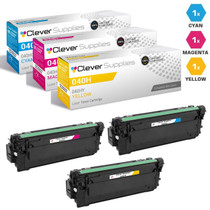
Compatible Canon 040H Toner Cartridges 3 Color Set (040HY, 040HM, 040HC)
/>


Canon
Compatible Canon 040H Toner Cartridges 6 Color Set (040HY, 040HM, 040HC)
/>


Canon
Compatible Canon 040H Toner Cartridges 4 Color Set (040HBK, 040HY, 040HM, 040HC)
/>
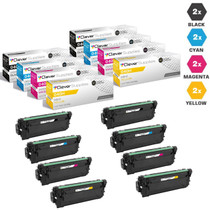
Canon
Compatible Canon 040H Toner Cartridges 8 Color Set (040HBK, 040HY, 040HM, 040HC)
/>