






 See Compatible Printers
 Read more about our ink!
Brother
Compatible Brother LC3017 LC3017C Cyan Ink Cartridge
- Page Yield:
- Up to 550 pages (ISO/IEC 24711)
- Shipping:
- Calculated at Checkout

Amazon Price:

- Page Yield:
- Up to 550 pages (ISO/IEC 24711)
- Shipping:
- Calculated at Checkout
- Compatible Printers
- Specifications
- SKU:
- CS-BR-3017-C
- Condition:
- New Compatible
- OEM Part #:
- LC3017C
- Color:
- Cyan
- Page Yield:
- Up to 550 pages (ISO/IEC 24711)
- Chip:
- New compatible chip
- Warranty:
- Lifetime Warranty
- Returns:
- 1-Year Free Returns
- Description
- Reviews
This is the High Yield cyan cartridge for the 3 printers in its platform — MFC-J5330DW, MFC-J6530DW, MFC-J6930DW. The cartridge is our compatible LC3017C, rated up to 550 pages to ISO/IEC 24711. It does NOT fit the INKvestment Tank printers (MFC-J5830DW, MFC-J5830DW XL, MFC-J5930DW, MFC-J6535DW, MFC-J6535DW XL, MFC-J6935DW), which take LC3029 instead. Do not order this cartridge for a Tank printer, however similar the yield numbers look.


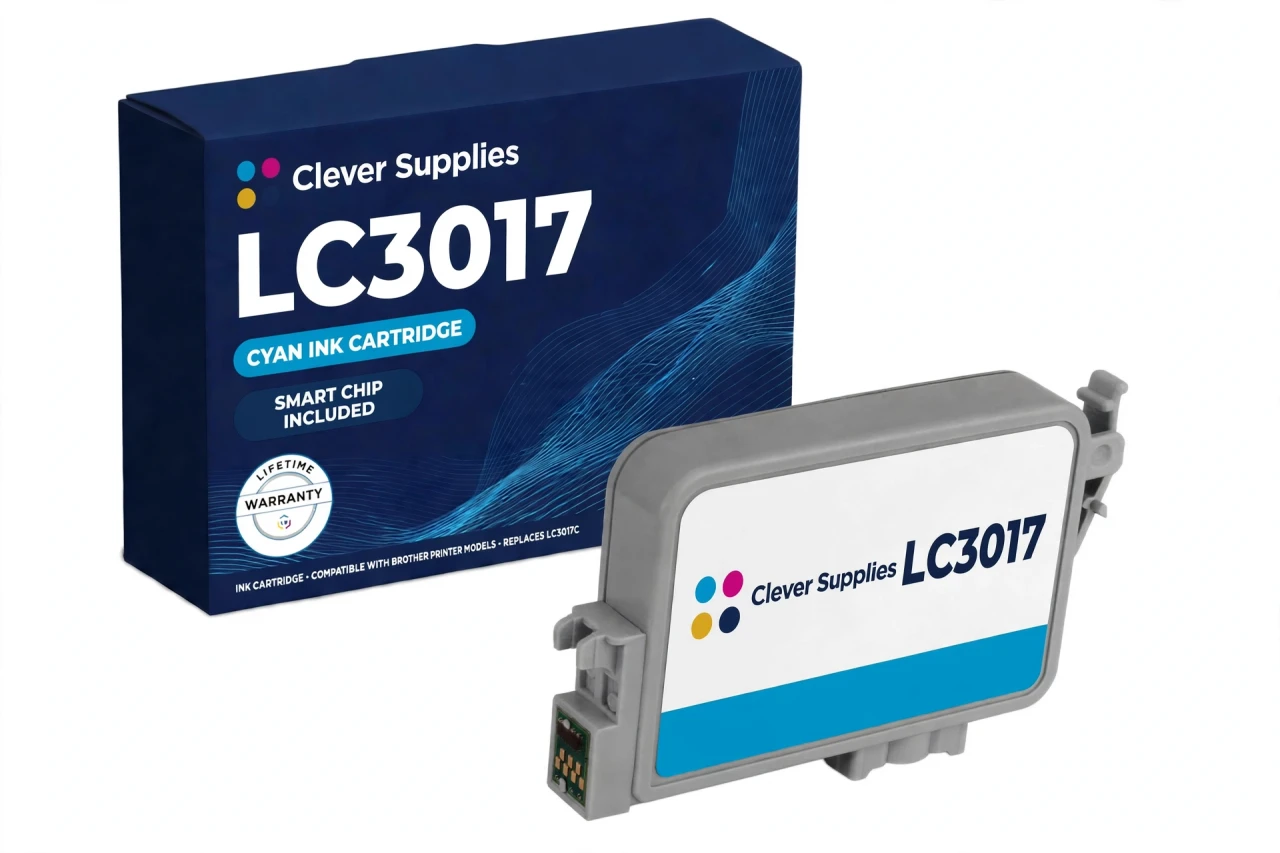
The practical test for this cartridge is simple: check the code on the cartridge already in your printer, then check the platform. If your printer is one of MFC-J5330DW, MFC-J6530DW, MFC-J6930DW, this LC3017C fits; if it is a Tank model, it does not, whatever the yield numbers suggest. Sibling codes in this family are LC3017BK, LC3017C, LC3017M and LC3017Y.
The cartridge carries a new compatible chip, with the small green chip on top that Brother's own support pages ask about when a cartridge is not detected. Brother's support text for this family is explicit that a genuine cartridge's microchip lets the machine detect ink volume and proper installation — so with a compatible cartridge the level display may not read. That is a display behavior, not a print failure, and we state it before you buy. Covered by our lifetime warranty, with free returns for the first year.
Shop the Brother LC3017 family: LC3017BK Black Ink Cartridge · LC3017M Magenta Ink Cartridge · LC3017Y Yellow Ink Cartridge · Set of 4 BCMY Ink Cartridge · Set of 9 BCMY Ink Cartridge
Browse by series: MFC MULTIFUNCTION SERIES
Frequently Asked Questions
Only my cyan has run out. Can I replace just this one cartridge?
Yes — the LC3017C is sold on its own precisely for that job. Sets contain these same cartridges in one box; nothing about the printer requires a set purchase, and each color slot can be changed independently of the others.
How many pages should I expect from the LC3017C?
Up to 550 pages. That is Brother's published approximate rating for the cartridge under ISO/IEC 24711.
What is the difference between an LC3017 cyan and an LC3019 cyan?
Capacity alone. LC3017 and LC3019 are the two standard-cassette tiers, built for the same three printers and the same slot; the LC3017 cyan is rated at 550 pages where the LC3019 colors reach 1,500 (and its black 3,000). The cartridge sold for the Tank platform, LC3029, is a different design altogether. For the whole family side by side — all six LC3017 offers priced per page, and the step up to the LC3019 tier above it worked out in cents — see our Best Brother LC3017 Ink Cartridges guide.
Can an LC3017 cyan sit beside LC3019 cartridges in the same machine?
It can. Brother's own cartridge page lists both tiers for the same printers and every slot is independent, so mixing tiers is acceptable on the three standard-cassette models. A claim from one compatible seller that the two tiers cannot be mixed could not be verified from any Brother source, and we do not repeat it as a rule.
My printer's name ends in XL. Does it take a different cyan?
The XL question does not arise for this cartridge: the XL models — the MFC-J5830DW XL and MFC-J6535DW XL — sit on the Tank platform and use LC3029, not the LC3017C.
Will the printer accept this compatible cyan?
The cartridge carries a new compatible chip. After a firmware update the printer can occasionally fail to recognize it; the remedy is to reseat the cartridge firmly, confirm the small green chip contact is clean and free of fingerprints, and restart the printer. Brother's general position (March 2025) is that firmware updates do not block third-party ink.
The display says “Cannot Detect Ink Volume” since I installed it. Why?
Brother's support text for this family describes the same behavior: a genuine Brother cartridge's microchip lets the machine detect ink volume and proper installation, and a non-genuine cartridge may not be detected the same way. The machine still prints; the gauge may not read.
Some listings describe LC3017 as a Tank cartridge. Is that right?
No — that wording comes from a seller, not from Brother. In Brother's own classification the LC3017 line is a standard-cassette Business Smart Pro family, and this cartridge follows that classification.
Is this an original Brother cyan cartridge?
It is not. This is a Clever Supplies compatible cartridge built to the LC3017C specification, with a new compatible chip; it is labeled compatible on the box and on this page and is not manufactured by Brother.
How should an unopened spare be kept?
Sealed, upright, and away from heat and direct sunlight. Handle the cartridge by its housing, keep fingers off the small green chip on top, and once opened, install it promptly rather than leaving it exposed. Do not open a cartridge until its slot is ready.
For a busy office, is this tier or the bigger one the smarter buy?
This High Yield tier gives 550 pages at the lowest per-cartridge cost and suits a steady office load. The Super High Yield tier — 3,000 pages black and 1,500 per color — suits a printer that runs through ink fast, where fewer changes matter more than the per-cartridge price.
What happens if this cartridge fails?
It carries a lifetime warranty, so a cartridge that fails to perform is replaced, and returns are free within the first year.
Related Items

Brother
Compatible Brother LC3017 LC3017BK Black Ink Cartridge
This is the High Yield black cartridge for the 3 printers in its platform — MFC-J5330DW, MFC-J6530DW,


Brother
Compatible Brother LC3017 LC3017Y Yellow Ink Cartridge
This is the High Yield yellow cartridge for the 3 printers in its platform — MFC-J5330DW, MFC-J6530DW,

Brother
Compatible Brother LC3017 LC3017M Magenta Ink Cartridge
This is the High Yield magenta cartridge for the 3 printers in its platform — MFC-J5330DW, MFC-J6530DW,

Brother
Compatible Brother LC3017 Set of 4 BCMY Ink Cartridge
This is the High Yield set for the 3 printers in its platform — MFC-J5330DW, MFC-J6530DW,