




LBP-6230dw
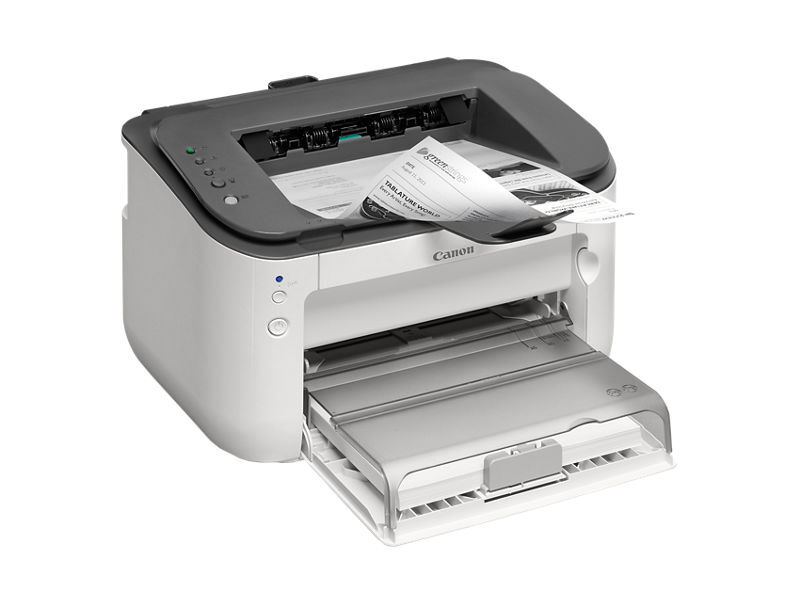
Top of this desktop ladder, the Canon LBP-6230dw bundles Wi-Fi, Ethernet and automatic duplexing around a 26-ppm engine that puts the first print out in about six seconds. It runs on the Canon 126 black toner cartridge, rated at up to 2,100 pages, and it takes the longer-legged Canon 126J jumbo version as well, rated at 3,000 pages per cartridge.
Wireless changes where a printer can live. The LBP-6230dw does not need the desk with the cable; it can sit on a credenza, in a shared corner or wherever a small office actually has room, and still serve every computer in the place. For a business that wants the complete feature set - wireless, wired and two-sided - in one compact machine, this is the configuration the series builds toward.
Toner Cartridges for LBP-6230dw
| Cartridge | Color | Page Yield |
|---|---|---|
| Canon 126 Toner Cartridges - 3 Pack | Black | 2,100 pages per cartridge |
| Canon 126 MICR Toner Cartridge | Black | See product page |
| Canon 126 Toner Cartridge | Black | 2,100 pages |
| Canon 126 Premium Quality Toner Cartridges - 5 Pack | Black | 2,100 pages per cartridge |
| Canon 126J Jumbo Toner Cartridges - 4 Pack | Black | 3,000 pages per cartridge |
| Canon 126 Toner Cartridges - 5 Pack | Black | 2,100 pages per cartridge |
| Canon 126J Jumbo Toner Cartridge | Black | 3,000 pages |
Which cartridge should you buy?
A printer everyone can reach tends to get used by everyone, so think in terms of uninterrupted supply. The standard Canon 126 at 2,100 pages suits moderate wireless printing, and a three-pack keeps the next change already in the building. Where the dw anchors a busy corner, the jumbo 126J and its 3,000-page rating cut the number of swaps, and its four-pack suits offices that reorder quarterly rather than monthly. The MICR cartridge remains the specialist of the range, bought when the job is checks rather than correspondence.
Chip, toner and everyday use
Moving the printer or rejoining it to a new wireless network changes nothing on the supply side: the cartridge and its chip stay paired with the machine, and level reporting carries on as before. Fit a replacement by rocking it gently first so the toner bed settles evenly, and treat the quoted page counts as 5%-coverage estimates - photo-heavy or graphics-dense pages draw a cartridge down faster. Keep spares in their sealed bags in a cool drawer, and the 126 family will wait patiently until called on.
Frequently Asked Questions
How fast is the first page from the LBP-6230dw?
About six seconds, the quickest wake-up in this desktop series, which suits a wireless printer that spends much of its day asleep between jobs.
Which toner cartridge fits the LBP-6230dw?
The Canon 126 black cartridge, rated at up to 2,100 pages. The 126J jumbo build fits the same slot and extends the rating to 3,000 pages.
Does it duplex and connect wirelessly at the same time?
Yes. Wi-Fi, Ethernet and automatic two-sided printing are all built into this model at once; nothing about choosing one connection disables the other features.
Does the LBP-6230dw use the same cartridge as the dn model?
It does. The LBP-6230dn and the dw share the complete Canon 126 cartridge line, standard, jumbo and multipacks included.
More printers that use the same cartridges
The Canon 126 toner family also serves these printers:
ImageClass LBP6230DN, ImageClass LBP6230DW, LBP-6200, LBP-6200d, LBP-6230, LBP-6230dn, ImageClass LBP6200, ImageClass LBP6200D, ImageClass LBP6230