




LBP-6200d
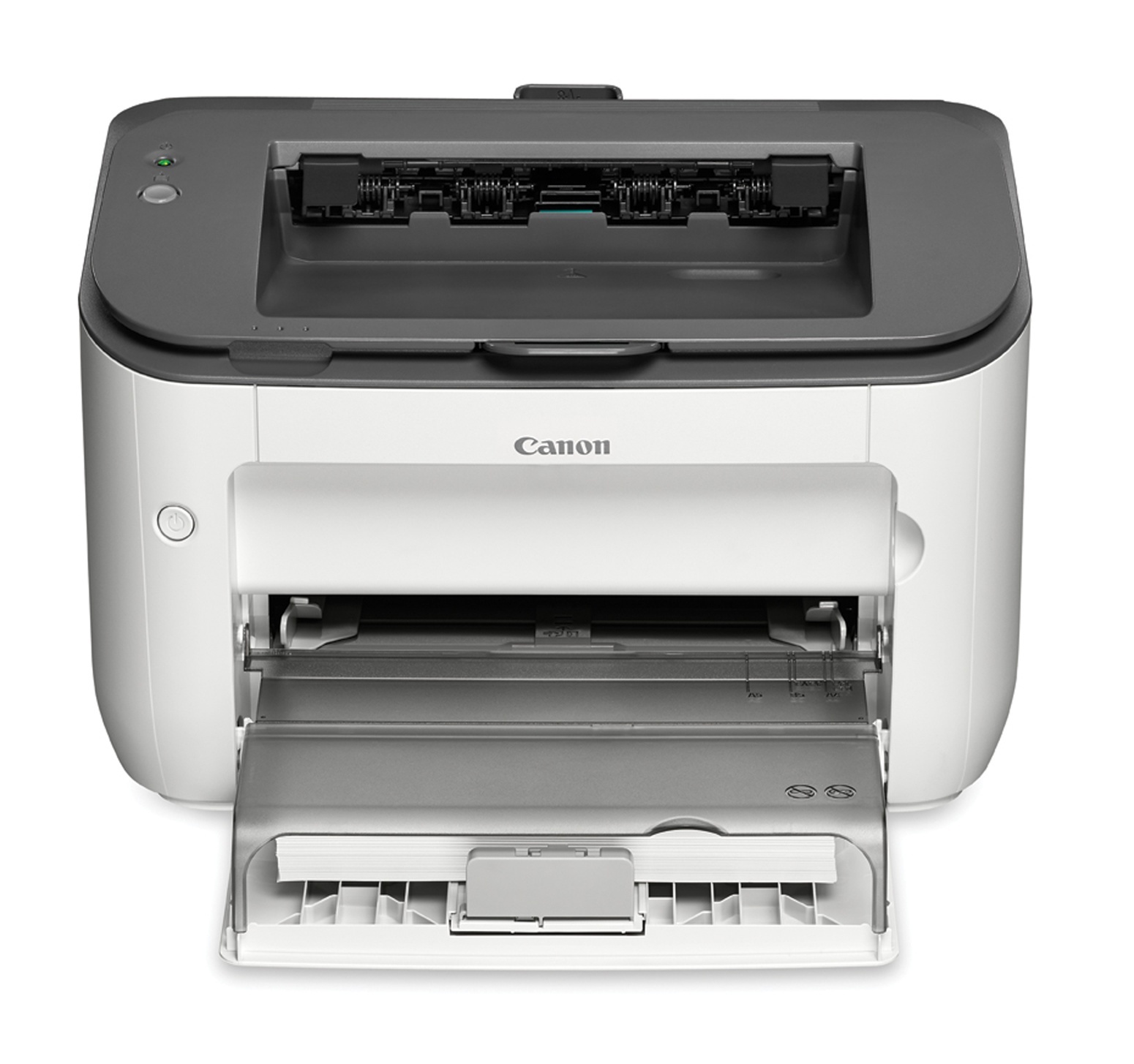
The LBP-6200d is Canon's 26-page-per-minute desktop laser for one workstation: USB only, a first print in about six seconds, and automatic two-sided printing built in rather than added on. It feeds on the Canon 126 cartridge, rated at 2,100 pages, and duplex-heavy workloads can lean on the deeper-filled Canon 126J jumbo version of the same cartridge, rated up to 3,000 pages. A MICR build of the standard cartridge is also listed below for check printing.
That specification mix tells you exactly where this printer lives. There is no network port, so the 6200d belongs to a single desk whose owner prints contracts, invoices and correspondence all day and wants both sides of the sheet used without thinking about it. When the whole office needs to share a machine, Canon's own range steps up to the networked LBP-6230dn or the wireless LBP-6230dw — but a solo workstation gives up nothing here, and the short paper path of a personal printer keeps the cartridge swap a ten-second job.
Toner Cartridges for LBP-6200d
| Cartridge | Color | Page Yield |
|---|---|---|
| Canon 126 | Black | 2,100 pages |
| Canon 126J Jumbo | Black | Up to 3,000 pages |
| Canon 126 MICR | Black (MICR) | See product page |
| Canon 126 — 3 Pack | Black | 2,100 pages per cartridge |
| Canon 126 — 5 Pack | Black | 2,100 pages per cartridge |
| Canon 126 Premium — 5 Pack | Black | 2,100 pages per cartridge |
| Canon 126J Jumbo — 4 Pack | Black | Up to 3,000 pages per cartridge |
Which cartridge should you buy?
Start with how much of your printing is two-sided. Duplex work tends to come in long runs — statements, reports, double-sided letters — and long runs are where the jumbo earns its keep: up to 3,000 pages against the standard cartridge's 2,100 means fewer interruptions mid-job and a lower cost per page. If your volume is lighter and mostly single sheets, the standard cartridge is the honest choice, and the multi-packs simply stock the same cartridge ahead of time so a spare is always in the drawer. The MICR version is a specialist tool, not an upgrade: its toner is formulated so bank scanners can read the encoded line on printed checks, and it should be bought for that job alone.
Chip, toner and everyday use
Before you close the cover, peel the sealing tape fully clear and rock the cartridge gently side to side so the toner inside settles evenly — a cartridge that sat in a drawer for months often prints light on one side until the powder is redistributed. Page ratings assume about five percent coverage, the density of a typical text page, so graphics-heavy duplex runs will finish a cartridge sooner than the headline number suggests. Keep the spare sealed until the day you need it, store it flat and out of direct sunlight, and let the printer finish its own cleaning cycle after a swap rather than switching it off mid-routine.
Frequently Asked Questions
Does the LBP-6200d need a special cartridge for two-sided printing?
No. Duplexing is a function of the printer, not the cartridge, so the same standard or jumbo cartridge covers single-sided and two-sided work alike. The jumbo simply suits duplex users better because their jobs tend to run longer between changes.
What is the MICR cartridge for?
MICR toner contains magnetic material that lets bank equipment read the routing and account line on printed checks. If you print your own checks from this printer, it is the correct cartridge; for ordinary documents it offers no advantage over the standard build.
Can I connect the LBP-6200d to our office network later?
The printer itself has no network hardware to enable — USB is its only connection. Offices that outgrow a single-desk machine usually move up to the networked models in the same family rather than adapting this one.
How long will a cartridge last me?
At the rated 2,100 pages for the standard cartridge, a desk printing twenty pages a day gets roughly five months from one cartridge. The jumbo stretches that to about 3,000 pages under the same five-percent-coverage assumption.
More printers that use the same cartridges
The same cartridge family also serves these Canon models: ImageClass LBP6230DN, ImageClass LBP6230DW, LBP-6200, LBP-6230, LBP-6230dn, LBP-6230dw, ImageClass LBP6200, ImageClass LBP6200D, ImageClass LBP6230.