




LaserClass 710
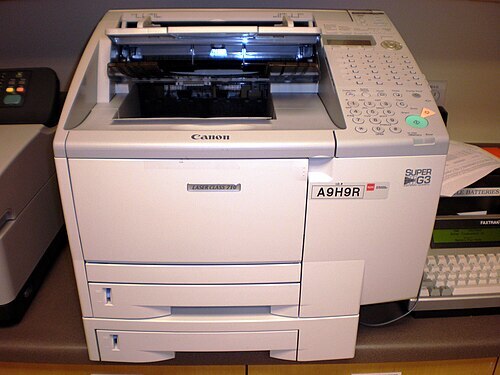
The Canon LaserClass 710 is the base model of the 700 fax series: a 19-page-per-minute laser fax built around the FX-7 cartridge, rated for 4,500 pages. It carries 510 pages of fax memory as standard — 8MB, expandable to hold as many as 1,500 pages — and feeds originals through a 70-sheet automatic document feeder. Printer and network kits were optional extras on this configuration rather than standard equipment.
A base model makes its argument through what can be added later. The 710 starts as a serious fax — the big feeder and the expandable memory are the working parts — and offices could bolt on printing and networking when the need arrived instead of paying on day one. For supplies, that restraint pays off in simplicity: whatever kits a given 710 has or lacks, every one of them runs the same single cartridge, and the shelf below is the entire ordering decision.
Toner Cartridges for LaserClass 710
| Cartridge | Color | Page Yield |
|---|---|---|
| FX-7 Toner Cartridge | Black | 4,500 pages |
| FX-7 Toner Cartridges, 3 Pack | Black | See product page |
| FX-7 Toner Cartridges, 5 Pack | Black | See product page |
| FX-7 Premium Quality Toner Cartridges, 5 Pack | Black | See product page |
Which cartridge should you buy?
One cartridge type, rated for 4,500 pages, means the choice is only about depth of stock. A single FX-7 with a sealed spare beside the machine covers a typical office fax; the spare matters more than usual here because a fax does not stop arriving when toner runs low — it just prints paler and paler. The 3 Pack suits a machine that anchors a busier department, and the 5 Packs, standard or premium quality, are for keeping several 700-series machines fed from one shelf. There is no high-yield variant to hunt for on this page; economy comes from the pack sizes.
Chip, toner and everyday use
Memory and toner lead separate lives on the 710: the memory holds received faxes, the cartridge prints them, and neither substitutes for the other — a machine with pages queued in memory still needs toner to put them on paper. The 4,500-page rating assumes about 5% coverage, close to ordinary fax pages. When incoming faxes fade, rock the cartridge gently side to side before condemning it; settled toner is a common cause after quiet weeks. Swap in the spare when rocking stops helping, and reorder at that moment rather than after the spare also fades.
Frequently Asked Questions
What toner does the LaserClass 710 use?
The FX-7 black cartridge, rated for 4,500 pages. It is the only cartridge the 710 takes, and the same one used across the 700 series.
Does expanding the fax memory change the cartridge I need?
No. The memory expansion — from 510 pages of storage toward 1,500 — changes how many received faxes the machine can hold, not what it prints them with. The FX-7 remains the cartridge either way.
Do I need the printer kit fitted to use this toner?
No. The printer and network kits were optional extras that added functions to the machine. The cartridge serves the fax engine itself, and a kit-free 710 uses the same FX-7 as a fully kitted one.
How do I replace the cartridge?
Open the front cover, remove the old cartridge, unpack the new FX-7 and rock it gently to distribute the toner, then slide it in until it clicks. Print the next received fax and check that the text is properly dark.
More printers that use the same cartridges
One cartridge covers the whole 700 series and its smaller sibling — these models all take the same FX-7: LaserCLASS 301, LaserClass 720, LaserClass 720I, LaserClass 730, LaserClass 730I.