




ImageRunner 2525i
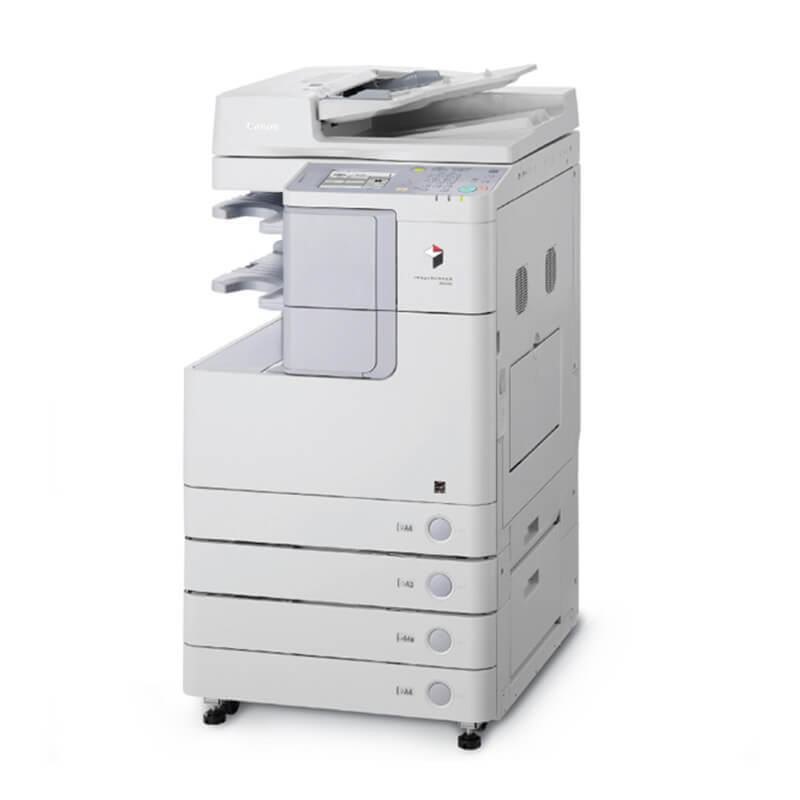
Start with the badge: the lowercase i on the Canon imageRUNNER 2525i marks the version where color scanning and sending are factory equipment rather than options. Underneath sits a 25-ppm duplex engine with Ethernet built in, and the toner story is the family standard — the Canon GPR-35 black cartridge, rated for about 14,600 pages. An extra 512MB of RAM supports the scan traffic this model is bought for, but nothing about the i badge changes what goes into the toner slot.
Offices land on the 2525i when the base 2525 copies well enough but the document flow has moved on: invoices scanned to accounting, forms sent straight from the glass, archives built as the paper arrives. Print volume on a machine like that arrives in bursts — month-end packets, board packs, mail merges — and a 14,600-page cartridge absorbs those bursts comfortably. The practical risk is never the rating; it is an empty shelf on the one afternoon the burst lands.
Toner Cartridges for Canon ImageRunner 2525i
| Cartridge | Color | Page Yield |
|---|---|---|
| Canon GPR-35 Toner Cartridge | Black | 14,600 pages |
| Canon GPR-35 Premium Quality Toner Cartridges, 5 Pack | Black | 14,600 pages per cartridge |
| Canon GPR-35 Toner Cartridges, 5 Pack | Black | 14,600 pages per cartridge |
| Canon GPR-35 Toner Cartridges, 3 Pack | Black | 14,600 pages per cartridge |
Which cartridge should you buy?
Every option above is the same cartridge, so choose by consumption rhythm rather than by specification. A single GPR-35 fits a department that prints steadily and reorders without drama. The 3 Pack is the sensible middle for a shared 2525i whose volume spikes around reporting dates: one cartridge in the machine, one in the cupboard, one of slack. The two 5 Pack listings — standard and Premium Quality — suit offices standardizing on this family, where the same cartridge also feeds the other 2500-series machines below and a small central stock beats five separate orders. There is no high-yield variant to hunt for; pack size is the whole decision.
Chip, toner and everyday use
Slide the cartridge in until it seats with a click and give the machine a moment to read its chip before printing a test page. Yield figures are quoted at about 5% coverage, so scan-heavy days that end in long print runs will land lower — that is arithmetic, not a defect. Toward the end of a cartridge, a gentle side-to-side rock redistributes toner and often restores even output for the remaining pages. Keep replacement cartridges sealed, flat and out of direct sunlight, and rotate stock so the oldest box is used first.
Frequently Asked Questions
What separates the 2525i from the base 2525 for toner buying?
Nothing at the toner slot: both run the GPR-35. The i model adds standard color scan and send plus supporting memory; the cartridge, its 14,600-page rating and the listings above are unchanged.
How many pages will one cartridge realistically print?
The rating is approximately 14,600 pages at 5% coverage. Text-light office documents track close to that; dense reports and graphics-heavy packets finish sooner.
Can one spare cover this machine and a 2530I down the hall?
Yes. The GPR-35 is the family cartridge for the models listed below, including the ImageRunner 2530I, so a shared spare shelf works across the fleet.
Is installation a service call?
No. Open the front cover, remove the spent GPR-35, rock the new cartridge gently, slide it home until it clicks and close up. The 2525i recognizes the new unit itself.
More printers that use the same cartridges
One cartridge covers the whole 2500 line:
ImageRunner 2520I, ImageRunner 2530I, ImageRunner 2520, ImageRunner 2530, ImageRunner 2525