




LBP352dn
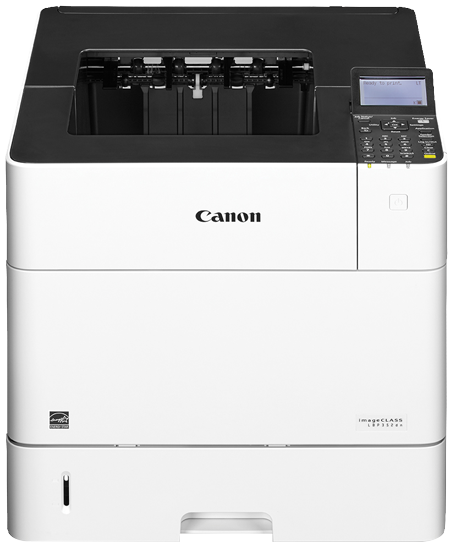
The Canon LBP352dn is the faster of two near-identical heavyweights: 65 pages per minute and a 280,000-page monthly duty cycle, with Gigabit Ethernet and expandable paper handling, where its sibling model stops at 58 pages per minute. Speed on that scale burns through toner quickly, so the machine runs the family's high-yield Canon 039H, rated at 25,000 pages. The listings below are all compatible versions of that cartridge, from a single unit to a ten-pack.
This is the printer a busy office picks when the queue never really clears — statements, pick lists and reports by the thousand, all day. Do the arithmetic and the supply question sharpens: printing anywhere near the rated duty cycle would consume more than eleven cartridges a month, so toner planning matters more here than the two-minute swap itself. A mixed fleet gets a bonus, too — because this model and its slower sibling drink from the same cartridge, one shelf of stock feeds both machines.
Toner Cartridges for LBP352dn
| Cartridge | Color | Page Yield |
|---|---|---|
| Canon 039H Compatible Toner — One Cartridge | Black | 25,000 pages |
| Canon 039H Compatible Toner — Pack of 2 | Black | 25,000 pages per cartridge |
| Canon 039H Compatible Toner — Pack of 3 | Black | 25,000 pages per cartridge |
| Canon 039H Compatible Toner — Pack of 5 | Black | 25,000 pages per cartridge |
| Canon 039H Compatible Toner — Pack of 10 | Black | 25,000 pages per cartridge |
Which cartridge should you buy?
Every cartridge on this page is the identical 25,000-page 039H, so the choice is purely about stock depth. A single cartridge makes sense for a backup machine or a lightly used second printer. Working LBP352dn units deserve better planning: a three- or five-pack keeps a busy month covered, and high-volume sites should hold a ten-pack so a replacement is always already in the building. Rotate your stock as deliveries arrive — fit the oldest sealed cartridge first — and reorder when the last spare goes into the machine, not when the warning light appears. All of these compatible cartridges are backed by a one-year warranty and one-year returns.
Chip, toner and everyday use
Watch the toner gauge rather than the calendar: the cartridge chip reports remaining level, and on a 65-ppm machine the last stretch of a cartridge can pass quickly during a peak week. Fading output on one side of the page usually means the toner has settled unevenly — take the cartridge out, rock it slowly side to side, and refit it. Keep spares in their sealed packaging until fitting day, stored flat in a cool spot out of sunlight. And remember the rated yield is measured at roughly five percent coverage, so a month of dense, graphics-heavy documents will land well short of 25,000 pages through no fault of the cartridge.
Frequently Asked Questions
Which toner cartridge fits the LBP352dn?
The LBP352dn takes the Canon 039H high-yield black cartridge, rated for about 25,000 pages. All of the listings on this page are compatible builds of that cartridge in different pack sizes.
Can one toner stock serve both an LBP351dn and an LBP352dn?
Yes. The imageCLASS LBP351dn uses the same 039H cartridge, so a fleet running both models needs only one cartridge on the shelf — a genuine simplification for whoever orders supplies.
How long does one 039H cartridge last in a busy office?
It depends on volume and coverage. As a yardstick, an office printing 10,000 pages a month of ordinary documents would get roughly two and a half months from a cartridge at its rated yield; heavier coverage shortens that, lighter coverage stretches it.
Our prints have started coming out light. Is the cartridge empty?
Not necessarily. Uneven fading usually means the remaining toner has settled. Remove the cartridge, rock it gently side to side several times to redistribute the toner, and refit it — if output stays light after that, the cartridge is genuinely near the end.
More printers that use the same cartridges
The same 039H cartridge also powers its sibling model: imageCLASS LBP351dn.