




imageCLASS LBP351dn
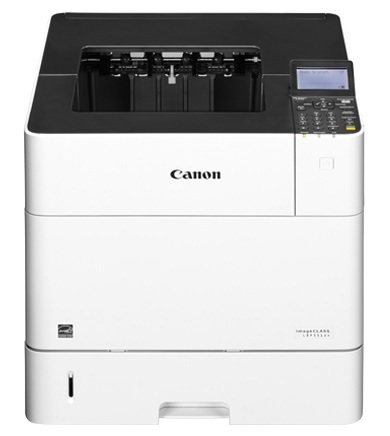
Some printers are built for a desk; the Canon imageCLASS LBP351dn is built for a workload. This monochrome laser printer runs at 58 pages per minute behind a 250,000-page monthly duty cycle, its paper capacity expands to 3,600 sheets, and its only network connection is wired Gigabit Ethernet — a deliberate specification for managed office floors. Feeding an engine like that takes a cartridge with stamina, and the high-yield Canon 039H is rated for 25,000 pages before it runs dry. Everything sold on this page is that cartridge in compatible form, from a single unit up to ten-packs for the supply cabinet.
Machines in this class usually anchor a department: print jobs arrive from a dozen desks, the trays stay loaded around the clock, and nobody thinks about the printer until the output stops. That is exactly why the long legs of the 039H matter here. At departmental volumes a short-yield cartridge becomes a weekly chore, while a 25,000-page unit turns toner into a monthly line item that facilities can plan around. The wired-only connection tells the same story — this printer lives in a fixed spot on a managed network and simply produces, day after day.
Toner Cartridges for imageCLASS LBP351dn
| Cartridge | Color | Page Yield |
|---|---|---|
| Compatible Canon 039H Toner Cartridge — Single | Black | 25,000 pages |
| Compatible Canon 039H Toner Cartridges — 2 Pack | Black | 25,000 pages per cartridge |
| Compatible Canon 039H Toner Cartridges — 3 Pack | Black | 25,000 pages per cartridge |
| Compatible Canon 039H Toner Cartridges — 5 Pack | Black | 25,000 pages per cartridge |
| Compatible Canon 039H Toner Cartridges — 10 Pack | Black | 25,000 pages per cartridge |
Which cartridge should you buy?
There is no yield ladder to climb on this page: every listing is the same 25,000-page 039H, so the real decision is how many cartridges to keep within reach. A single unit suits a satellite office that prints steadily but can wait a day for a delivery. A department that leans on this machine daily should think in packs instead — a two- or three-pack bridges a heavy month without an emergency order, and the five- and ten-packs belong in the cabinet of any floor where a toner outage would stall real work. Whichever size you choose, keep at least one sealed spare on site; at 58 pages per minute, an empty cartridge is noticed fast. Every compatible 039H sold here carries a one-year warranty and one-year returns.
Chip, toner and everyday use
The 039H carries a chip that reports toner level to the printer, so the low-toner warning is an estimate with some reserve behind it, not a hard stop. When output finally starts to fade, lifting the cartridge out and rocking it gently from side to side redistributes the remaining toner and usually buys a few hundred extra pages while the replacement ships. Store spares sealed, flat and away from direct light, and fit the new cartridge promptly once the seal is pulled. Bear in mind that the 25,000-page rating assumes ordinary business documents at about five percent page coverage; dense reports and full-page graphics will use toner noticeably faster.
Frequently Asked Questions
What toner cartridge does the imageCLASS LBP351dn use?
It uses the Canon 039H, a high-yield black cartridge rated at approximately 25,000 pages at five percent coverage. Every listing above is that same cartridge in compatible form — the only difference between them is how many come in the box.
Is there a smaller standard-yield cartridge I should consider instead?
The listings for this printer are all the high-yield 039H. Given the LBP351dn's 250,000-page duty cycle, a shorter-yield cartridge would mean far more frequent changes, so the sensible choice here is pack size rather than cartridge size.
Does any other printer take the same 039H cartridge?
Yes — the LBP352dn runs on the same cartridge, so offices operating both models can stock a single toner for the pair.
How do I change the cartridge on the LBP351dn?
Open the front cover, slide the spent cartridge straight out, and unpack the new one. Rock the fresh cartridge gently a few times to loosen the toner inside, remove its protective seal, then slide it into the bay until it clicks into place and close the cover.
More printers that use the same cartridges
One other Canon model shares this cartridge: LBP352dn.