




ImageClass MF820CDN
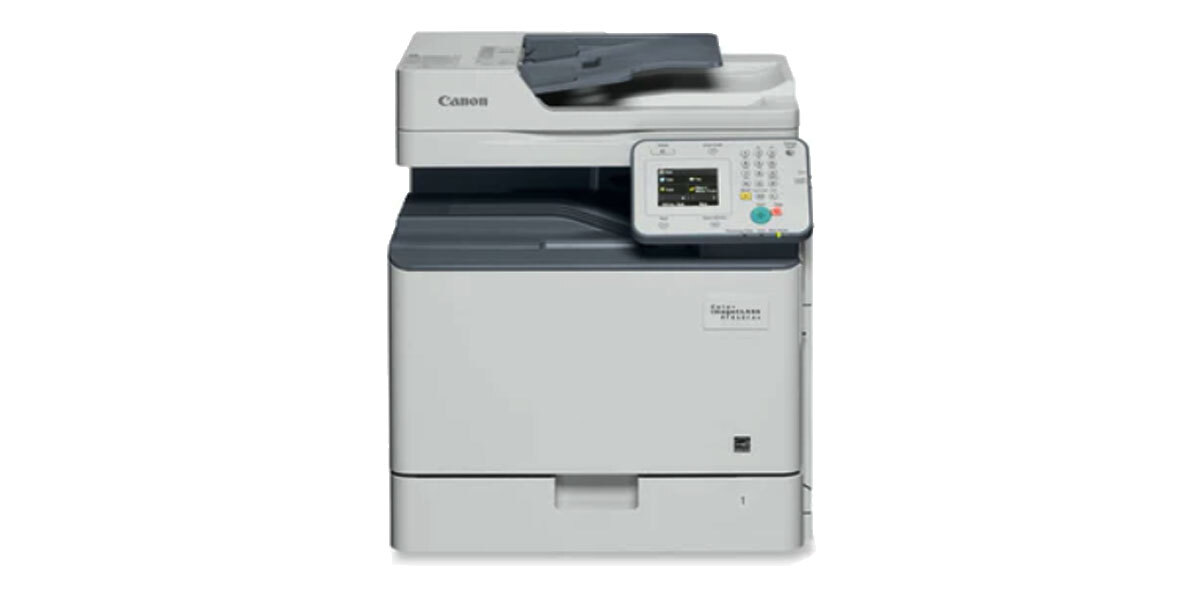
Stepping up from the 26-ppm imageCLASS MF810Cdn, the Canon imageCLASS MF820Cdn prints color at 36 pages per minute, carries an 88,000-page duty cycle and produces 1200 x 1200 dpi V2 color output, with print, copy, scan and fax all standard. The supply story stays familiar: black is the Canon 034 cartridge at up to 12,000 pages, and cyan, magenta and yellow are the individual 034C, 034M and 034Y cartridges.
This is the version of the platform for a team whose color volume would keep a smaller machine busy all day. The duty-cycle headroom means month-end reporting runs and presentation batches are routine rather than heroic, and the higher print resolution keeps charts and branded documents crisp. Fleets that run both sizes stock one cartridge family for the pair.
Toner Cartridges for ImageClass MF820CDN
| Cartridge | Color | Page Yield |
|---|---|---|
| Canon 034 Black | Black | 12,000 pages |
| Canon 034 Yellow | Yellow | See product page |
| Canon 034 Magenta | Magenta | See product page |
| Canon 034 Cyan | Cyan | See product page |
| Canon 034 4 Color Set | Black / Cyan / Magenta / Yellow | See product page |
| Canon 034 3 Color Set | Cyan / Magenta / Yellow | See product page |
| Canon 034 Black 2 Pack | Black | 12,000 pages per cartridge |
| Canon 034 5 Color Set | Black / Cyan / Magenta / Yellow | See product page |
Which cartridge should you buy?
Buying follows the workload split. Black, rated at up to 12,000 pages, is the cartridge this faster machine consumes most predictably, so the Black 2 Pack is the standing spare for a busy department. Colors go one at a time as each empties — there is no need to retire a half-full cyan because the magenta gave out. When a full refresh lines up, the 4 Color Set changes everything in one pass. All compatible cartridges on this page include a 1-year warranty and 1-year returns.
Chip, toner and everyday use
Each of the four cartridges reports its own level through its chip, and the machine keeps printing in black while a color waits for its replacement in many modes — check the panel message rather than guessing. Rock a new cartridge gently before fitting it, seat it until it clicks, and let the printer recognize it before starting a long run. Ratings are quoted at 5% coverage; dense color coverage shortens real-world intervals considerably.
Frequently Asked Questions
What toner does the imageCLASS MF820Cdn take?
The Canon 034 family — black rated for up to 12,000 pages, plus separate cyan, magenta and yellow cartridges replaced individually.
How is the MF820Cdn different from the MF810Cdn?
Speed and stamina: 36 pages per minute instead of 26, an 88,000-page duty cycle, and 1200 x 1200 dpi V2 color output. The cartridges are the same.
What does the 88,000-page duty cycle mean for supplies?
It is the monthly volume the hardware is built to handle. At anything near that pace, treat the Black 2 Pack as a standing spare rather than an occasional purchase.
How do I install a 034 cartridge in the MF820Cdn?
Open the front cover, remove the empty cartridge, rock the new one gently side to side, and slide it in until it clicks. Repeat per color only as each one empties.
More printers that use the same cartridges
The smaller sibling is the only other model on this cartridge: ImageClass MF810CDN.