




ImageClass MF810CDN
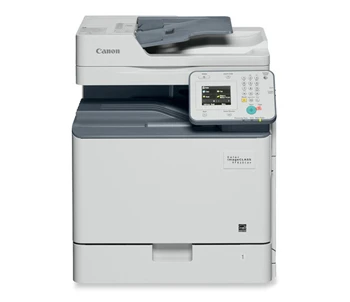
The Canon imageCLASS MF810Cdn is a balanced color multifunction printing at 26 pages per minute, handling print, copy, scan and fax in color and black-and-white alike, with built-in SEND features that push scans to email, network folders or USB media, driven from a 3.5-inch touchscreen. Its black supply is the Canon 034 cartridge, rated for up to 12,000 pages, while cyan, magenta and yellow ride along as separate 034C, 034M and 034Y cartridges, each replaced on its own schedule.
The SEND workflow is the point of this machine in a small workgroup: a signed form can be scanned straight to a shared folder or an inbox from the touchscreen, no PC round-trip needed. Color output covers proposals, charts and client handouts, and because each color is its own cartridge, a month of mostly black printing only spends the black supply.
Toner Cartridges for ImageClass MF810CDN
| Cartridge | Color | Page Yield |
|---|---|---|
| Canon 034 Black | Black | 12,000 pages |
| Canon 034 Cyan | Cyan | See product page |
| Canon 034 Magenta | Magenta | See product page |
| Canon 034 Yellow | Yellow | See product page |
| Canon 034 Black 2 Pack | Black | 12,000 pages per cartridge |
| Canon 034 3 Color Set | Cyan / Magenta / Yellow | See product page |
| Canon 034 4 Color Set | Black / Cyan / Magenta / Yellow | See product page |
| Canon 034 5 Color Set | Black / Cyan / Magenta / Yellow | See product page |
Which cartridge should you buy?
Black does the heavy lifting in most offices, and at up to 12,000 pages the black cartridge is a long-interval item; the Black 2 Pack makes sense where the machine runs daily and downtime is not an option. Colors are bought differently: replace each one singly as it empties, since they rarely run out together. The 3 Color Set refreshes the color side on its own, and the 4 Color Set is the clean choice when several cartridges are near empty at once. Compatible cartridges here are covered by a 1-year warranty with 1-year returns.
Chip, toner and everyday use
Four chipped cartridges live in this machine, and the panel reports each level separately. When one color runs out, swap only that unit: pull it straight out, rock its replacement gently to level the toner, and push it home until it clicks. The black rating assumes 5% coverage, and color pages draw on all four cartridges at once, so presentation-heavy months move faster than the numbers suggest. Keep at least the black spare sealed on site.
Frequently Asked Questions
What toner set does the imageCLASS MF810Cdn use?
The Canon 034 family: a black cartridge rated for up to 12,000 pages, plus individual cyan, magenta and yellow cartridges, each swapped separately as it runs dry.
One color ran out — do I have to replace all four cartridges?
No. Each color is an independent cartridge, so you replace only the one the printer reports as empty and keep printing with the rest.
Can the MF810Cdn scan to email without a PC?
Yes. Its built-in SEND features push scans to email, SMB network folders or USB media directly from the 3.5-inch touchscreen.
Is there a faster model that takes the same cartridges?
Yes — the imageCLASS MF820Cdn steps up to 36 pages per minute on the same 034 supply, so a spare shelf serves both machines.
More printers that use the same cartridges
Only one other machine shares this cartridge family: ImageClass MF820CDN.