




ImageClass MF273DW
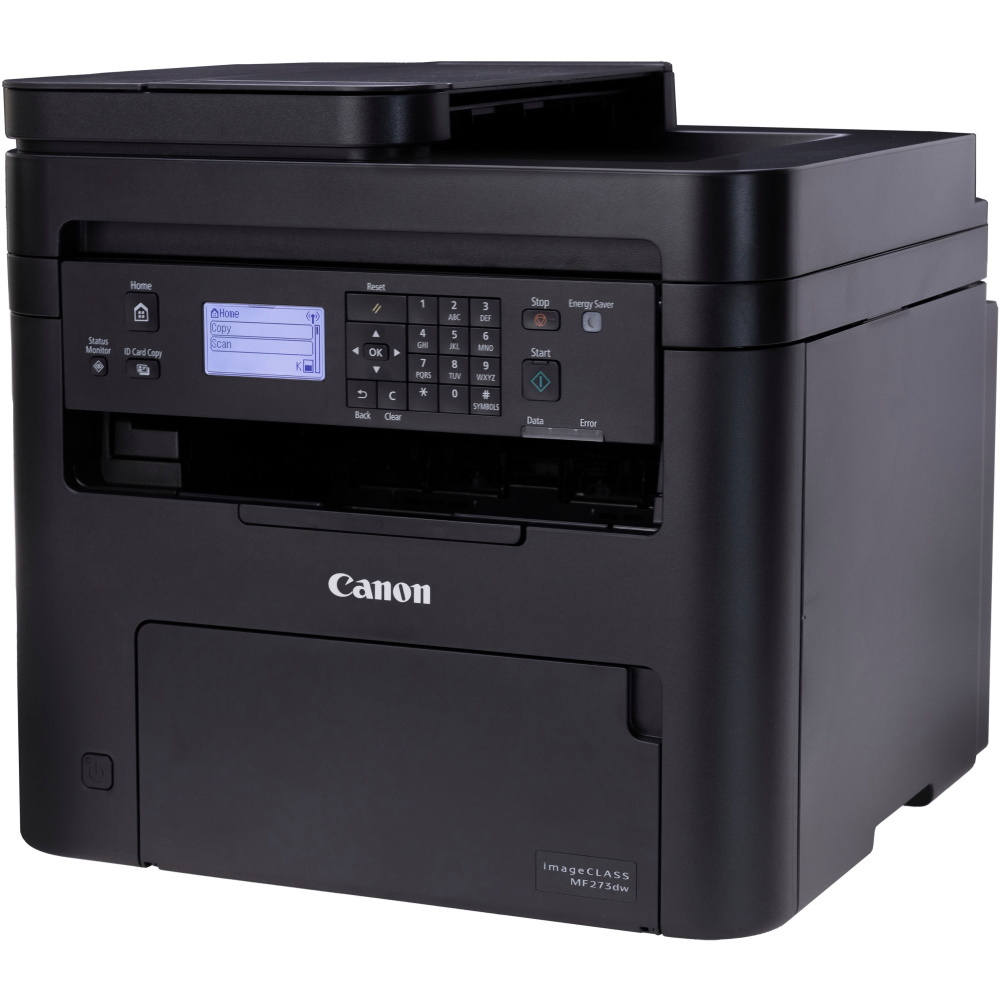
Base model of its series, the imageCLASS MF273DW handles print, copy and scan at 30 pages per minute, with a 35-sheet ADF and a simple 5-line LCD — fax is the one function reserved for its step-up sibling. Automatic duplexing and full network connectivity come standard. It takes the Canon 071 cartridge, rated for 1,200 pages, or the high-yield Canon 071H at 2,500 pages when the workload gets heavier. One slot, one cartridge, no colors to juggle: that simplicity is the point of this machine.
The honest pitch for a base model is that most home offices and small desks never use the extras they pay for. If your scanning is a few signed pages a week and faxing belongs to another decade, the MF273DW covers the real workload — fast mono printing, walk-up copies, a feeder for multi-page scans — and leaves toner as a single, predictable line item. Buyers who do need fax built in should step up to the imageCLASS MF275DW, which sits on the same platform and takes the same cartridges.
Toner Cartridges for ImageClass MF273DW
| Cartridge | Color | Page Yield |
|---|---|---|
| Canon 071 Black | Black | 1,200 pages |
| Canon 071 Black 2 Pack | Black | 1,200 pages per cartridge |
| Canon 071 Black 4 Pack | Black | 1,200 pages per cartridge |
| Canon 071 (MF273DW listing) Black | Black | 1,200 pages |
| Canon 071 (MF273DW listing) Black 2 Pack | Black | 1,200 pages per cartridge |
| Canon 071 (MF273DW listing) Black 4 Pack | Black | 1,200 pages per cartridge |
| Canon 071H Black | Black | 2,500 pages |
| Canon 071H Black 2 Pack | Black | 2,500 pages per cartridge |
| Canon 071H Black 4 Pack | Black | 2,500 pages per cartridge |
| Canon 071H (MF273DW listing) Black | Black | 2,500 pages |
| Canon 071H (MF273DW listing) Black 2 Pack | Black | 2,500 pages per cartridge |
| Canon 071H (MF273DW listing) Black 4 Pack | Black | 2,500 pages per cartridge |
Which cartridge should you buy?
The arithmetic is unusually clean here. The standard Canon 071 gives you 1,200 pages; the 071H gives you 2,500 — a little more than double — in a cartridge that fits the same slot and loads the same way. Light users printing a few dozen pages a week can stay with the standard cartridge and change it a couple of times a year. Anyone printing daily, or sharing the machine between two or three people, should default to the 071H and halve their changeovers. The 2 packs and 4 packs suit small offices that would rather stock a shelf once than reorder often.
Chip, toner and everyday use
Replacing the cartridge is a one-minute job from the front: lift out the spent unit, rock the new one gently from side to side so the toner settles evenly, and slide it in until it clicks — its chip is read automatically and the 5-line display updates the level. Yields are quoted at about 5% coverage, so ordinary letters and invoices track close to the rating while dense forms finish a cartridge sooner. When prints start to fade, one more gentle rock of the installed cartridge redistributes what toner remains and usually buys time for the spare to arrive.
Frequently Asked Questions
What toner does the imageCLASS MF273DW use?
The Canon 071, rated at 1,200 pages, or the high-yield Canon 071H at 2,500 pages. Both are black-only cartridges for the machine's single toner slot.
Does the MF273DW send and receive faxes?
No — print, copy and scan only. Fax is the headline addition on the step-up MF275DW, which otherwise shares this platform and its cartridges.
Is the 071H worth choosing over the standard 071?
For daily printing, yes: 2,500 pages against 1,200 means fewer interruptions and a lower cost per page. For a rarely used machine, the standard cartridge is the smaller commitment.
What warranty do these compatible cartridges carry?
A 1-year warranty and 1-year returns from Clever Supplies — coverage that matches how long a cartridge for this machine is realistically in service.
More printers that use the same cartridges
The 071 slot is shared by the two models below, so one spare cartridge can cover more than one desk: ImageClass MF275DW, LBP-122DW.