




What Toner Does the Brother MFC-L5710DW Use?
Posted by Clever Supplies on Nov 10th 2026
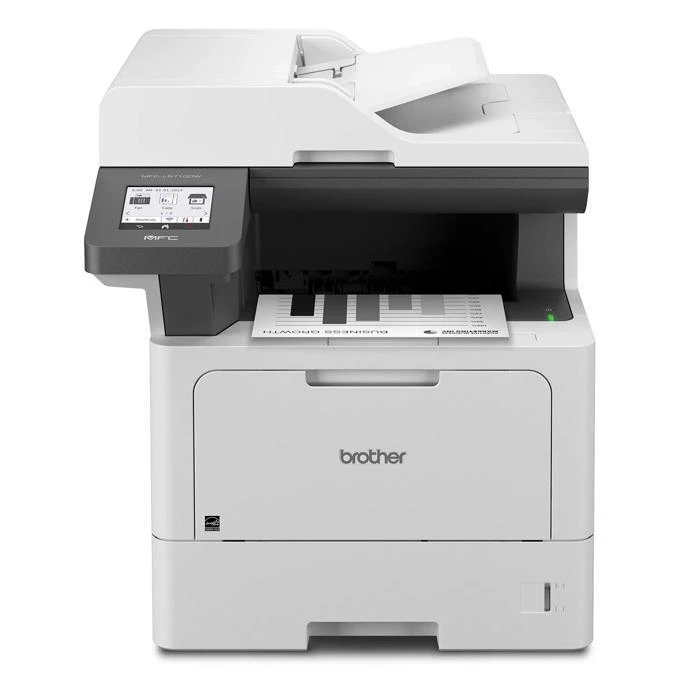
Quick answer: The Brother MFC-L5710DW uses Brother TN920 black toner — standard TN920 (about 3,000 pages), high-yield TN920XL (about 6,000) or super-high-yield TN920XXL (about 11,000) — and a separate DR920 drum unit rated at about 45,000 pages. One size it does not take is the 18,000-page TN920UXXL; that cartridge is reserved for the family's larger models.
The Price of a Page on This Machine
| Supply | Rated yield | Our compatible price | Cost per page |
|---|---|---|---|
| TN920 (standard) | ~3,000 pages | $36.19 | About 1.21 cents |
| TN920XL (high yield) | ~6,000 pages | $37.13 | About 0.62 cents |
| TN920XXL (super high yield) | ~11,000 pages | $38.24 | About 0.35 cents |
| DR920 (drum) | ~45,000 pages | $32.28 | About 0.07 cents |
Prices checked against our product pages on November 2, 2026. Notice how flat the cartridge prices are across a nearly fourfold yield range. On this machine the standard cartridge is a false economy in almost every scenario: stepping up to the XXL costs about two dollars more and cuts the cost of every page by more than two-thirds. The only honest argument for the small cartridge is a printer that prints a few dozen pages a month — and even then, toner does not spoil on a schedule that punishes the bigger box.
Built Around the Scanner, Not Just the Print Engine
Plenty of all-in-ones print well and scan as an afterthought. The MFC-L5710DW splits the difference more evenly. Its 50-sheet document feeder scans both sides of a page in a single pass — up to 30 images per minute one-sided in black, and up to 60 images per minute when it captures both faces at once — then sends the file to email, a network folder, SharePoint, FTP or the cloud from the 3.5-inch color touchscreen. Print and copy speeds run to 48 pages per minute with a first page under 6.7 seconds, fax is built in, and paper starts at 350 sheets (a 250-sheet tray plus a 100-sheet multipurpose tray) with headroom to 1,390 sheets on optional trays.
Brother rates the machine for a maximum of 90,000 pages a month and recommends up to 5,000, which covers most small offices with room to spare. Connectivity is Gigabit Ethernet plus dual-band Wi-Fi, so it can sit on the wired network or wherever the team actually is. The cartridge in the box is the 3,000-page standard size — plan the first XXL purchase early, because at office volumes it arrives quickly.
Replacing the Toner
1. With the power on, open the front cover and slide out the drum-and-toner assembly. 2. Press the green lock lever and take the empty cartridge out of the drum unit. 3. Unwrap the new cartridge, give it several gentle side-to-side rocks, and remove the protective cover. 4. Seat it in the drum until it locks, then slide the green corona tab across and back to its home position. 5. Reinstall the assembly, close the cover, and let the machine register the new cartridge.
If the display claims the cartridge is not recognized or the level will not reset, follow our TN920 recognition and reset guide before swapping parts around.
The Set Worth Buying Once Every Few Years
Because the DR920 drum lasts around 45,000 pages, most owners will buy toner many times before the drum asks for attention. When that day finally coincides with a low cartridge — and after four or so XXLs, it often does — our TN920 + DR920 drum and toner set pairs the two for $52.39 instead of $68.47 bought separately, saving $16.08. Offices that live on the high-yield cartridge can take the same idea as the TN920XL + DR920 set at $53.33.
Our honest framing stays the same as everywhere in this series: a drum bought years early is not a bargain, it is inventory. If the drum counter has plenty of life, the single cartridge is the right order today.
Frequently Asked Questions
Why doesn't the TN920UXXL fit the MFC-L5710DW? Brother simply does not list the ultra-high-yield cartridge among this model's supplies. The largest cartridge specified for the MFC-L5710DW is the TN920XXL at about 11,000 pages; the UXXL belongs to step-up models such as the MFC-L5915DW and MFC-L6810DW.
How long does the starter cartridge last? The in-box cartridge is the standard TN920 rated around 3,000 pages. An office printing 1,000 pages a month should expect roughly a quarter from it — and noticeably longer stretches from every XXL after that.
Does it scan both sides without re-feeding the stack? Yes. The 50-sheet feeder is a single-pass duplex design: both faces are captured in one run, at up to 60 images per minute in black.
Is fax really still included? It is — a full fax with a 33.6K modem, forwarding options and PC fax support, alongside print, scan and copy.
When should I replace the drum instead of the toner? Replace toner for overall pale or fading output. Suspect the DR920 when the same mark repeats down every page, or a grey haze persists across a brand-new cartridge. The machine's page counter also tracks drum life and will warn you as it approaches 45,000 pages.
 brother tn920 TN 920 toner cartridge black
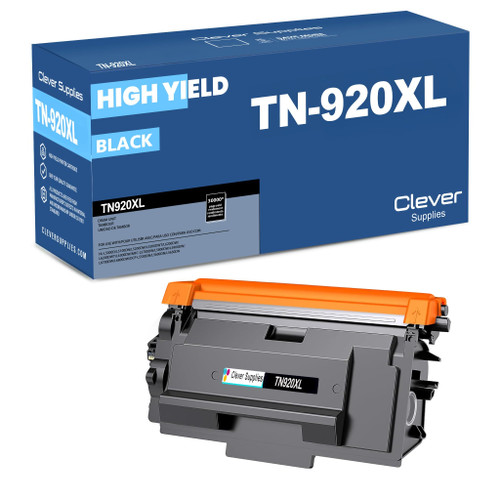 brother tn920xl TN 920xl toner cartridge black
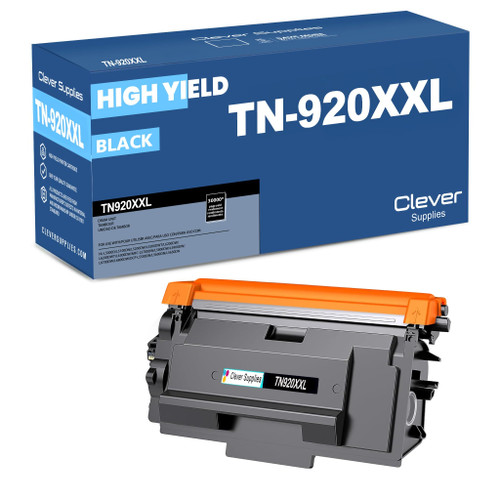 brother tn920xxl TN 920xxl toner cartridge black
 brother dr920 DR 920 toner cartridge black
Key takeaways
- The top cartridge here is rated at 11,000 pages — fewer swaps, lower cost per page.
- Lowest cost per page in this family: ~0.35¢ with the highest-yield cartridge.
- Toner and drum are separate parts on this printer — replace only the one the printer asks for.
Other Printers That Use TN920 Toner
The MFC-L5710DW shares all three of its cartridge sizes and its drum with these relatives:
- HL-L5210DN
- HL-L5210DW
- HL-L5215DW
- HL-L6210DW
- HL-L6310DW
- HL-L6415DW
- HL-L6415DWT
- DCP-L5510DN
- MFC-L5715DW
- MFC-L5915DW
- MFC-L6810DW
Ready to order? Start from our MFC-L5710DW toner page, which lists every cartridge and set that fits this printer.