




What Toner Does the Brother DCP-L5510DN Use?
Nov 2nd 2026
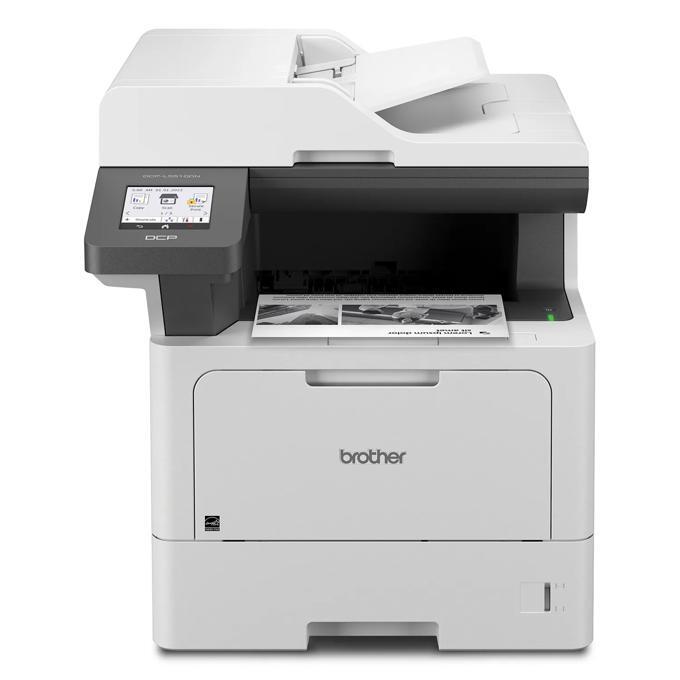
Quick answer: The Brother DCP-L5510DN takes Brother TN920 black toner in three sizes — the standard TN920 (about 3,000 pages), the high-yield TN920XL (about 6,000) and the super-high-yield TN920XXL (about 11,000) — plus a separate DR920 drum unit rated at roughly 45,000 pages. Note the ceiling: unlike some of its bigger relatives, this model does not accept the 18,000-page TN920UXXL.
The Wired-Only Workhorse
The DN at the end of the name is a promise and a warning. This all-in-one prints, scans and copies on a wired Gigabit Ethernet connection (plus USB for a direct hookup), and there is deliberately no Wi-Fi radio inside. For offices with structured cabling, that means a fixed address on the network, no wireless dropouts, and one less radio for IT to secure. For anyone planning to park it beyond cable reach, it means choosing a different model.
What you get in exchange is a properly quick business engine: printing and copying up to 48 pages per minute, a first page in under 6.7 seconds, a 50-sheet auto document feeder on top, and a maximum monthly duty cycle of 90,000 pages against a recommended volume of up to 5,000 pages a month. A 3.5-inch color touchscreen with room for 48 shortcuts fronts the controls, and the security list runs long — Secure Function Lock, 802.1x enterprise networking, Secure Print, TLS/SSL and IPSec among them.
Changing a Cartridge, Start to Finish
1. Leave the power on. Open the front cover and pull the combined drum-and-toner unit straight out by its handle. 2. The green lever on the drum frame releases the toner; press it and lift the old cartridge away. 3. Shake the fresh cartridge gently from side to side a few times, then strip off its protective cover. 4. Lower it into the drum frame and push until the lock lever clicks. 5. Slide the green corona-wire tab all the way across and back to the arrow, return the unit to the machine, and close up.
If the screen grumbles that the new cartridge is not recognized, or the toner gauge stays stubbornly empty, our TN920 recognition and reset guide walks through the fix.
Yields, Prices and the Cost of a Page
| Supply | Rated yield | Our compatible price | Cost per page |
|---|---|---|---|
| TN920 (standard toner) | ~3,000 pages | $36.19 | About 1.21 cents |
| TN920XL (high-yield toner) | ~6,000 pages | $37.13 | About 0.62 cents |
| TN920XXL (super-high-yield toner) | ~11,000 pages | $38.24 | About 0.35 cents |
| DR920 (drum unit) | ~45,000 pages | $32.28 | About 0.07 cents |
Prices verified on our product pages, November 2, 2026. Two lessons hide in those numbers. First, the jump from standard to high yield costs less than a dollar and halves the per-page cost, so the standard cartridge only makes sense as an emergency stopgap. Second, the drum is nearly free per page — seven hundredths of a cent — which is why nobody should economize on drums; the toner choice is where the money lives.
Paper handling matches the engine: a 250-sheet tray and a 100-sheet multipurpose tray as standard, growing to 1,390 sheets with optional trays, and scanning that runs to email servers, SharePoint, FTP, SFTP, network folders and cloud services from that touchscreen. The cartridge in the shipping carton is the 3,000-page standard size, so budget for your first high-yield cartridge sooner than instinct suggests.
When Toner and Drum Come Due Together
A DR920 drum rated at 45,000 pages will outlast roughly four TN920XXL cartridges, so drum day is a rare appointment — but when it lands, there is a fair chance a toner is running low in the same month. That overlap is what our TN920 + DR920 drum and toner set is built for: $52.39 for the pair, against $68.47 if the two singles are bought apart, a saving of $16.08 in one shipment. The same pairing exists with the high-yield cartridge as the TN920XL + DR920 set at $53.33.
The honest counterpoint: if your drum is young, the set is money parked on a shelf. Buy the single cartridge, and save the bundle for the one month in fifteen when both lights come on.
Frequently Asked Questions
Can I add Wi-Fi to the DCP-L5510DN later? No. There is no wireless option for this model; it networks over Gigabit Ethernet and connects directly by USB. If wireless placement is essential, look at the family's W-suffixed models instead.
Does the TN920UXXL fit this printer? It does not. Brother's supply list for the DCP-L5510DN stops at the TN920XXL, which at roughly 11,000 pages is the largest cartridge this machine takes.
Can it fax? No — the DCP line is print, scan and copy only. The scanning side is strong (a 50-sheet feeder, scan-to email server, SharePoint, FTP and cloud destinations), but offices that still fax need an MFC model.
How fast does the feeder scan? Brother rates simplex scanning at up to 28 pages per minute in black and 20 in color, and the feeder handles two-sided originals for copying and scanning workflows.
How many toner cartridges does one drum last through? At the rated figures, about fifteen standard TN920s, seven or eight TN920XLs, or roughly four TN920XXLs per 45,000-page drum. In calendar terms, most small offices will replace the drum once in the machine's first several years.
 brother tn920 TN 920 toner cartridge black
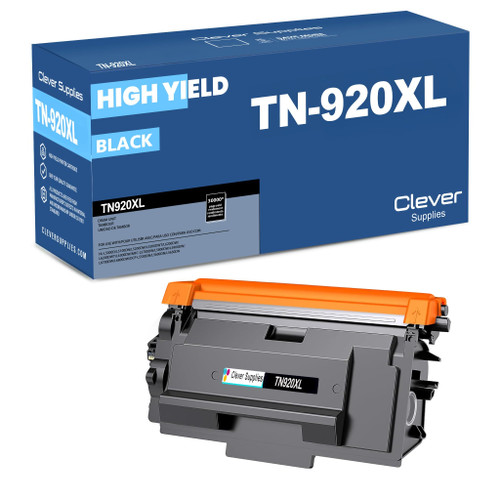 brother tn920xl TN 920xl toner cartridge black
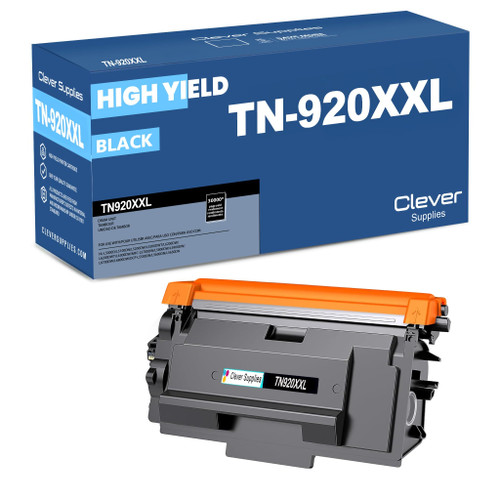 brother tn920xxl TN 920xxl toner cartridge black
 brother dr920 DR 920 toner cartridge black
Key takeaways
- The top cartridge here is rated at 11,000 pages — fewer swaps, lower cost per page.
- Lowest cost per page in this family: ~0.35¢ with the highest-yield cartridge.
- Buying the toner + drum set instead of the parts separately saves $16.08.
Other Printers That Use TN920 Toner
Everything above about yields and pricing applies equally to the rest of the family:
- HL-L5210DN
- HL-L5210DW
- HL-L5215DW
- HL-L6210DW
- HL-L6310DW
- HL-L6415DW
- HL-L6415DWT
- MFC-L5710DW
- MFC-L5715DW
- MFC-L5915DW
- MFC-L6810DW
Ready to order? Start from our DCP-L5510DN toner page, which lists every cartridge and set that fits this printer.