




WorkCentre 6655XM
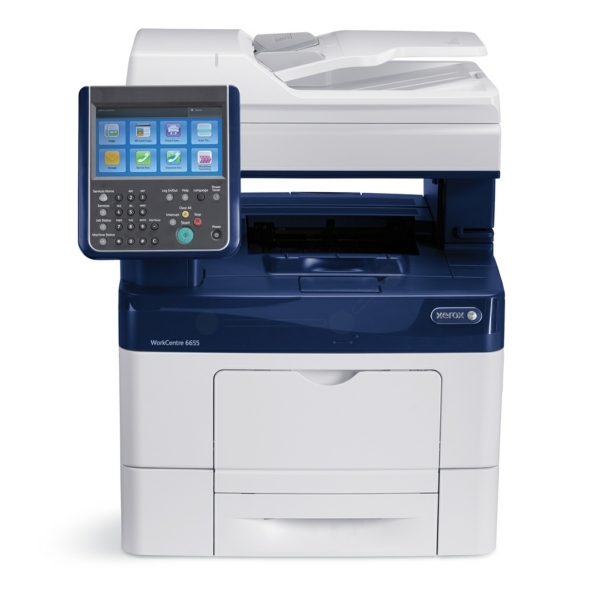
Fully loaded for high-volume color work, the Xerox WorkCentre 6655XM runs on the 106R02747 black toner cartridge common to the 6655 family, and its 12,000-page yield is built for departments that print in color all day. Alongside black, the 6655XM prints color from three single cartridges: cyan is 106R02744, magenta is 106R02745 and yellow is 106R02746, every one of them good for about 7,500 pages. Our compatible 106R02747 toner brings that capacity in at a lower cost per page.
An XM badge means the machine arrived dressed for maximum duty, and departments spec it that way because downtime is the expensive part. Toner logistics follow the same logic: the cost that matters is not the cartridge, it is the interrupted queue. Deep stock of black and a standing spare of the lead color are normal practice around this model, with sets used to reset the whole machine at planned intervals.
Toner Cartridges for WorkCentre 6655XM
| Cartridge | Color | Page Yield |
|---|---|---|
| 106R02747 | Black | About 12,000 pages |
| 106R02744 | Cyan | About 7,500 pages |
| 106R02745 | Magenta | About 7,500 pages |
| 106R02746 | Yellow | About 7,500 pages |
Complete sets stocked for the 6655XM:
- High Yield 4 Color Set — every slot refreshed at once
- WorkCentre 6655XM Laser Toner Cartridges High Yield 4 Color Set
- WorkCentre 6655XM Premium Quality 4 Color Set
Which cartridge should you buy?
At XM volumes, reorder discipline matters more than pack choice. Singles let you mirror real consumption — track which code you reorder most and bias stock toward it. Sets serve scheduled resets: swap all four during a quiet window and the next cycle starts clean. The economics favor compatibles throughout, since the same 12,000- and 7,500-page ratings arrive at a lower cost per page, and each compatible cartridge is covered by a 1-year warranty with 1-year returns.
Chip, toner and everyday use
Fit cartridges during a natural pause, not mid-run: cover open, spent unit out, fresh unit rocked gently so toner settles evenly, then home until the click. The chip reports the new level immediately, so a warning that lingers usually means the unit is not fully seated. Remember yields are 5%-coverage estimates — all-day color departments should plan on noticeably fewer pages per color cartridge. Rotate shelf stock oldest-first, keep it sealed and flat, and a faded first page after a swap normally clears within a few prints.
Frequently Asked Questions
What toner does the WorkCentre 6655XM use?
The family set: 106R02747 black at about 12,000 pages, and 106R02744 cyan, 106R02745 magenta, 106R02746 yellow at about 7,500 pages apiece — all high-yield, all shared with the models below.
How should a busy department stock for the XM?
Keep black deepest — it is the longest-rated and usually the fastest-moving — and hold one spare of your lead color. Use full sets for planned resets rather than emergencies, and reorder when the spare goes in, not when the machine stops.
Do compatible cartridges keep up with this volume?
They carry the same rated yields — 12,000 pages for the 106R02747 black and roughly 7,500 per color — and are backed by a 1-year warranty and 1-year returns, which is the practical cover a department needs.
More printers that use the same cartridges
Every member of the 6655 family below uses these same four cartridges: WorkCentre 6655, WorkCentre 6655X, WorkCentre 6655i.