




WorkCentre 3220DN
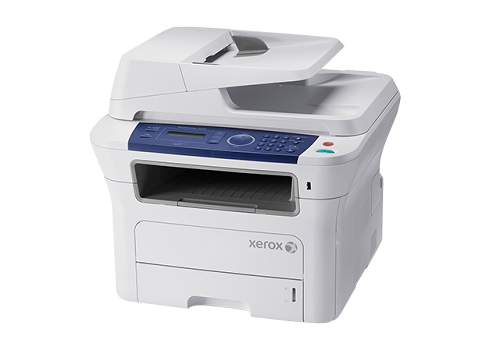
The Xerox WorkCentre 3220DN is a monochrome multifunction laser printer that gives a small office printing, copying, scanning and faxing in one affordable machine. Its toner system could hardly be simpler: a single black cartridge, ordered as the standard 106R01485 for everyday volume or as the high-yield 106R01486, which is rated at roughly 4,100 pages. Every listing on this page is a compatible cartridge built for the 3220DN, including multi-packs of the high-yield code and a MICR version for offices that print checks.
Machines like this one tend to sit at the center of a small office's paperwork — invoices first thing in the morning, scanned contracts after lunch, a fax in between. Because a single device carries so many jobs, an empty cartridge stops far more than printing. One spare on the shelf is cheap protection against a missed deadline, and the single-cartridge design means there is exactly one supply to keep track of.
Toner Cartridges for WorkCentre 3220DN
| Cartridge | Color | Page Yield |
|---|---|---|
| WorkCentre 3220DN Toner Cartridge Black | Black | See product listing |
| WorkCentre 3220DN Toner Cartridge Black 5 Pack | Black | See product listing |
| 106R01486 Toner Cartridge Black | Black | Approx. 4,100 pages |
| 106R01486 Toner Cartridge MICR Black | Black (MICR) | See product listing |
| 106R01486 Toner Cartridges Black 3 Pack | Black | Approx. 4,100 pages per cartridge |
| 106R01486 Toner Cartridges Black 5 Pack | Black | Approx. 4,100 pages per cartridge |
| 106R01486 Premium Quality Toner Cartridges Black 5 Pack | Black | Approx. 4,100 pages per cartridge |
Which cartridge should you buy?
Begin with how much the office really prints. The standard cartridge suits light, intermittent use — a few documents a day, with quiet stretches in between. The high-yield 106R01486, at roughly 4,100 pages, lowers the cost per page and stretches the gap between swaps, which is why busier desks default to it. The 3-pack and 5-pack listings simply bank that same cartridge ahead of time. The MICR version is the specialist of the shelf: choose it if this machine prints checks, and keep regular toner for everything else. Every compatible cartridge here is covered by a 1-year warranty and 1-year returns.
Chip, toner and everyday use
The 3220DN reads the chip on the cartridge, so seating matters: slide the new cartridge in squarely until it clicks, and let the machine recognize it before you send a job. If recognition fails, pull the cartridge out, confirm the chip contacts are clean and dry, and reseat it. Before installing, rock the cartridge gently from side to side a few times — toner settles during shipping, and redistributing it keeps the first pages even. Spares keep best sealed in their packaging, stored flat and out of direct sunlight.
Frequently Asked Questions
What toner does the WorkCentre 3220DN use?
It uses one black cartridge family: the standard 106R01485 for everyday volume, or the high-yield 106R01486 when the machine prints heavily. Both are stocked on this page as compatible cartridges, and the WorkCentre 3220DN-named listings are the same machine's standard cartridge under its model name.
How many pages will the high-yield cartridge print?
The 106R01486 is rated at roughly 4,100 pages. That figure assumes about 5% page coverage, so dense documents, heavy letterheads and long reports will land below it, while light text pages can run past it.
Can the 3220DN print checks?
Yes — with the MICR version of the 106R01486 listed above. MICR toner carries the magnetic formulation that check readers expect; ordinary toner is the right choice for every other job the machine handles.
How do I replace the cartridge?
Open the front cover, pull the spent cartridge straight out, and rock the new one gently to loosen the toner. Slide it in until it clicks, close the cover, and print a test page to confirm clean, even output before the next real job.
More printers that use the same cartridges
The 3220DN shares its black toner with these related models: WorkCentre 3210, WorkCentre 3210N, WorkCentre 3220, WorkCentre 3220VDN.