




Phaser 6360DX
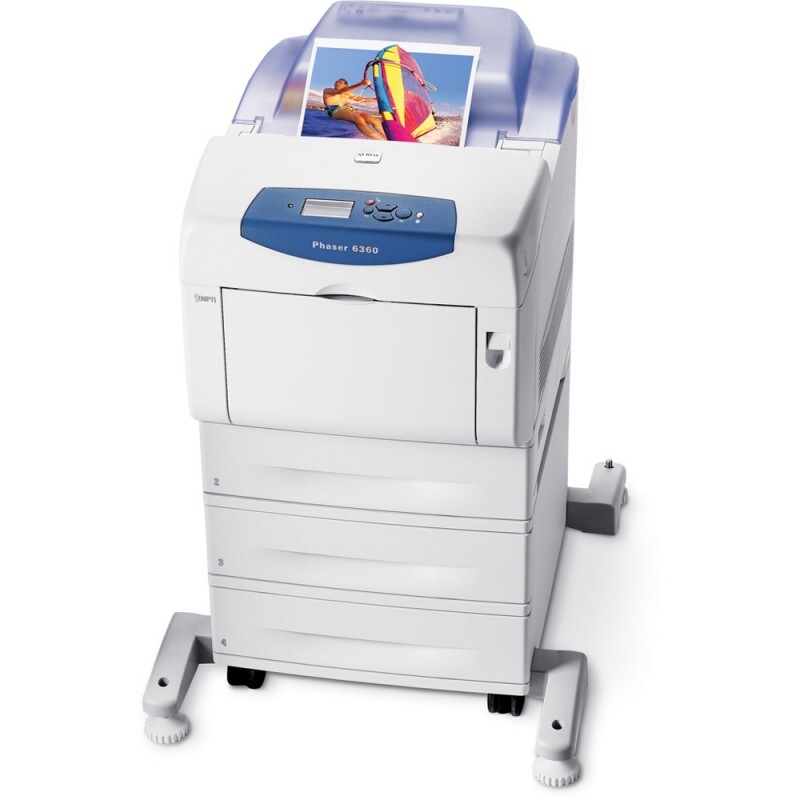
Some printers earn their keep by being easy to live with, and the Xerox Phaser 6360DX is a laser printer whose owners tend to mention the simple driver setup and routine maintenance before anything else. Toner is part of that routine: three cartridge numbers cover the machine, the 106R01217 for black work and the longer-running 106R01219 magenta and 106R01220 yellow cartridges for color jobs. Nothing about the list needs decoding.
Routine maintenance is a habit, and supplies behave best when they join the same habit: toner gets checked when the paper trays are filled, and the low cartridge is noted before it becomes the empty cartridge. One honest note about this page: the cartridges stocked here are black, magenta and yellow. No cyan cartridge is currently listed for this model on this page, so if your printer is asking for cyan, check the number on the cartridge you remove and your printer manual before ordering anything. For an administrator, the entire supply story of this machine fits on a sticky note — three numbers, one shelf, no surprises.
Toner Cartridges for Phaser 6360DX
| Cartridge | Color | Page Yield |
|---|---|---|
| 106R01217 — Black, single cartridge | Black | See product page |
| 106R01219 — Magenta, single cartridge, high yield | Magenta | High yield — see product page |
| 106R01220 — Yellow, single cartridge, high yield | Yellow | High yield — see product page |
| 106R01219 — Magenta, single cartridge (6360H listing) | Magenta | High yield — see product page |
| 106R01220 — Yellow, single cartridge (6360H listing) | Yellow | High yield — see product page |
Which cartridge should you buy?
Keep the buying as routine as the maintenance. When the DX reports a cartridge low, order that cartridge — black as a single, or magenta or yellow as the high-yield singles listed above — and the job is done. There is no standard-versus-high-yield debate on the color side here, because the stocked colors are the high-yield versions already. Administrators who look after several machines often standardize on a small shelf stock: one black and one of each color per machine type, replenished as used. That pattern suits this model well, since its three cartridges empty at clearly different rates and a full spare set would mostly sit waiting for the slowest color.
Chip, toner and everyday use
The swap itself is the two-minute version of printer care. Open the front cover, lift out the spent cartridge, rock the new one gently to distribute the toner, and slide it into place until it clicks — that click is the chip seating against its reader, and skipping it is what leaves a printer insisting the old cartridge is still installed. Keep spare cartridges in their packaging in a cool, dry spot; toner keeps well sealed and degrades mainly when it sits open to humid air. Remember that yield ratings are built on roughly 5% coverage, so a DX that prints dense color pages will call for cartridges sooner than the estimate on the box.
Frequently Asked Questions
How do I change the toner in the Phaser 6360DX?
Open the front cover, remove the old cartridge, rock the new one gently to level the toner, and slide it in until it clicks. Close the cover and let the printer register the chip before sending a job.
Which three cartridges should I keep on the shelf for the DX?
One each of black 106R01217, high-yield magenta 106R01219 and high-yield yellow 106R01220 covers the stocked range for this model and matches how unevenly the three are consumed.
The printer does not recognize a new cartridge — what now?
It is almost always the seating. Open the cover, push the cartridge firmly home until it clicks, and close up again; a chip that is not touching its reader cannot report the new cartridge.
Does this page stock cyan for the 6360DX?
No — the cartridges listed here are black, magenta and yellow. If your printer calls for cyan, take the number from the cartridge being replaced and confirm it in the manual before ordering elsewhere.
More printers that use the same cartridges
The sibling models below share this exact supply routine and the same three cartridges: Phaser 6360, Phaser 6360DN, Phaser 6360DT, Phaser 6360N.