Frequently Asked Questions
What is the cartridge number for the WorkCentre Pro M128?
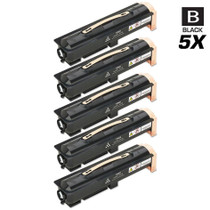
It is 006R01184. This listing is that cartridge — one compatible black toner rated at up to 30,000 pages — sold under the WorkCentre Pro M128 name. The number on your current cartridge's label is the confirmation to look for.
How much work does one cartridge do in an M128?
At 2,100 pages a month, about 14 months. At 3,900 a month, roughly 7 to 8 months. Prints, copies and printed faxes share the cartridge, so total machine pages are the number to watch.
Where else does this cartridge fit?
Everywhere on the platform: CopyCentre 133, CopyCentre C123, CopyCentre C128, WorkCentre 133, WorkCentre M123, WorkCentre M128, WorkCentre Pro 123 and WorkCentre Pro 128, in addition to the WorkCentre Pro M128 named here.
Copies are coming out faint on the M128 — cartridge done?
Try the redistribution trick first: remove the cartridge, rock it gently side to side, refit it. Faintness that clears was settled toner; faintness that stays across the whole page means the toner is genuinely exhausted and this single is the replacement.
When does the single make more sense than a box?
When the machine's duty is light or unpredictable. At $88.78 — about 0.30 cents per page — the single carries no stock commitment, and an M128 on gentle duty can take well over a year to finish one.
What warranty stands behind it?
A 1-year warranty, with free returns for one year. The details are on our shipping and returns page, and support answers Monday to Friday, 9 AM to 5 PM CST.
Where will this single ship from, and why does that matter to us?
Orders leave from whichever of our warehouses — Illinois, Pennsylvania, Georgia or California — serves your address. For a single-cartridge order like the 006R01184, that spread matters because the M128 is usually ordered for when the current cartridge is already fading: the nearer warehouse is the one your replacement travels from. Order when the first fading appears rather than when output has fully given out, and the overlap the platform allows covers the wait comfortably.
Can the paper make a healthy cartridge look worn out?
Yes. Paper that has picked up moisture in storage, or a poor-quality ream, can produce pale, patchy pages that look exactly like a dying cartridge — and swapping the 006R01184 changes nothing. Before blaming the toner, load a few sheets from a fresh, sealed ream kept indoors and print the same page. If the output firms up, the paper was the fault. It is a two-minute test that saves a good cartridge from being retired early.
Most of our M128 output is two-sided — how does that count against the rating?
By sides, not by sheets. Every printed side draws on the cartridge, so a 400-sheet two-sided run spends roughly 800 pages of the 30,000-page rating. Offices that duplex heavily often feel a cartridge ends early when they count sheets; counted in sides, the cartridge is usually right on its expected pace. When you estimate months per cartridge, work from the machine's total page count — prints, copies and printed faxes together — rather than from the paper tray.
Should the old cartridge go straight in the bin when the new one goes in?
Not immediately. Keep the spent 006R01184, boxed, for a few days after the swap. If the new cartridge misbehaves in its first week, the old unit is your comparison — refitting it briefly shows whether the fault belongs to the new cartridge or the machine — and it is useful evidence if you talk to support under the 1-year warranty. Once the new cartridge has proven itself over several days of normal work, the old one can go out with the regular disposal.
About This WorkCentre Pro M128 Cartridge
The WorkCentre Pro M128's single: one compatible black 006R01184, $88.78, 30,000 pages, sent from our Illinois, Pennsylvania, Georgia or California warehouse. Stocking ahead instead? The 006R01184 5-pack for the WorkCentre Pro M128 prices the cartridge at $73.99. The whole family is on our Xerox toner page.







 See Compatible Printers
 Read more about our ink!